Vista Ultimate (Driver problem?)

Shane

Super Moderator
Staff member
Hi all,

I just instaled Vista ultimate (Dual booted with xp)...everythings working fine.

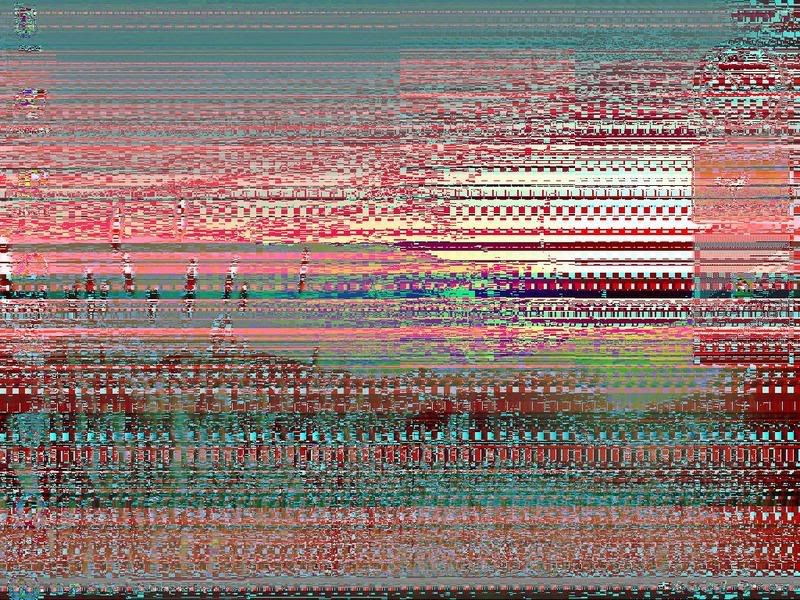
However....are the ATI drivers realy buggy at the moment because i downloaded the latest Vista driver for my radeon 9600 and the Aero effect is working ok in vista but whenever i take screenshots of my desktop this is what i get shown on the screenshot:mad:

IMAGES.jpg


its ONLY shows like that in the screenshot i take...its not like that all the time :)...but other than that everything great.
 
Last edited:
Hi all,

I just instaled Vista ultimate (Dual booted with xp)...everythings working fine.

However....are the ATI drivers realy buggy at the moment because i downloaded the latest Vista driver for my radeon 9600 and the Aero effect is working ok in vista but whenever i take screenshots of my desktop this is what i get shown on the screenshot:mad:

IMAGES.jpg


its ONLY shows like that in the screenshot i take...its not like that all the time :)...but other than that everything great.
Interesting...

Is the video driver supportive for VISTA? If not, that could be the problem????

:confused:
 
Wait, did any ask even what screen shot software he's using? Maybe that software is not compatible with Vista!
 
Wait, did any ask even what screen shot software he's using? Maybe that software is not compatible with Vista!

A valid point. But, he did say that he hasn't had the problem otherwise... so chances are it could be that?!?!?!
 
No, I don't think he'd be using any software to take a screenshot of the desktop, it'll be the simple combination of Print Scrn and MS Paint :P
 
No, I don't think he'd be using any software to take a screenshot of the desktop, it'll be the simple combination of Print Scrn and MS Paint :P

Why would he be using MS Paint??? Oh... I see what you are saying. He's copying the screen shot into paint and the file is corrupted.... aaahhhh!

Okay, that's a different matter all together.

Try copying the screen shot in another application and see if the same problem persist. I could be the way that Vista is interpreting the screen shot -- something which also could be posted on their community newsgroup in discussion!????


:o
 
I wasn't actually thinking of it that way, but yeah! Good idea ;)

Try using some other software you have, paste it into MS Word or something, or try a screenshot program if you aren't already using one.
 
No, I don't think he'd be using any software to take a screenshot of the desktop, it'll be the simple combination of Print Scrn and MS Paint :P

Yeah i just press printscreen and then paste it into paint,

ive also tried Winsnap which is capture software and the image is messed up on that too:confused:

i could try pasting the image into word...but then i couldnt upload it to photobucked because it wouldnt be a valid upload image.
 
Last edited:
Yeah i just press printscreen and then paste it into paint,

ive also tried Winsnap which is capture software and the image is messed up on that too:confused:

i could try pasting the image into word...but then i couldnt upload it to photobucked because it wouldnt be a valid upload image.

Yeah, just see if it messes it up in Word too.
Did your monitor come with any drivers?
 
Yeah i just press printscreen and then paste it into paint,

ive also tried Winsnap which is capture software and the image is messed up on that too:confused:

i could try pasting the image into word...but then i couldnt upload it to photobucked because it wouldnt be a valid upload image.

It could be a combination of incompatibility issues... like the video driver being used in Vista is what is causing this problem.

Still some bugs in Vista - obviously... try it in Word to see if the same thing happens. If not, then it'll be interesting to see if it does.
 
Yeah, just see if it messes it up in Word too.
Did your monitor come with any drivers?

gonna try tommorow cos its gettin late and i cant be bothred restarting my system and stuff now.... il post back with the results.:)
 
No mate im not runnig it on vista because last time i heard Punkbuster wasnt running properly on vista causing it to kick you out the game:D

EDIT:Forgot to answer....

Korno said:
Did your monitor come with any drivers?

Nope it didnt...just standard plug and play i think.
 
Last edited:
Gee? When I capture screens on Vista they look like... http://img338.imageshack.us/my.php?image=dukestartoffsu1.jpg Your problem is something that Kornowski should already be familiar with.

The latest Catalyst versions "will not work" on a Radeon AGP card with a 9xxx ATI chip on it. The last Catalyst version to run on a card with the 9600 is the Catalyst 5.11 version for the older card. The last card here was the 9550 that also has the 9600 on it. The latest 7.2 requires at least the X700 model while even that is on the way to the "discontinued lineup". http://www.tweaktown.com/articles/838/
 
.

The latest Catalyst versions "will not work" on a Radeon AGP card with a 9xxx ATI chip on it. The last Catalyst version to run on a card with the 9600 is the Catalyst 5.11 version for the older card.


You need to tell ATI that! I run Vista 64 here with A 9600pro AGP on a 754 board with the 7.2 with no problems!
Version 7.2 Catalyst
ATI Radeon™ X1950 series
ATI Radeon™ X800 series
ATI Radeon™ X1900 series
ATI Radeon™ X700 series
ATI Radeon™ X1800 series
ATI Radeon™ X600 series
ATI Radeon™ X1650 series
ATI Radeon™ X550 series
ATI Radeon™ X1600 series
ATI Radeon™ X300 series
ATI Radeon™ X1550 series
ATI Radeon™ 9800 series
ATI Radeon™ X1300 series
ATI Radeon™ 9700 series
ATI Radeon™ X1050 series
ATI Radeon™ 9600 series
ATI Radeon™ X850 series
ATI Radeon™ 9500 series
 
You need to tell ATI that! I run Vista 64 here with A 9600pro AGP on a 754 board with the 7.2 with no problems!

You may want to review the thread seen at http://www.computerforum.com/76769-problem-general-pc-performance.html#post597136 about this. I happen to be in full agreement with what is seen there since I have been running different cards with ATI vpus on them and have been snagged when the latest Catalyst update lacks support for the older models.
 
Back
Top