
You are using an out of date browser. It may not display this or other websites correctly.
You should upgrade or use an alternative browser.
You should upgrade or use an alternative browser.
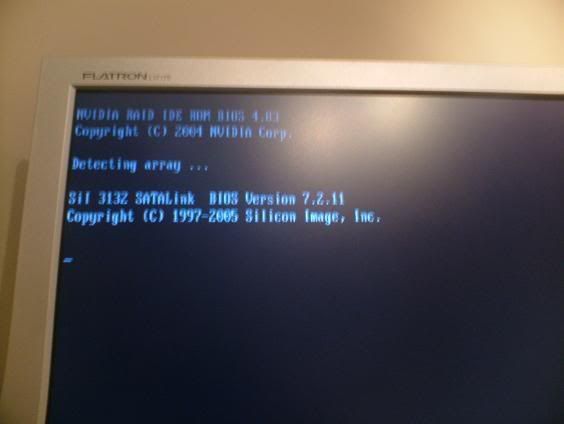
Annoying message that makes booting take ages
- Thread starter taylormsj
- Start date


Master Mind
New Member
change the booting preferences in the bios, change IDE drive to 2 and the HDD to 1, this stops any booting processes that the cd may do....
Master Mind
Master Mind

elitehacker
New Member
Then set it to SATA and your hard drive first on the boot order. That should stop your system from searching for boot devices other than your hard drive.

blacklabelrum
Member
Hmmm., have you tried to reset your CMOS?