
I have a friends computer that has been having a problem for a while with freezing
in games and programs. If it just sits in Windows then it will run forever but start
playing games or running programs it eventualy freezes.
I have narrowed down the search of what is wrong.
I have formatted and re-installed
everything to cancel out any software or driver problems.
I have exchanged the 2 sticks of ram for 2 more that I know work and also bringing the
ram to 1 gig. So it can't be the memory.
I have opened the case and turned on a pedistool fan which is pointing directly onto
motherboard. Keeping the temp at 45 degrees celcius when idle and a max of
52 degrees celcius when playing games and running programs. Without the big fan it
gets up to 59 degrees. But when it does freeze it can be any temp.
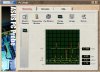
I installed ASUS PC PROBE 2.25.02 and have noticed the CPU Fan speed reads fine then
drops to 0rpm for a second then back to normal running speed of around 3300 - 3900rpm.
All 4 Voltages have spikes most of the time especially when playing games or running
programs.
Volt - Normal - Low SPIKE - High spike
+12 - 12.5 - 2.3 - 16.2
+5 - 4.9 - 4.8 - 6.8
+3.3 - 3.3 - 2.3 - 4.1
Vcore - 1.76 - 0.1 - 4.08
See picture:
So now I am down to 4 things:
1. CPU
2. Motherboard
3. PSU
4. HDD
M/Board - ASUS A7N266-VM
CPU - AMD XP2000+ (1.67 GHz)
Ram - 512mb DDR (2 x 256 mb PC2100)
HDD - Maxtor IDE 60 gig
PSU - L & C Technolgy Inc - LC-B400ATX (10/2002)
- 155 / 230V 10 / 6A 60 / 50Hz
- +3.3V +5V +12V -12V -5V +5VSB
- 28A 30A 15A 0.8A 0.3A 2A
Video - XFX GeForce4 MX440
Drivers - All the latest Drivers
OS - Windows XP Home (SP2 & all updates)
Modem - Netcomm 56k SoftV92
DVD rom - Liteon 16x
CD Burner - Liteon 48x24x48x
Can someone please help me on what the problem is and a way to fix it?
hareber
in games and programs. If it just sits in Windows then it will run forever but start
playing games or running programs it eventualy freezes.
I have narrowed down the search of what is wrong.
I have formatted and re-installed
everything to cancel out any software or driver problems.
I have exchanged the 2 sticks of ram for 2 more that I know work and also bringing the
ram to 1 gig. So it can't be the memory.
I have opened the case and turned on a pedistool fan which is pointing directly onto
motherboard. Keeping the temp at 45 degrees celcius when idle and a max of
52 degrees celcius when playing games and running programs. Without the big fan it
gets up to 59 degrees. But when it does freeze it can be any temp.
I installed ASUS PC PROBE 2.25.02 and have noticed the CPU Fan speed reads fine then
drops to 0rpm for a second then back to normal running speed of around 3300 - 3900rpm.
All 4 Voltages have spikes most of the time especially when playing games or running
programs.
Volt - Normal - Low SPIKE - High spike
+12 - 12.5 - 2.3 - 16.2
+5 - 4.9 - 4.8 - 6.8
+3.3 - 3.3 - 2.3 - 4.1
Vcore - 1.76 - 0.1 - 4.08
See picture:
So now I am down to 4 things:
1. CPU
2. Motherboard
3. PSU
4. HDD
M/Board - ASUS A7N266-VM
CPU - AMD XP2000+ (1.67 GHz)
Ram - 512mb DDR (2 x 256 mb PC2100)
HDD - Maxtor IDE 60 gig
PSU - L & C Technolgy Inc - LC-B400ATX (10/2002)
- 155 / 230V 10 / 6A 60 / 50Hz
- +3.3V +5V +12V -12V -5V +5VSB
- 28A 30A 15A 0.8A 0.3A 2A
Video - XFX GeForce4 MX440
Drivers - All the latest Drivers
OS - Windows XP Home (SP2 & all updates)
Modem - Netcomm 56k SoftV92
DVD rom - Liteon 16x
CD Burner - Liteon 48x24x48x
Can someone please help me on what the problem is and a way to fix it?
hareber


 (although my 1st guess is still PSU)