Computer don't work with minecraft

Dragonold103

New Member
Hi I'm new here and If i put this in the wrong place please tell me.

My Computer can't run minecraft without lag spikes but I can run Warframe, Diable 2 and Terraria just fine but I can't play minecraft.

I don't know what is wrong with my computer and I can play other games but minecraft that are better or wrest.

Can someone tell me what I can do to make the lags stop and yes I tried downloading stuff to make it run faster but it didn't work.
 
What is your computer specification? Download CCleaner and run a clean, download CPUZ and reply with what specification you have.
- Processor
- Memory
- Operating System
- Graphics Card

This should really be in the Games and Consoles section, but get back as to if you have any joy fixing it. Do you have the Minecraft graphics setting to Fancy or to Fast?
 
What is your computer specification? Download CCleaner and run a clean, download CPUZ and reply with what specification you have.
- Processor
- Memory
- Operating System
- Graphics Card

This should really be in the Games and Consoles section, but get back as to if you have any joy fixing it. Do you have the Minecraft graphics setting to Fancy or to Fast?

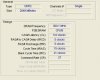
I run minecraft on fast and I don't know what you need and so I took a picture for you. didn't find Operating System.
 

Attachments

  • Graphics Card.png
    Graphics Card.png
    9.3 KB · Views: 118
  • Memory.jpg
    Memory.jpg
    16.1 KB · Views: 103
  • Processor.png
    Processor.png
    12 KB · Views: 108
Yeah your specs are quite low, GT 240 isn't really a gaming card, nor is the X2 4600+ a terribly fast processor and 2GB of RAM isn't a lot. I'd be willing to say the reason Minecraft lags is because your PC isn't powerful enough to run it.
 
Yeah your specs are quite low, GT 240 isn't really a gaming card, nor is the X2 4600+ a terribly fast processor and 2GB of RAM isn't a lot. I'd be willing to say the reason Minecraft lags is because your PC isn't powerful enough to run it.

ok thanks
 
You could try lowering the settings and resolution in Minecraft a bit and see if that improves anything.
 
If I quote Mojang.com

A computer with the minimum requirements should be able to play Minecraft. However, for the best experience, please consider the recommended requirements.


Minimum Requirements:
CPU : Intel P4/NetBurst Architecture or its AMD Equivalent (AMD K7)
RAM : 2GB
GPU : Intel GMA 950 or AMD Equivalent
HDD : At least 90MB for Game Core and Sound Files
Java Runtime Environment (JRE) 6 or up is required to be able to run the game.

Recommended Requirements:
CPU : Intel Pentium D or AMD Athlon 64 (K8) 2.6 GHz
RAM : 4GB
GPU : GeForce 6xxx or ATI Radeon 9xxx and up with OpenGL 2 Support (Excluding Integrated Chipsets)
HDD : 150MB

You have the minimal requirements for the game. It is not going to perform well. Your best bet is to get an upgrade for your Graphics and RAM. Remember, you may have 2GB Ram (2048MB) but a section of that is used by your OS anyway.

So really you are below the minimum requirements for the game.

Go to Start, and click run (or type in the search box if it is there) and type in WinVer.exe and press enter. Put a screenshot of the window that appears up.

If not, I have a program that I have made that can tell you system info if you want to try it.
 
Last edited:
Have you tried updating Java. I had Minecraft on my old Pentium 4 2.8GHz single core with 2 gigs of RAM and a 8400GS at about 30-60 fps with highest graphics settings. Granted this was about a year or two ago so I'm not sure if optimization and performance has changed since then. Your specs honestly are fine for the game.
 
You could try allocating more memory to Minecraft. This may or may not help you, but it's worth a try.

Create a text file and type the following:
java -Xmx1024M -Xms1024M -jar "'Path to Minecraft'"

Then save it as a .bat file. Double click to run it.
In that example 1gb has been allocated, here's some more:

2GB
java -Xmx2048M -Xms2048M -jar "Minecraft.exe"

3GB
java -Xmx3072M -Xms3072M -jar "Minecraft.exe"

5GB
java -Xmx5120M -Xms5120M -jar "Minecraft.exe"

6GB
java -Xmx6144M -Xms6144M -jar "Minecraft.exe"

Don't allocate any more RAM than you have (obviously)!
 
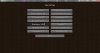
I used to have this problem with my old laptop. I tried allocating more RAM but it doesn't really help. I got a whole new laptop that can run it great, but for your situation I would make sure that you have these settings (Check the attachment) Best of luck!
 

Attachments

  • Helping the kid.jpg
    Helping the kid.jpg
    95.7 KB · Views: 19
Last edited:
Back
Top