
You are using an out of date browser. It may not display this or other websites correctly.
You should upgrade or use an alternative browser.
You should upgrade or use an alternative browser.
computer wont load up
- Thread starter maddog01
- Start date

2048Megabytes
Active Member
I think it is either your motherboard, the RAM or the power supply unit that is faulty.
Remove one of the RAM modules and see if you can get the computer to start.
Edit: Were any changes made to this system before it started malfunctioning?
Remove one of the RAM modules and see if you can get the computer to start.
Edit: Were any changes made to this system before it started malfunctioning?
Last edited:

Try resetting the cmos. To do this, unplug power from power supply, remove the cmos battery from motherboard, press the power button on the case a few times to discharge any remaining power, then wait a few minutes. Then reinsert battery and attach power cable to power supply and try booting up. If it still don't work, then I would say you have a motherboard issue.
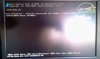
i have also took the battery out for a few minutes and stil the same. another thing is when i get that display it clearly shows press del esc and other buttons for random things, now when i press those buttons i still get nothing. when i press num/scroll/caps lock they dont light up on the keyboard. im thinking the new motherboard which has been in for about a month has fried itself.
2048Megabytes
Active Member
i have just doen exactly what you said and YES it works.
thank you for your help and the help of others
You got it working? Who would have thought reseting CMOS to default settings would get your system working again. I am writing notes on this fix for future reference.
JohnB35 made some great suggestions.