Desperate Hardisk trouble

computerses89

New Member
I bought a 100GB hard disk by Colors-it ...

I found a CD with the driver only for Win98 and Mac...
But I need the drivers for xp/vista/7...
I searched the net for any related drivers but nothing found...

My pc does not detect it as a Colors-it hardisk (brand name printed on it) but as a samsung HM100JC, maybe these hardisks are made by samsung?

sorry if screenshot is in italian language but I'm italian!

here's you are a screenshot of cd drivers content...


hardisk is connected via usb port and supplied also via usb...

I'm desperate...
 
What are you desperate for?

If the hard drive is recognized, then use it. Who cares what it's called?

you did not understand...is not recognized!!!

I need the drivers for xp/vista/7...
and in the cd there are only drivers for 98/mac!!!
you see?

anyway I've just opened it and It's really a samsung hm100jc
 
No need for exclamation!!! The drive is clearly recognized, but it's
probably not formatted.

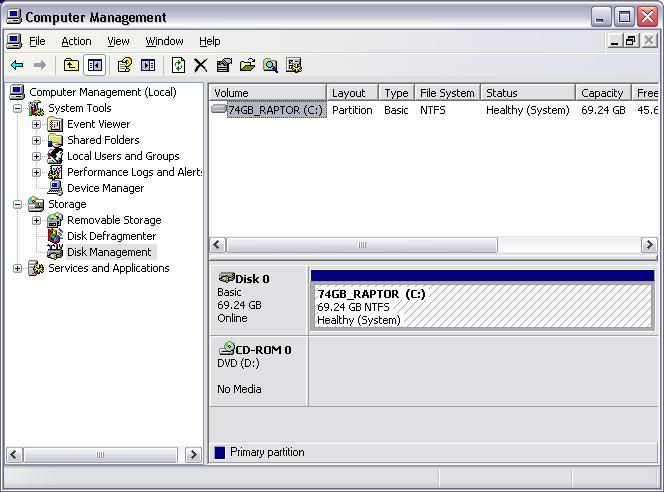
Does the drive show up in "Disk Management"?

If so, right click, and "Format" to your desired file system.

DiskManagement-1.jpg
 
You should uninstall that hard disk drive from the device manager,restart the computer...so that Windows OS can recognize it,install it and if it asks you to restart the computer,do it.After that,you MUST completely format that HDD from the DISK MANAGEMENT.When I say "COMPLETELY FORMAT" I mean that you MUST delete ALL the partitions and then completely format the entire HDD.

NOTE: SOME hard disk drives will NOT be automatically installed.That means that you must go into the ADD NEW HARDWARE wizard and add your hard disk drive from there...First try the AUTOMATIC (recommended) option and if that doesn't work (and it probably won't),use the ADVANCED (manual) option.From the list of the devices find your hard disk drive and install it.


Cheers mate!
 
You should uninstall that hard disk drive from the device manager,restart the computer...so that Windows OS can recognize it,install it and if it asks you to restart the computer,do it.After that,you MUST completely format that HDD from the DISK MANAGEMENT.When I say "COMPLETELY FORMAT" I mean that you MUST delete ALL the partitions and then completely format the entire HDD.

NOTE: SOME hard disk drives will NOT be automatically installed.That means that you must go into the ADD NEW HARDWARE wizard and add your hard disk drive from there...First try the AUTOMATIC (recommended) option and if that doesn't work (and it probably won't),use the ADVANCED (manual) option.From the list of the devices find your hard disk drive and install it.


Cheers mate!

thanks mate
 
Back
Top