Dual Boot. XP and Win 7

firefrost

New Member
Recently I had problems with my computer which I reported on here.
The advice was to go for a re-install of both systems, this is what happened next. Installation of both went well starting with XP.
However, Windows 7 installed and found the internet and e mai with no problem. whereas XP installed well but could not go on line.
A message came up , the host 'mail.internet.com' coulnt be found, etc.
Error no.0x800cccod
I then brought XP up to SP2 and IE 7 using Wil 7 and a CD but to no avail.
Any help appreciated.
 
Have you installed network/ethernet drivers for XP? Usually with XP you have to install the drivers yourself whereas Windows 7 usually has them all integrated.
 
Like Vistakid10 said. You need to install your LAN driver with XP. You really should update all your drivers with both OSs.
 
I thought microsoft would make the drivers available but where are they?
Googled them but driver tool want £30 and I dont know if they will work.
 
My computer manufacturer ceased trading many years ago. Going off now will try to access the drivers tomorrow. Any other info appreciated.
 
Is this a store bought pc or a custom built one? Would need model number of pc or model number of motherboard if custom built.
 
Well I would type my model of computer into a google search engine cause there is usually a website some where that says what hardware you have inside and then go to the hardware manufacture and get the driver from them.

Done it on my dads old CTX desktop.
 
This is a store bought PC , 2002, but has always worked well on XP.
The motherboard is a Gigabyte GA-7DX, AMD 761 AGPset,socket A processor.
After re-install I had brought it up to Service Pack 2 and IE 7.
I have tracked down a Lan driver, real tek 8139, and put it on the XP desktop but still no internet. I could put in Service pack 3 if that would install any required drivers but don't think it would. How many drivers are required any way?
Being on dual boot I can't work directly on the XP partition.
 
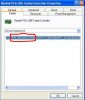
Look in device manager for any entries with yellow question marks or any unknown devices. If you have the realtek 8139 chip for lan, XP has that driver already in its database and would install it. So you must have some other ethernet adapter. Do this. Go into device manager and right click on the device for network adapters and click on properties, then click on the details tab. I would need the 4 digit vendor and device id numbers, they look like this.
 

Attachments

  • device.JPG
    device.JPG
    31.8 KB · Views: 23
John, Thanks for the information. I went into device manager and found two items with yellow Q marks against them.
1. ethernet controller. 2. universal srial bus usb controller. It offered to sort them out and it finished with clear question marks. I think it installed realtek RTL8169/8110 driver and Standard Enhanced PCI to USB Host Controller driver. I can access the internet now.
I checked device manager for network adaptors and the numbers you asked for were the same as shown by you, 10EC&DEV.
Still some trouble with e mails but now on line and should be able to re install.
This desktop has two dual boot Op systems but I did not think it would be considered a network. Anyway thanks to all who contributed, I now have a fresh install of xp that works.
 
Back
Top