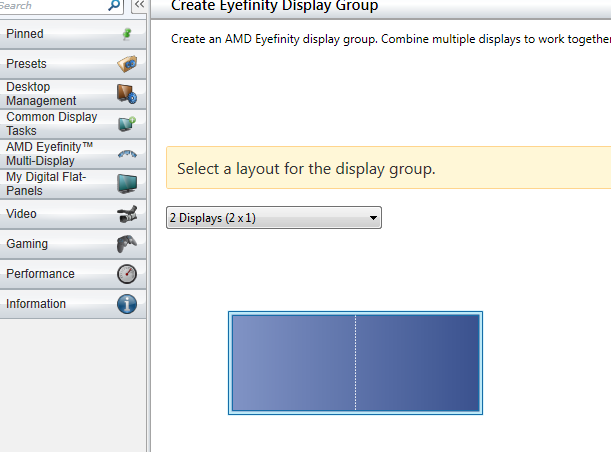
Eyefinity + Crossfire

ToddRYoungblood

New Member
Doing a build that I bought yesterday. I have 2 Gigabyte Radeon 6870 in Crossfire, and I bought an mini-displayport adapter, so they are all plugged into a single card, but I can't get all of them to run at the same time. Pretty frustrated. I really want 3 displays and crossfire at the same time.

Any help would be great!
 
Doing a build that I bought yesterday. I have 2 Gigabyte Radeon 6870 in Crossfire, and I bought an mini-displayport adapter, so they are all plugged into a single card, but I can't get all of them to run at the same time. Pretty frustrated. I really want 3 displays and crossfire at the same time.

Any help would be great!

Did you get an active DVI adapter? Passive and VGA ones won't work with eyefinity.
 
MiniDis to DVI.

Assuming that it was a mistake, I will return it tomorrow. Will this work?

http://www.amazon.com/gp/product/B004071ZXA/ref=ox_ya_os_product

Well according to the FAQ the MiniDisplayPort to DVI is active (IE, I was making sure you didn't use the dual link version, which is passive), and thus should work.

Does having just the Adapter plugged into the card and monitor, result in display? You have the latest drivers? Does it work in non crossfire?
 
Well according to the FAQ the MiniDisplayPort to DVI is active (IE, I was making sure you didn't use the dual link version, which is passive), and thus should work.

Does having just the Adapter plugged into the card and monitor, result in display? You have the latest drivers? Does it work in non crossfire?

I do have the latest drivers. I can detect it, it just refuses to display anything on it. Could you possibly try working with me over teamviewer?
 
have you goen to the display options and told it to detect all screens?

Yes. It can detect all the screens but I can't have it display through them all, even when it's not in crossfire. Which is why I think it might be a problem with the adapter. I think it may be a passive adapter, or it might just be limited to apple products.
 
Also posted my woes here:

http://forums.amd.com/game/messageview.cfm?catid=405&threadid=154166&enterthread=y

At this point I just want 3x Eyefinity Working...

Having problems setting up Eyefinity with 3 screens on 2 Gigabyte HD 6870 (Eyefinity Approved)

I have 3 screens.

3scr-Copy-1.png


ATi will only let me use 2...

disbale-Copy.png


So will Eyefinity.

eyesuck-Copy.png


I'm stuck and I feel like I have tried everything... I have rolled back my drivers to 11.4 through 11.8 and I still can't get anything past 2. I have 2 cards which I will eventually crossfire, but I have tried every slot on each card, even with a active adapter and I still have no luck. I have taken the cards out and switched each thinking I may have a fault card, but that didn't do a thing either. I have tried all 3 through dvi, and mixed them each through my active mDisplayport to DVI adapter. I'm stuck.

Desperate for help. I really want to get my tri-finity working!
 
Last edited:
I would chalk it up to your adapter being weird/bad. Granted, the fact your monitors show up as "analog" seems fishy to me. Regardless, I'm out of suggestions :(.
 
I just ran into this issue yesterday. Got a third monitor and a cheap 20 dollar dvi to mini-dp adapter and couldn't get my third monitor up. Found out I needed an active display port adapter. Waiting on one in the mail now.

Hopefully it works.
 
^^ this.

I dont understand why people want to use the display port.

Why not use both DVI ports and the HDMI port?

My monitor doesn't have an HDMI out. Plus HDMI to DVI is quite a bit more expensive than DP to DVI.

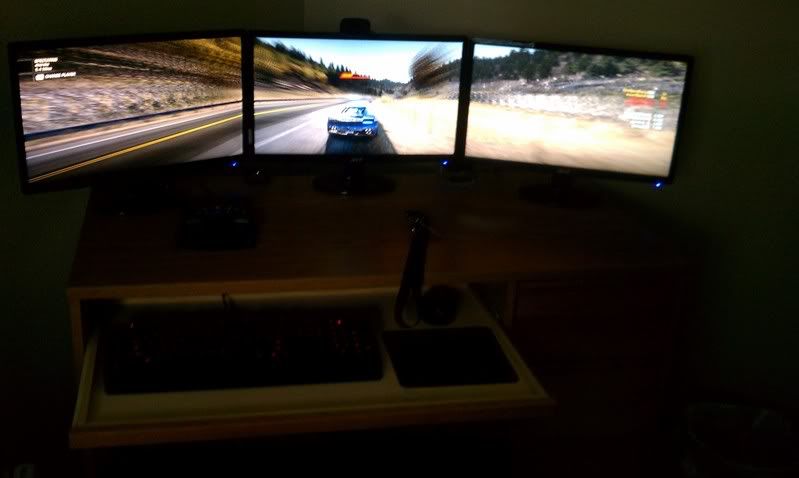
As for my set-up, I got all my problems solved. I went back to Mircocenter and switched my ATI 6870s for Nvidia's 560GTXs. Popped them in, automatically recognized SLI, hit "Surround" and it filled all 3 screens. Plus I got to return my adapter for 40$ back, and the Nvidia cards had a 30$ mail in rebate per card.

ATI < NVIDIA. I'll never deal with ATI again, I wasted a good 20 hours troubleshooting...

Victory!

IMAG0217.jpg
 
^^ this.

I dont understand why people want to use the display port.

Why not use both DVI ports and the HDMI port?

HDMI is just DVI in a different cable. Its literally the exact same digital signal. Meaning no matter what configuration you'll need one DisplayPort

Code:
Mon1   Mon2    Mon3
DVI     DVI      DP
DVI     HDMI     DP
HDMI    HDMI     DP
HDMI    DVI      DP

To the OP. I didn't know Nvidia had the "surround" function, thats nifty. Glad you got your situation fixed. Though now I'm curious what motherboard do you have that allows both SLI and crossfire?!
 
HDMI is just DVI in a different cable. Its literally the exact same digital signal. Meaning no matter what configuration you'll need one DisplayPort

Code:
Mon1   Mon2    Mon3
DVI     DVI      DP
DVI     HDMI     DP
HDMI    HDMI     DP
HDMI    DVI      DP

To the OP. I didn't know Nvidia had the "surround" function, thats nifty. Glad you got your situation fixed. Though now I'm curious what motherboard do you have that allows both SLI and crossfire?!

http://www.gigabyte.com/products/product-page.aspx?pid=3896#ov

2060.jpg
Multi-display support with CrossFireX and SLI™
Flexible graphics capabilities supported for either CrossFireX™ or SLI™ action, delivering the ultimate in graphics performance for gaming enthusiasts who demand the highest frame rates without compromising on resolution.

I'm really impressed with nvidia. My last build I used 2 9800GTs back in 2007 and I loved those, I can tell they have the upper hand when it comes to driver/support software.
 
^^ this.

I dont understand why people want to use the display port.

Why not use both DVI ports and the HDMI port?

My monitors do not have HDMI. I would have to buy a DVI to HDMI adapter. Which still means I am using 3 DVI. I would then need a active adapter. I wish I did have a HDMI on my monitors.
 
Back
Top