hard drive won't boot - extreme noob warning

aegino

New Member
Hi:)

New here. Can anyone help?

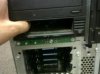
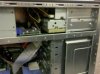
We have this server, it is a Dell PowerEdge 1600SC. We have just moved it here and we are unable to boot it up.

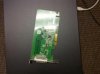
Maybe these pictures I attached will help somewhat.
That random card in the last pic was found inside the box.

When I try to boot, on the monitor it says it can't boot, can't find it or unavailable, etc..

Any insights?

Thanks!

It is windows 2003 svr i think..
 

Attachments

  • IMG-20120717-00149.jpg
    IMG-20120717-00149.jpg
    17.7 KB · Views: 106
  • IMG-20120717-00151.jpg
    IMG-20120717-00151.jpg
    17.6 KB · Views: 102
  • IMG-20120717-00152.jpg
    IMG-20120717-00152.jpg
    20.2 KB · Views: 103
  • IMG-20120717-00153.jpg
    IMG-20120717-00153.jpg
    20.8 KB · Views: 103
  • IMG-20120717-00154.jpg
    IMG-20120717-00154.jpg
    16.4 KB · Views: 108
Was it working before? Could either be a bad hard drive or other bad hardware. The pictures don't tell us anything.
 
Was it working before? Could either be a bad hard drive or other bad hardware. The pictures don't tell us anything.

a) I'm glad to know you haven't said anything about there not even being a harddrive. So, worry #1 is gone. lol

b) I'm unsure the last time it was turned on... It used to work when it was over at another company.. But since then it has probably sat not turned on for quite some time, possibly years. Has very important information on it that we're trying to access.

Also, if this helps, on the boot screen, it doesn't recognize any hard drive and it said something like "front cover has been removed" and a very very very annoying alarm goes off quite loudly and won't turn off. Could be a protection thing :S
 
You can disable that alarm in the bios, look for something similar to open chassis alarm. If the bios doesn't detect a hard drive then check to make sure there is a data and power cable going to the drive. Just may be a loose cable as well. Turn the computer on and see if the you can hear the drive spin up.
 
Back
Top