
You are using an out of date browser. It may not display this or other websites correctly.
You should upgrade or use an alternative browser.
You should upgrade or use an alternative browser.
HDD: Status is "System"
- Thread starter C4C
- Start date
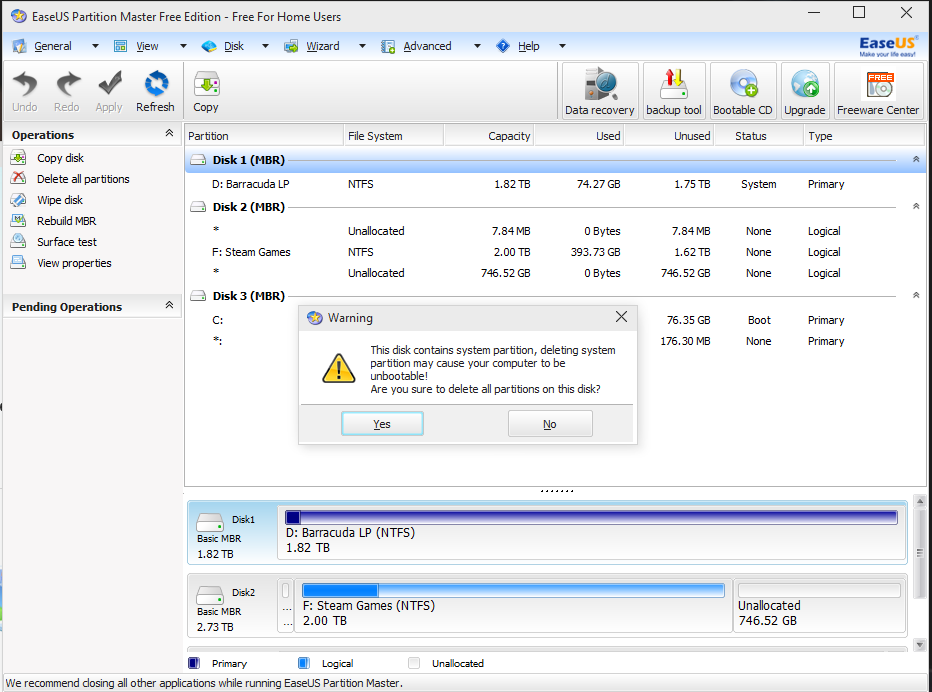

Why are you using ******? <---LOL the word filter thinks I'm swearing. Just use Disk Management.
Right click your C:\ partition and mark it as the active partition, then format the 2TB Drive.
If you get a failed boot, check the BIOS and make sure your drive hosting C:\ is at the top of the HDD priority.
If it still fails, rebuild the boot manager from scratch (guide found below).
http://www.howtogeek.com/howto/32523/how-to-manually-repair-windows-7-boot-loader-problems/
Right click your C:\ partition and mark it as the active partition, then format the 2TB Drive.
If you get a failed boot, check the BIOS and make sure your drive hosting C:\ is at the top of the HDD priority.
If it still fails, rebuild the boot manager from scratch (guide found below).
http://www.howtogeek.com/howto/32523/how-to-manually-repair-windows-7-boot-loader-problems/


C4C
Well-Known Member
No, it's filtering out the program name. I can't remember why we filtered it out years ago.
it seems your boot files are on the 2 tb drive and thats why you are getting the error message.
I just marked the C: drive as active, and I found out there's 75GB of system files on the extra disk..
Currently making that a partition and I'll try to merge it with my new drive.. .
Edit: decided to look at what this space was being occupied by in "disk cleanup"... Happens to be the recycle bin. I've moved it to the new drive and I'm deleting the current items in there.
Last edited:
C4C
Well-Known Member
BREAKING NEWS:
When I got to removing the HDD, it threw the Boot message again...
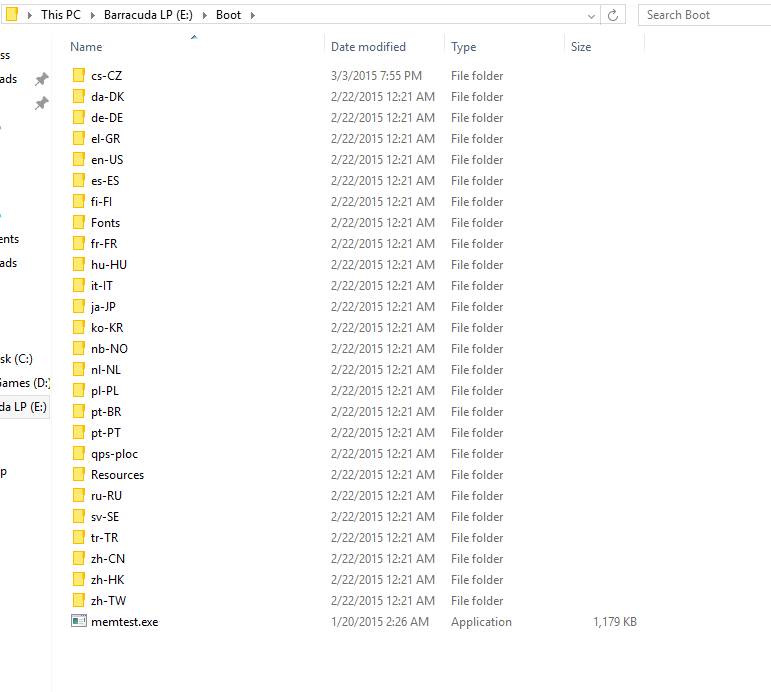
Trying to compress the disk in disk managment (don't ask) showed that E:/boot/memtest.exe couldn't be compressed. EVEN WITH HIDDEN FILES SHOWN, THIS FOLDER NEVER WAS SEEN.
I went in and tried to delete all the files but "TrustedInstaller" is blocking me...
Thoughts? Not sure how memtest was installed here...
When I got to removing the HDD, it threw the Boot message again...
Trying to compress the disk in disk managment (don't ask) showed that E:/boot/memtest.exe couldn't be compressed. EVEN WITH HIDDEN FILES SHOWN, THIS FOLDER NEVER WAS SEEN.
I went in and tried to delete all the files but "TrustedInstaller" is blocking me...
Thoughts? Not sure how memtest was installed here...
Just format the disk and rebuild the boot manager.
I just gave up and reinstalled windows.. 2TB is finally out haha..
You just wasted hours of your life reinstalling stuff when you could have just formatted the drive and rebuilt the boot manager

C4C
Well-Known Member
You just wasted hours of your life reinstalling stuff when you could have just formatted the drive and rebuilt the boot manager
Oh well.. The drive wouldn't format no matter what I tried..
