
His 9550 Agp

mcyi9ky2

New Member
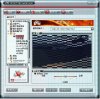
i just bought a video card for my old computer today (HIS 9550 256mb 128bit DDR), after i installed the card and started the computer, there was a lot scratches on the desktop screen :(

after i installed the cd driver i went to the 3d testing from the ati ccc software....see the attached picture

i am wondering whether it is the card's problem or my computer's problem?? when i am using the old geforce 2mx card the graphics is ok :confused:

the computer config:
p4 1.7g
asus p4s8x-mx
1g ddr400 ram
2x hdd
dvd-rw
350w psu

thx
 

Attachments
  • 9550d.JPG
    9550d.JPG
    94.5 KB · Views: 74
Last edited:
You left NVidia drivers intact from an older card? The drivers/software for the previous installed have to removed completely before installing the ones for the ATI model there. The wrong drivers loading or a bad install with drivers for a different version of Windows will see problems like that.

To obtain the latest version of the Catalyst 7.10 go to http://ati.amd.com/support/driver.html The release notes can be read at https://a248.e.akamai.net/f/674/9206/0/www2.ati.com/gamesite/Catalyst_710_release_notes.html
 
i have completely removed the nvidia driver before installed the ati drivers....i have also installed the latest ati drivers and it is even worst.

the weird thing is when i get into the motherboard bios menu....the screen is still have some scratches (like the picture above)....so i suspect it is the card's VPU problem but i am not sure.

by the way, would my power supply causes this problem, e.g. the psu is not power enough

(p.s. i use the "extreme power supply" software it shows my computer needs 205w, and i replaced the psu just half year ago)
 
The model used there should set at 1.5v in the bios. Make sure yiou have the PCI/AGP setting at AGP when looking there as well. The release notes at ATI show support for the 9550 as well as the 9500 series cards. I found that a little odd since I was told that ATI had dropped all support for the entire 9xxx lineup of models.

They do have the previous drivers and softwares link seen there for going back as far as the 6.5 version. Simply download the drivers only to see how that goes. Are you running XP there? I just want to verify which version.

XP is still seeing a minor glitch with the 7.10 on a much newer MSI Radeon HD 3600XT 512mb PCI-E model where the Start taskbar seems to get washed out in either black or white in all non active portions. This isn't seen on Vista however. hhhmmm....
 
i am using winxp professional sp2

i went into bios and there is no setting option for 1.5v or so

i am sure i have set the primary vga output is agp

actually i am going back to the shop now and replace the new one and see how it goes, what i am worry is they dont have any more card in stock....since 9550 is quite an old card....so may add some extra money to get another card (like 7300gt ddr2 or 6200a)

but 6200a is only 64bit....>_<
 
You may want to swap it for a much newer model without going overboard on one higher rated in the gaming world hust something still seeing support. You can easily go for one of the new ATI models like the Radeon HD 2400Pro or HD 2600Pro depending on where you buy from.

Those are the latest Vista capable AGP models. For NVidia the 8600s and 8800s are PCI-Express being the latest NVidia game driven cards. The DX9 7xxx line would be easier then the old 6200 series. Maybe a 7600? That depends on make as well as model and price there.
 
i have changed to the gigabyte 6200a 256mb ddr2 64bit (fanless model)....because they are having very few agp models....the better one would be 7600gs ddr2....but it is a bit over my budget

anyway, i have installed the card and it works fine now.....

i have installed the latest driver from the nvidia website....and for testing, i have played the online game for about 15mins.....then use everest to see the temperature....

idle: 48~50C full load: 70c

does the temperature looks ok or a bit overheat??
 
Last edited:
Want something better then Everest? PC Wizard 2008 will show the video card temps as well the cpu, board, hard drives. That will also run on Vista as well as XP. http://www.softpedia.com/progDownload/PC-Wizard-Release-Download-7769.html

The 70C seems a little warm while not being a worry. OCing would be a concern without any vpu cooler used however. You don't want to cook the card. I was looking over the specifications on that micro tax model Asus seen at http://www.asus.com/products4.aspx?modelmenu=2&model=494&l1=3&l2=12&l3=183&l4=0 showing that it supports a newer model if needed at some point. The main thing would be the case fans for the system there. Adding a fan or switching from a small one like an 80mm to a 120 or adding one in the front of the case will help keep temps down.
 
thx a lot PCeye...i have add two 80mm fans inside the case

and i am going to buy another pci slot fan later hope will cool down the vga card temp for a bit more :)
 
I wouldn't waste the time with a pci slot fan. Those were worthless for the most part. The additional 80s will certainly help however. You want those to get air moving around inside the case as well as drawing cooler air in. If you put on the front and side cover while already having a rear exhaust you should notice a difference.
 
Back
Top