

Strokes
New Member
So, i know you can turn off super fetch in regedit, but for me when i tried it it just made my vista x32 laptop even slower. so then i turned it back on, but its still slow (being all vista like). But then I went into my control panel and then administrative tools -> system configuration -> Services -> uncheck SuperFetch.
After a few minutes i went into my task manager and it looked like this:
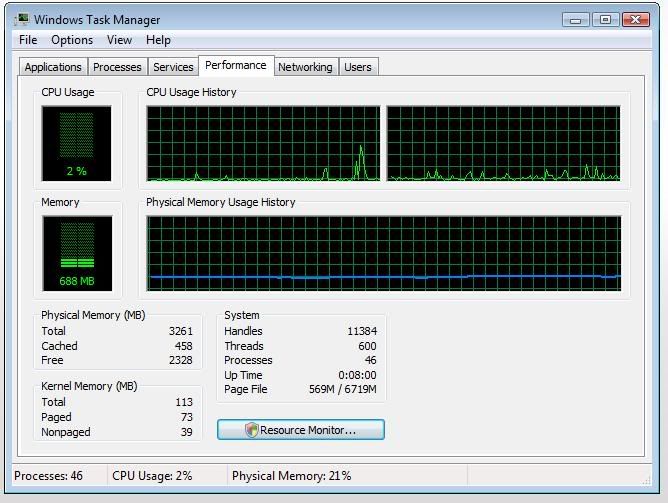
My speed is pretty close to what XP is like (like 95%)
My laptop is a HP DV6000 with 4 GB of corsair value select PC5300 RAM, a AMD TK-55 1.8 GHz processor and my OS is vista ultimate x32. I also have my visual settings in vista basic with 'best appearance' set under the visual effects.
Can anyone else confirm that this makes vista run smoother?
Thanks, Strokes.
After a few minutes i went into my task manager and it looked like this:
My speed is pretty close to what XP is like (like 95%)
My laptop is a HP DV6000 with 4 GB of corsair value select PC5300 RAM, a AMD TK-55 1.8 GHz processor and my OS is vista ultimate x32. I also have my visual settings in vista basic with 'best appearance' set under the visual effects.
Can anyone else confirm that this makes vista run smoother?
Thanks, Strokes.
Last edited:
