You will need at least a 4GB USB key to fit the entire contents of the Windows 7 DVD.
You need to format this disk using DISKPART. Follow the steps below:
1. Insert the Windows 7 DVD into the optical drive on your computer.
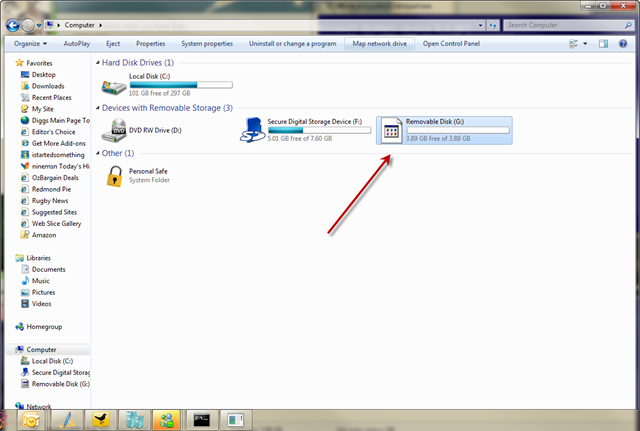
2. Insert the USB drive and make sure you can see it in explorer.
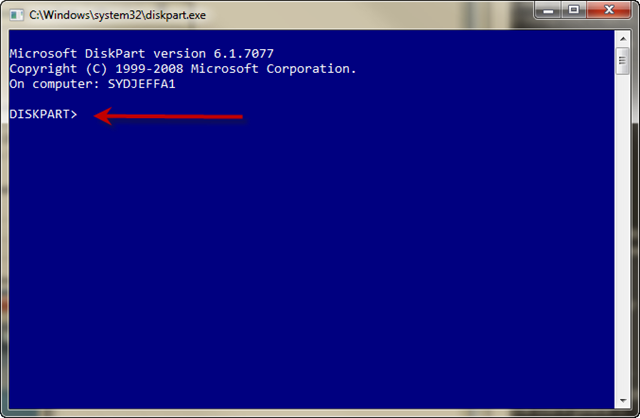
3. Run DISKPART – I’ll use screenshots to explain the rest of the steps.
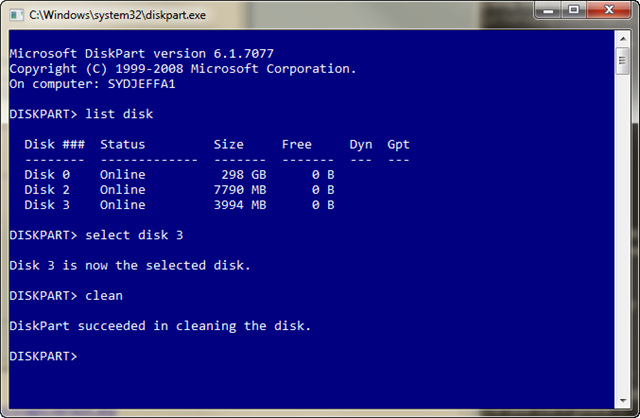
* At a command prompt type DISKPART
* Now before you do anything else make sure you have inserted the USB drive and you can see it in explorer.
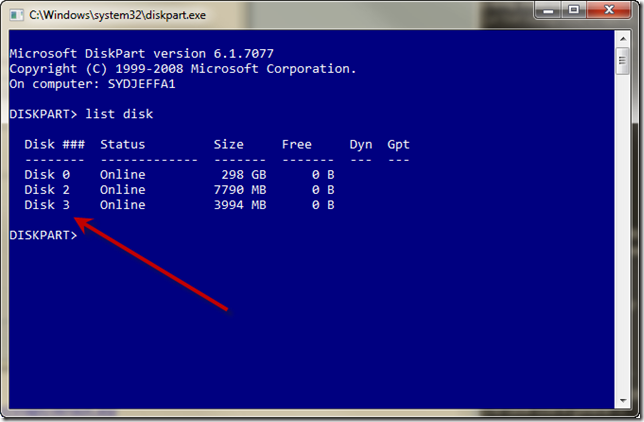
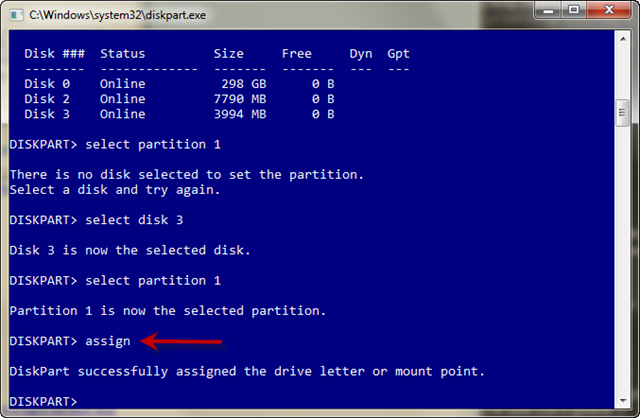
* Type LIST DISK to see a list of available disks
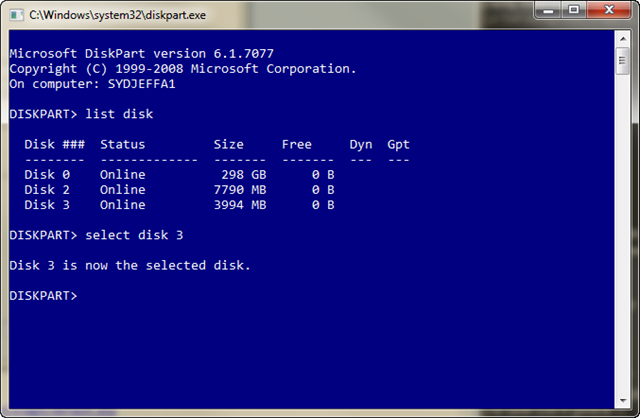
* Type SELECT DISK 3 ( in my case it happens to be disk 3)
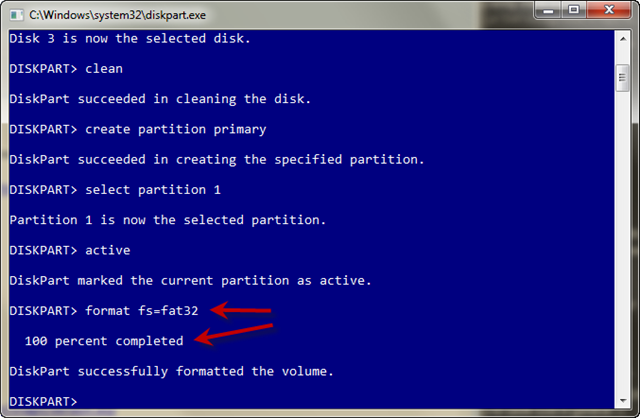
* Type CLEAN which will wipe the disk
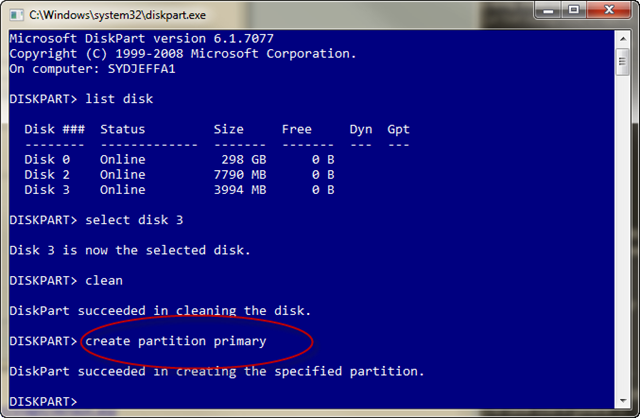
* Type CREATE PARTITION PRIMARY
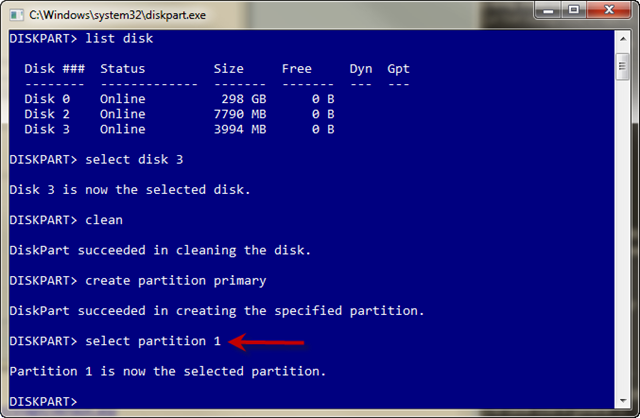
* Type SELECT PARTITION 1
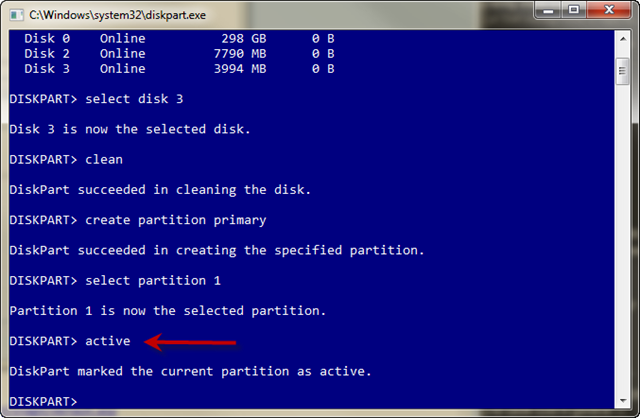
* Type ACTIVE to make this partition the active partition.
* Type FORMAT FS=FAT32 (wait for it to get to 100% complete)
* Type ASSIGN so a drive letter gets assigned in explorer.
Now you should have a USB disk ready for the Windows 7 source files.
Load your DVD and copy the entire contents to the root of the USB drive.
Once that is done you will have a bootable USB disk ready for you to build
your machines much much faster with Windows 7.