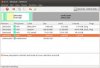
Forgive me if this sounds harsh, but If you don't already know how to do it, then you should not be manually adjusting the partitions with the ubuntu installer. You can work it one of 2 ways.
1. Go back and select install alongside windows.
2. Reinstall windows. You will need to partition carefully there to avoid your mistake. There should only be 3 NTFS partitions set up. 1 for your install, above it is 74GB, so you can use that size again. One will be auto set by the installer, the 100 MB system partition, don't worry about it. The last is one that says BIOS_RVY above. Don't have a clue what it is, but it says BIOS, so I assume your system needs it. From there, you will need to create a Extended partition to fill the rest of your drive, or as big as you need for DATA and Ubuntu. 100GB should be enough for both, and format one 15+ GB partition in EXT4 inside the extended partition, that will be your Ubuntu install, and the rest in either FAT32 or NTFS and that will be a data drive that can be accessed by both operating systems. DO NOT make your data drive EXT as windows can not see it. Once you go to install Ubuntu, it will make the swap space and other necessary partitions on its own. Don't worry about doing it manually.
You will probably need to get a copy of gparted live boot to do the partitioning. It will be easier to just go back and select install beside windows if it will let you. But you can not have more than 4 primary partitions, which you have.