Media test cable fail??

That What I been tryig to do all this time but it give me those messages that i posted in the beging of this thread. Could I be install the wrong OS. I have a red cd OS and a 4 cd OS that are number SP-1, SP-2, SP-3, SP-4. I tried the Red OS cd and the OS SP-1.
I try booting from Hd then From Cd drive and samething happens.
I know it confusing to me too.Thanks for trying.

Okay, you are using the compaq restore CDs? You just need to boot off of them. There are two types if I recall.....(and its been a while). You want to use the 4 CDs because the Red OS CD I think requires the use of a save partition on your HD.

Boot from it and follow the on screen instructions. Sorry for the confusion.
 
Okay, you are using the compaq restore CDs? You just need to boot off of them. There are two types if I recall.....(and its been a while). You want to use the 4 CDs because the Red OS CD I think requires the use of a save partition on your HD.

Boot from it and follow the on screen instructions. Sorry for the confusion.
I use the the first one of the 4 cds and still samething happen. Should i try the rest of the 3 cd?
 
You think it has to do with this:
Initailing MBA press cntrl/alt/b configurtion......

Then something like this came out:
Argon PXE Boot Agentv2.01(BIOS Intregrated)
Copyrights ect....

Pre-Boot exeuction Enviroment ( PXE
Copyright ect.......
PXE-E61: Media test fail check cables

When I press Control/Alt/B this comes out:


CONFIGURTION
Config Message: Enable (I could change to Disable)
Message Timeout: 3 sec ( 6 sec,12sec,forever)
Boot Failure Prompt: Wait for timeout (Wait for key)
Boot Failure: Next boot device (Reboot)
 
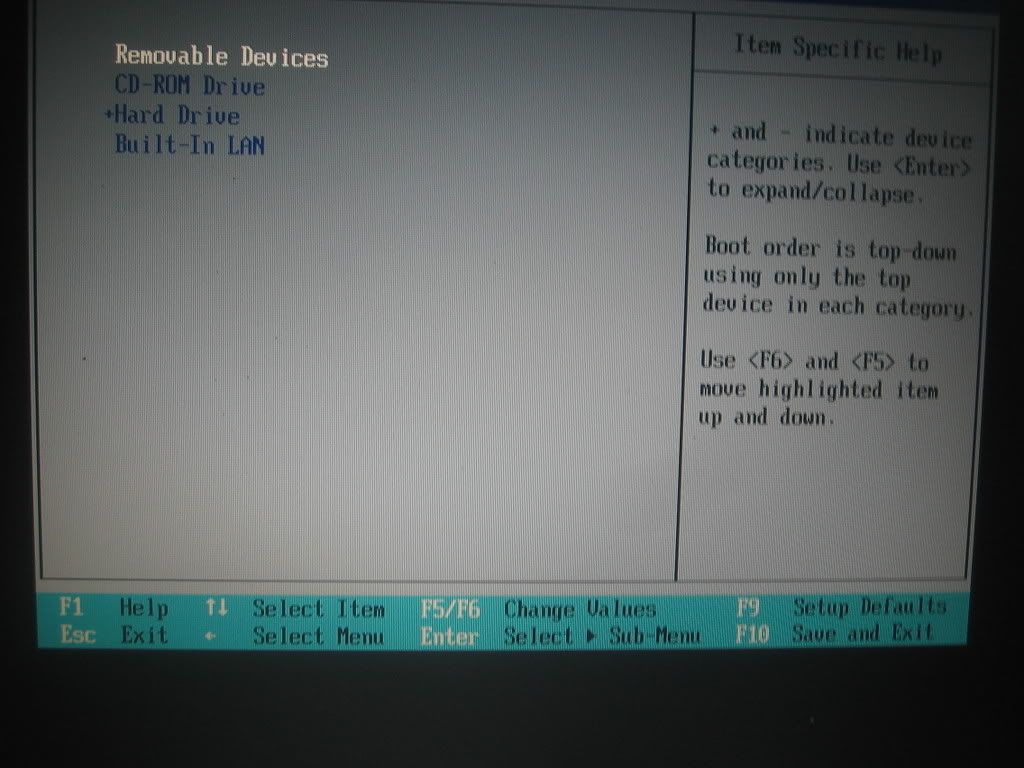
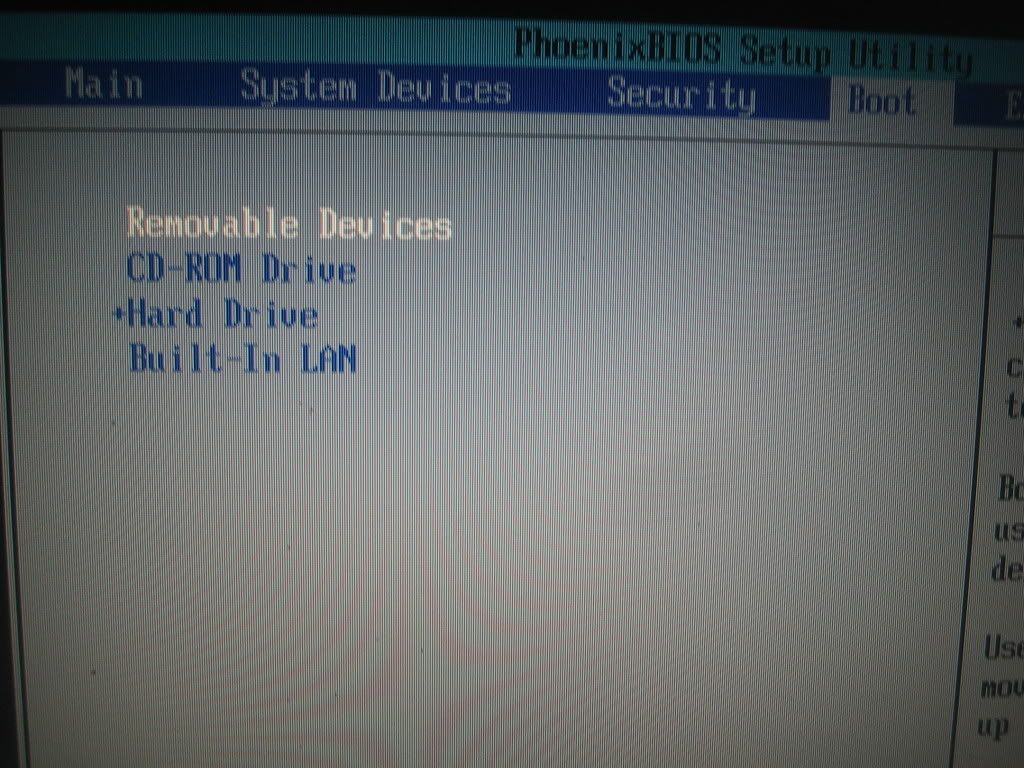
My bro help me to look over this thread and laptop to see where is the confusing and he found this. There is no disable devices in boot order. It REMOVE DEVICES. Please look at pic and hope you could zoom in and see my optoins

029.jpg


030.jpg


The + sign next to the HD it just tell you what kind of HD you have.
 
My bro help me to look over this thread and laptop to see where is the confusing and he found this. There is no disable devices in boot order. It REMOVE DEVICES. Please look at pic and hope you could zoom in and see my optoins

029.jpg


030.jpg


The + sign next to the HD it just tell you what kind of HD you have.

Thank you to all who try to help. I know it hard to get help, even more from a noob and not having the difective item in your hand to really look at the problem. Once again thank and it was very much appreciated.
Am going to open it up and check. Maybe there a cable loose or something. It says "check cables* so I will. Dont have 150 to pay to fix. Baby comes first.;)
 
Back
Top