messed up services in task manager

thzk73

New Member
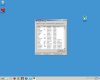
hello everybody..I have windows 7 and i tried to stop some services through the task manager..Somehow my taskbar's appearence changed and looks old now...(picture is attached). Can anyone tell me which exe should I start to fix this?thanks in advance :)
 

Attachments

  • Untitled.jpg
    Untitled.jpg
    8.1 KB · Views: 41
It looks as if you simply turned off all visual effects... if it's a result of haphazardly terminating processes or services, a restart should fix it. If not, go to your system settings; somewhere (in performance I think) in there you'll find appearance options. All you should have to do is turn them on. If that doesn't help... well, I'm out of ideas. At least for now.

 
unfortunatelly it didn't work...i will show exactly what i did....maybe new ideas will appear..

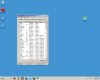
task manager->services
then i pressed services (the red arrow in first pic)
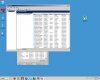
in the new window not only i stopped some services but also changed from automatic to manual ( second red arrow-this is when the taskbar and window appearence changed)

i think that if i enable the service i stopped and turn it to automatic again the problem will be solved.the problem is i don't know which service this is and i don't want to experiment any more to avoid further system failure...
 

Attachments

  • Untitled11.jpg
    Untitled11.jpg
    10.2 KB · Views: 33
  • Untitled2.jpg
    Untitled2.jpg
    14 KB · Views: 32
Try going to start control panel, system security, restore to date prior to when the incident occurred.

reboot the system.
 
Last edited:
Back
Top