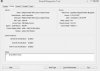
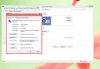
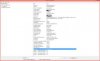
Hi! I have a question about my graphic driver on my HP Touchscreen Desktop Computer Window 8.1. Its says on device manage my display graphic adapters is - Mobile Intel(R) 965 Express Chipset Family( Microsoft Corporations - WDDM 1.1) - but when i right click my desktop to view my screen resolution, its show i am using a Mobile Pc Display, Why does my computer uses a Mobile display on a 1680x1050 Monitor. I need help figuring out my graphic driver, because whenever i use my computer to play games i get 5-15 fps which is very bad i have everything optimized and no third party program. I ask a forum, they say its my graphic driver that one causing it. How can i improve my graphic driver or is my only choice is to change graphic drive, is there anyway to upgrade my current driver. Right now my Graphic driver is - Driver Date: 10/1/2012, Version: 8.15.10.2697, Driver Provider: Intel Corporation, Mobile Intel(R) 965 Express Chipset Family and my games are 5-15 fps or lower, also my computer sometimes runs slow. Some people says they can tweak a driver performance by increasing graphic memory in Bios, but i don't see an option of that in my Hp Bios, They also tweak using graphic driver control panel by right clicking desktop to open graphic settings, but my graphic doesn't have that option either right clicking my desktop only shows resolution and personalize. Is there anyway to improve my driver, and why is my computer display using mobile Pc display. Thanks , i really appreciate your comments

You are using an out of date browser. It may not display this or other websites correctly.
You should upgrade or use an alternative browser.
You should upgrade or use an alternative browser.
Mobile Pc display on my desktop Computer
- Thread starter jessbelow
- Start date

Hi, My Pc Model # is IQ504 Hp desktop. I'm not sure if there's a way to increase my graphic performance, i would like to replace graphics but that a lot of procedure. Also when i bought this computer it was a Window 7 with touch screen when i upgraded to Window 8, Its lost the touchscreen feature and everything feels different, because i think this computer driver were only compatible for window 7 design sp almost all its main feature were lost and everything run in window 8 mode now, i can't update my Bios either because Hp updating site for IQ504 model only support Window 7. In my second concern is it normal for a desktop computer to be using a Pc Mobile Display? Because that's the only display option that are visible in my resolution, also my screen monitor is pretty big, i don't know why the computer using a mobile display. Maybe that one of the cause why i can't ever get higher than 15 fps, even when everything is optimized.I'm assuming your using an all in one pc. There is no way you will be able to play any good games on that. The all in one's are not for gaming. You will need to build a pc or buy one that has a dedicated video card. What is the exact model number of your pc?

Its an all in one pc so you can't upgrade video card. Try downloading and installing this touch driver and see if it works.
http://ftp.hp.com/pub/softlib/software11/COL31660/pv-78573-1/sp44609.exe
Or if that don't work, check windows update for compatible driver for windows 8.
And the reason why it says mobile is because thats the name of the chipset they used on that machine. They aren't meant for gaming.
http://ftp.hp.com/pub/softlib/software11/COL31660/pv-78573-1/sp44609.exe
Or if that don't work, check windows update for compatible driver for windows 8.
And the reason why it says mobile is because thats the name of the chipset they used on that machine. They aren't meant for gaming.
Its an all in one pc so you can't upgrade video card. Try downloading and installing this touch driver and see if it works.
http://ftp.hp.com/pub/softlib/software11/COL31660/pv-78573-1/sp44609.exe
Or if that don't work, check windows update for compatible driver for windows 8.
And the reason why it says mobile is because thats the name of the chipset they used on that machine. They aren't meant for gaming.
Thank you very much, You're the first person to have answer my problem and have explain the topic i was wondering, Unfortunately i have tried that link before and that touch driver is only compatible for Window 7, Am not sure if should i just Downgrade back to Window 7, to get a few features of my computers back, but that will lead me losing my settings and files. Window update doesn't show anymore upgrade, I guess i won't be able to use the all in one feature in this computer if i have Window 8 installed on it. Also i guess there's no more way to make my graphic driver better as this is the only graphic driver my computer is compatible with, Thanks still for the informations.