
You are using an out of date browser. It may not display this or other websites correctly.
You should upgrade or use an alternative browser.
You should upgrade or use an alternative browser.
No on board video
- Thread starter Technoman
- Start date


Jiniix
Well-Known Member
You connect your DVI cable between your monitor and your graphics card directly.
If possible, could you show a picture or two demonstrating the problem?
To me it sounds like you are trying to connect your GPU outputs to your motherboard I/O, which is the wrong way to do it
If possible, could you show a picture or two demonstrating the problem?
To me it sounds like you are trying to connect your GPU outputs to your motherboard I/O, which is the wrong way to do it
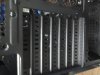

I'm boggled at what your question is...
The graphics card is going to go in those slots in your first picture when it's installed in the motherboard. You plug your DVI cable directly into the back of the graphics card, not the motherboard.
This might be of help.
http://www.youtube.com/watch?v=d_56kyib-Ls
The graphics card is going to go in those slots in your first picture when it's installed in the motherboard. You plug your DVI cable directly into the back of the graphics card, not the motherboard.
This might be of help.
http://www.youtube.com/watch?v=d_56kyib-Ls

Remove the expansion bay covers so the ports of your video card will fit through the case 
If they aren't screwed in place, you just bend them away until they snap off. Just don't cut yourself; they're sharp.
If they aren't screwed in place, you just bend them away until they snap off. Just don't cut yourself; they're sharp.