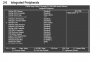
Good day, I'm putting together my 1st computer, but I am having an issue with the HDD. Everything seems to work perfectly fine, the Bios recognizes the HDD, the computer boots fine, I begin install of Win Vista Ultimate & it proceeds perfectly fine when it comes to the point where it asks what drive to install the OS too, it doesn’t display or see the drive. I’m going crazy. I took it to Geek squad (Best Buys tech guys) & they said that the system looks perfectly fine. I went as far as connecting the HDD to my other computer & formatting it, but when I put it back in the HTPC, same problem, it didn’t see the drive. I found this info on Gigabytes website:
http://www.giga-byte.ca/Support/Motherboard/FAQ_List.aspx?FAQID=4587
It explains the problem exactly, but how do I rectify it, if it can’t see the HDD or even load Windows. Any help is greatly appreciated. My system is listed below
1. Gigabyte GA-MA785GMT-UD2H AM3 AMD 785G HDMI Micro ATX AMD Mobo
2. Athlon II X3 425 2.7GHz AM3 w/ Fan Athlon II X3 425 2.7GHz Triple-Core Socket AM3
3. Windows Vista Ultimate 32bit
4. Hitachi Deskstar HD31000 IDK/7K 1TB SATA 7200RPM 32MB Cache
5. KVR1333D3N9/2G : 2048MB 240pin 256Mx64 Unbuffered Non-ECC DDR3-1333
Thank you
http://www.giga-byte.ca/Support/Motherboard/FAQ_List.aspx?FAQID=4587
It explains the problem exactly, but how do I rectify it, if it can’t see the HDD or even load Windows. Any help is greatly appreciated. My system is listed below
1. Gigabyte GA-MA785GMT-UD2H AM3 AMD 785G HDMI Micro ATX AMD Mobo
2. Athlon II X3 425 2.7GHz AM3 w/ Fan Athlon II X3 425 2.7GHz Triple-Core Socket AM3
3. Windows Vista Ultimate 32bit
4. Hitachi Deskstar HD31000 IDK/7K 1TB SATA 7200RPM 32MB Cache
5. KVR1333D3N9/2G : 2048MB 240pin 256Mx64 Unbuffered Non-ECC DDR3-1333
Thank you