username1107
New Member
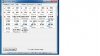
hi i just upgrade my OS form window vista to windows 7 and i found that my CPU is running 5c-10c hotter then vista.i have clean my PC not dirty so it not that
any way help me. my pc is a
mother bored; asus pt6 SE @2.67
CPU; i7 Quad Core with 8 tread @ 2.67
VidCard(s): 2 ait 4800 4gb ram overclock
Mem: OCZ 9gb DDR3
HardDrive: oz 60gb ssd , 1tb 7200 rpm seagate
Monitor(s): 42 inch led tv NOT ALL WAY ON and a 24 inch acer lcd sceen
case antec 1200 with 3 more fans spin at 2000 rpm
this it run with just google chone going
any way help me. my pc is a
mother bored; asus pt6 SE @2.67
CPU; i7 Quad Core with 8 tread @ 2.67
VidCard(s): 2 ait 4800 4gb ram overclock
Mem: OCZ 9gb DDR3
HardDrive: oz 60gb ssd , 1tb 7200 rpm seagate
Monitor(s): 42 inch led tv NOT ALL WAY ON and a 24 inch acer lcd sceen
case antec 1200 with 3 more fans spin at 2000 rpm
this it run with just google chone going