
T T3hk1w1 New Member Sep 4, 2008 #1 Hey, I'm gonna ask a really noobish question, does Windows XP have a program to monitor your PC's processes and storage? I'm looking hopefully for something like Mac OS X's awesome Activity Monitor program.
Hey, I'm gonna ask a really noobish question, does Windows XP have a program to monitor your PC's processes and storage? I'm looking hopefully for something like Mac OS X's awesome Activity Monitor program.
cohen New Member Sep 4, 2008 #2 Yeah, Ctrl + Alt + Delete > Processes tab . There are the processes, vista has a better one . Not sure what you mean about the mac activity program.....
Yeah, Ctrl + Alt + Delete > Processes tab . There are the processes, vista has a better one . Not sure what you mean about the mac activity program.....
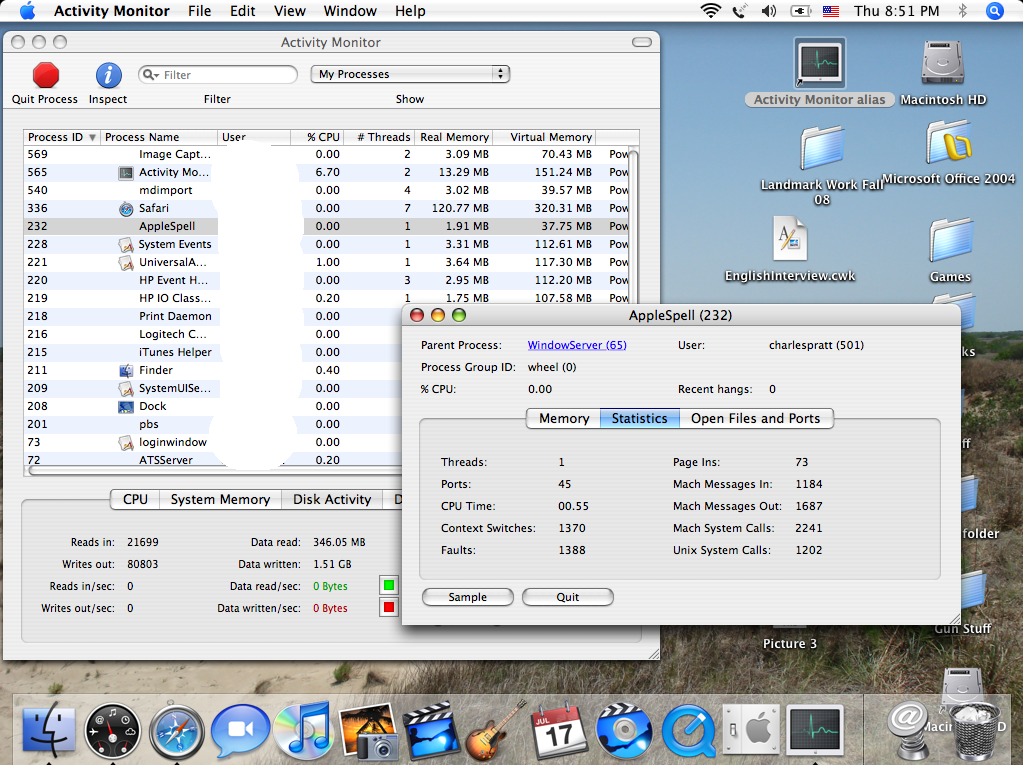
T T3hk1w1 New Member Sep 5, 2008 #3 cohen said: Not sure what you mean about the mac activity program..... Click to expand... It monitors every process going on in the computer, as well as displaying other system info. Screenshots for your edification Main screen/CPU info Network info You can also examine each process individually
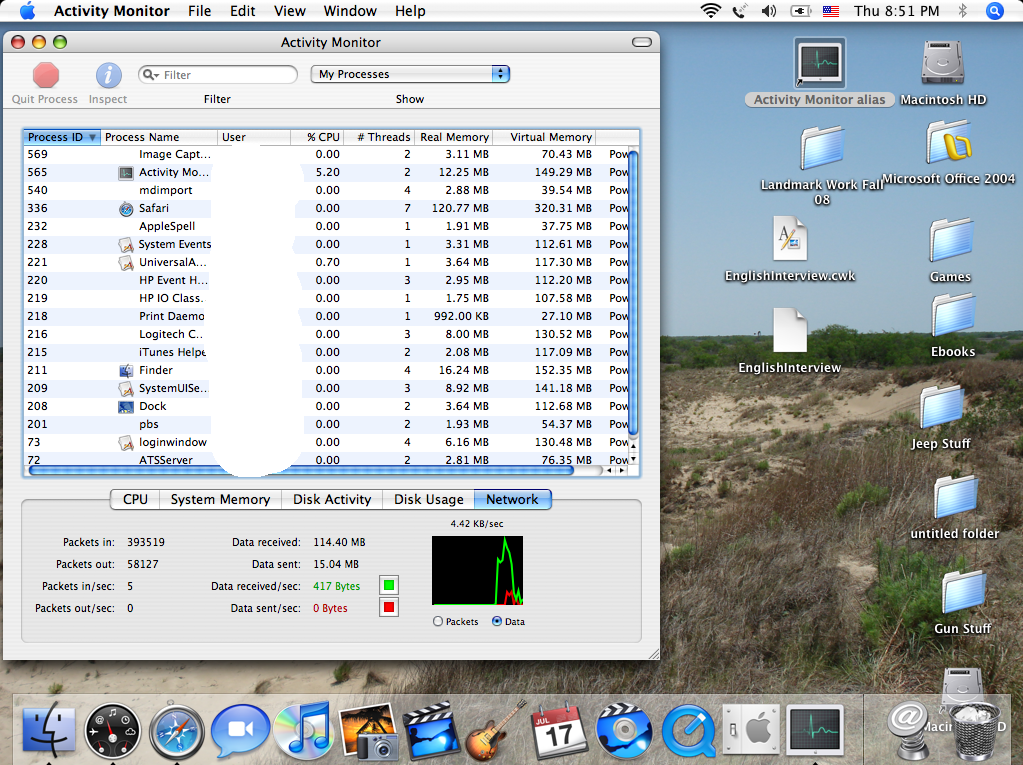
cohen said: Not sure what you mean about the mac activity program..... Click to expand... It monitors every process going on in the computer, as well as displaying other system info. Screenshots for your edification Main screen/CPU info Network info You can also examine each process individually
E EvilCheeseGrater New Member Sep 5, 2008 #4 cohen said: Yeah, Ctrl + Alt + Delete > Processes tab . Click to expand... http://www.ofzenandcomputing.com/wp-content/uploads/2007/02/task-manager.PNG Windows Task manager. Not quite as detailed as the Mac one by default, but you can view more details by going to view>>select columns, and check whatever information you want it to display. However, I believe you use other utilities to view network information and stuff.
cohen said: Yeah, Ctrl + Alt + Delete > Processes tab . Click to expand... http://www.ofzenandcomputing.com/wp-content/uploads/2007/02/task-manager.PNG Windows Task manager. Not quite as detailed as the Mac one by default, but you can view more details by going to view>>select columns, and check whatever information you want it to display. However, I believe you use other utilities to view network information and stuff.