im building my computer in three days, and I will use one SATA 160GB HDD for everything. I have read that sometimes the SATA drive wont be recognized by windows when I will install the OS, and I am scared of this happening. Then I read that you have to install drivers for this, would I do this in the BIOS if it doesnt detect it, or what would I do to install the SATA drivers? and what are the chances that my HDD wont be detected by windows to install the OS?

You are using an out of date browser. It may not display this or other websites correctly.
You should upgrade or use an alternative browser.
You should upgrade or use an alternative browser.
quick SATA HDD questions
- Thread starter joeswm8
- Start date


More than likely you wont have to, but if you do its at this page.
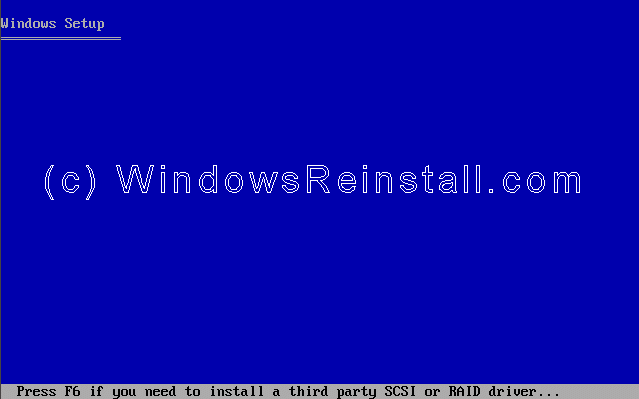
http://www.windowsxphome.windowsreinstall.com/sp2installxpcdnewhdd/part1.htm
If the motherboard has USB floppy support you chould not have a problem, if you have a problen you can try this
When adding a driver by pressing F6 and using a USB floppy drive, the device driver loads initially, but after the first reboot during the install the floppy drive is no longer recognized by the system and the driver fails to load.
Cause:
The initial DOS USB floppy driver used is not available after the first reboot. Configuring the USB floppy as a Mass Storage Device allows an available driver to be used.
Solution:
Have the USB floppy connected when the system is started.
In the system BIOS:
1. Advanced
a. Floppy Configuration
i. Floppy A: set to Disabled
ii. Onboard Floppy Controller: set to Disabled
b. USB Configuration
i. USB Mass Storage Device Configuration (this option is not present unless a USB floppy is connected)
ii. Set Emulation type to Floppy
Press F10 to Save settings
Reboot
If the motherboard has USB floppy support you chould not have a problem, if you have a problen you can try this
When adding a driver by pressing F6 and using a USB floppy drive, the device driver loads initially, but after the first reboot during the install the floppy drive is no longer recognized by the system and the driver fails to load.
Cause:
The initial DOS USB floppy driver used is not available after the first reboot. Configuring the USB floppy as a Mass Storage Device allows an available driver to be used.
Solution:
Have the USB floppy connected when the system is started.
In the system BIOS:
1. Advanced
a. Floppy Configuration
i. Floppy A: set to Disabled
ii. Onboard Floppy Controller: set to Disabled
b. USB Configuration
i. USB Mass Storage Device Configuration (this option is not present unless a USB floppy is connected)
ii. Set Emulation type to Floppy
Press F10 to Save settings
Reboot
Last edited:
b. USB Configuration ...a mass storage device? thats great, thanks
If you have your floppy disabled in your bios since your not going to have one, more than likely it will pick up your USB floppy. Just look aroud in the bios and see if it has a enable USB floppy support and enable it!
As far as I know its not going to work with a flashdrive
i read that there is a utility to configure a flashdrive to act as a floppy:
http://www.evga.com/community/messageboard/topic.asp?TOPIC_ID=21682
this would work, right?
http://www.evga.com/community/messageboard/topic.asp?TOPIC_ID=21682
this would work, right?
Thats to flash a Bios, still dont think that windows will pick up a flash drive during the F6 option.
Go buy you a old used floppy drive at a small computer store, that way if you ever need one you will have a spare, I havent had a floppy on any of my computers in about a year and half, but I got about 10 stacked up in a box
i only have one IDE on my board, so i need to get a USB one. this information helped me with just that.
but if you configure a flashdrive as a floppy, then cant you go about those steps as if it were a USB floppy in order for the F6 thing to recognize it? ill try that, but hopefully i most likely wont have this SATA problem
but if you configure a flashdrive as a floppy, then cant you go about those steps as if it were a USB floppy in order for the F6 thing to recognize it? ill try that, but hopefully i most likely wont have this SATA problem
Even if you just have 1 IDE slot there still is a slot for the floppy cable, it looks like the IDE but a little shorter
This one only has 1 IDE but see the floppy slot to the left FDD
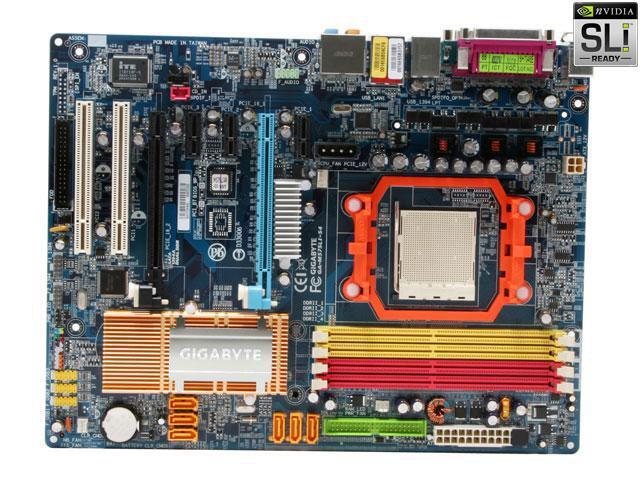
This one only has 1 IDE but see the floppy slot to the left FDD
Last edited: