Hey all,
i decided to try and squeeze a litte more performance out of my Club 9600 Pro 256Mb AGP card
now please be gentle with me lol im new to overclocking and this is my first little attempt.
so i downloaded ATI Tray Tools and started to overclock.
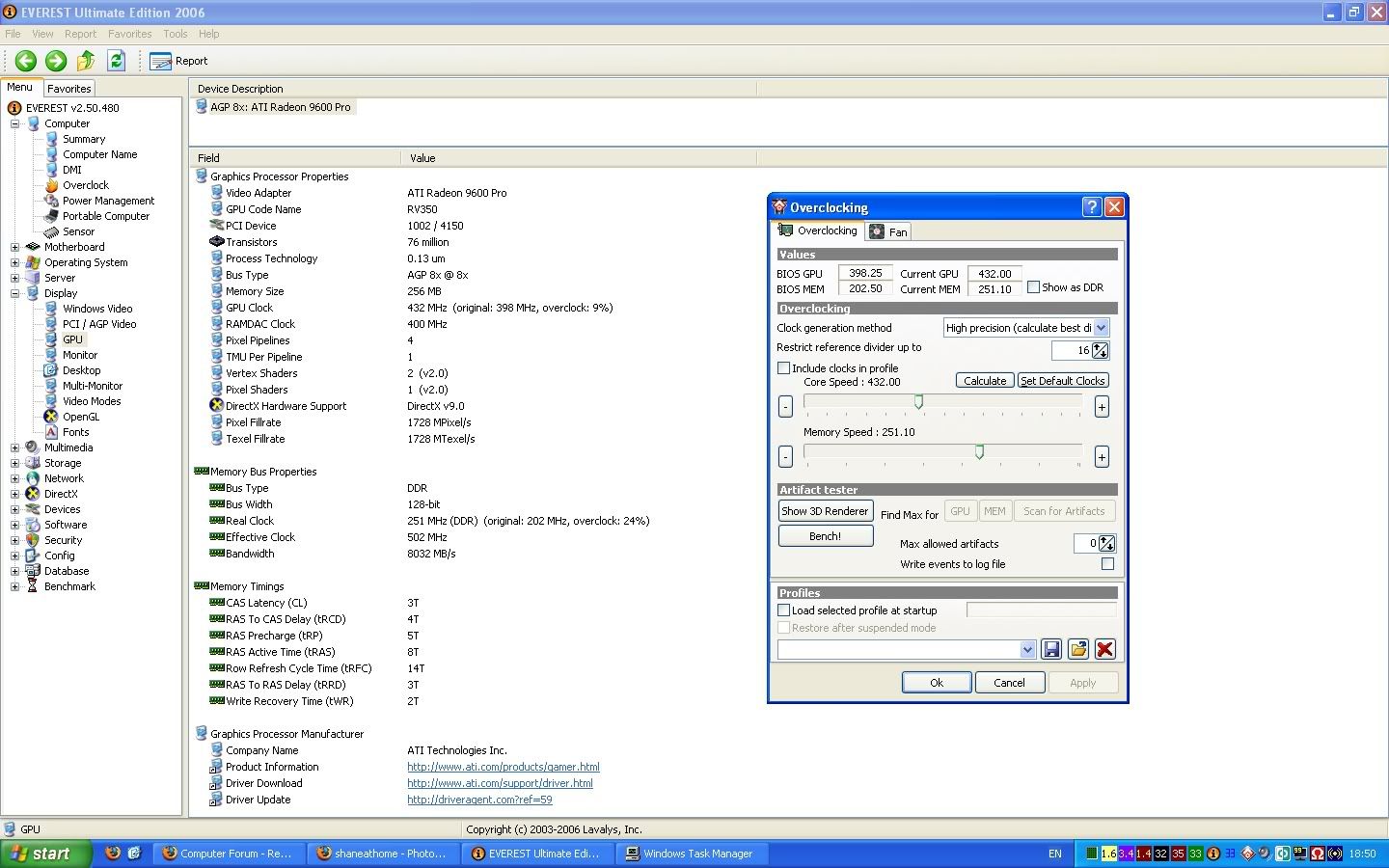
so far ive gone up to around these speeds according tom Everest:
i kept on scanning for artifacts while raising the speeds and so far with the speeds above there has been no artifacts found and i ran benchmarks and the scores have gone up quite a bit.
But the problem is i cant monitor my GFX card temps so do you think i should continue to overclock more?
do you think a Radeon 9600 pro 256Mb would overclock any more?
tks
i decided to try and squeeze a litte more performance out of my Club 9600 Pro 256Mb AGP card
now please be gentle with me lol im new to overclocking and this is my first little attempt.
so i downloaded ATI Tray Tools and started to overclock.
so far ive gone up to around these speeds according tom Everest:
GPU Clock 418Mhz (original: 398 MHz) 4% Overclock
Mem Clock 212Mhz (DDR) (original: 202 MHz) 5% overclock
i kept on scanning for artifacts while raising the speeds and so far with the speeds above there has been no artifacts found and i ran benchmarks and the scores have gone up quite a bit.
But the problem is i cant monitor my GFX card temps so do you think i should continue to overclock more?
do you think a Radeon 9600 pro 256Mb would overclock any more?
tks