Something Robbed My HD Space

Christian Darrall

Active Member
i have two hard drives 250GB Primary and 160GB secondary (both sata)

in my computer it says the total size of c: = 250GB is 127GB

and the secondary HDD is 149GB

is this a problem or not i used partition magic 8 and all looks good there are only two partitions shown.

i tried to install linux on the 160GB but i dont see how this would affect the 250GB, i tried to delete linux partitions with sucsess

can anyone help me?:confused::(:confused:
 
The 160GB drive is the right size. ((160,000,000,000 / 1024) / 1024) / 1024 = 149.01. Since it is already past the 127GB mark it should not be an LBA issue.

Right click on my computer and pick manage. Under storage click on disk management. You should see all your drives listed at the bottom here. Is there ~105GB of unallocated space? If so either create a partition with the left over space or delete the partition and create a new one using the full drive.
 
48 bit LBA is 48bit long bit addressing, it's needed to format a drive past 127GB. The original ata design used 28bit LBA. Because your other drive is past the limit the disk management console should be able to see the full capacity. I don't think it's a jumper limit either because those limit the drive space to ~32GB.
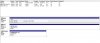
I just want to be sure you are looking in the right place in disk management, if you look in the wrong spot you will only see the formatted size. In this picture there is 2.54GB of unallocated space, you can see it on the right just below the middle:
new-drive-3.jpg
 
Ok I just wanted to make sure. A lot of people don't see the 2nd block.

It may very well be a jumper then, if you look at the back of the drive is there more than 1 jumper on it?
 
i havn't touched the hard drive since i bought it. are you sure this is the problem, just a quick seperate question, what software can i use to detect all partitions on my hard drive, even linux swap partitions etc, because i think (31.91333511355%) certain it might be to do with that
 
The space should still appear in disk management, it wouldn't be readable and it might not know what it is but it would know the space is there.

http://gparted.sourceforge.net/ can be used if you want to check the linux partition thing. Partition Magic should see it too.

Do you ever remember seeing all 230GB or so visible?
 
i managed to fix the problem, the remedy for it was to go into the linux setup and let linux find a drive to install it came up with a 2gb partition a 20gb partition and a 82.29gb partition, i did the formula and this alongside the 127GB = 250 problem solved. I posted a post on a linux forum and the replys came up with when linux deletes a partition it wont be recongnizable to windows, (dont ask why) but a simple format of fat and whalla, windows sees it,

i forgot lnux arn't friends with windows.

thanx for your help cromewell couldn't have done it without you.
 
Well that's good to know for future reference. I know linux partitions cannot be read by windows but I'm suprised that windows doesn't know the space is there. Like I said before I thought it appears as an unreadable/damaged partition.

At least you got it sorted out :)
 
This is weird. If 48bit LBA mode is enabled in the Windows registry, it should at least show the Linux partitions as "unknown" in Disk Management.

I'm glad you solved it.
 
windows is detecting them as healthy Logical drives, but it doesn't show in the windows My computer, not to worry, i like having two totally seperate os's. saves me from reformatting,
 
Back
Top