
Symantec Runtime Error

produlous

New Member
Hi guys,

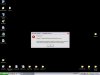
I've been having trouble lately with my antivirus. At first I had a popup saying the autoprotect is disabled. I scanned and computer turned out clean. I then reinstalled antivirus and I have been receiving a runtime error for the auto protect. Attached I have a screenshot.

Any help would be much appreciated. Thanks!
 

Attachments

  • error.jpg
    error.jpg
    67 KB · Views: 1,249
Is the Windows firewall active or disabled? How about the User Account Control? These are things that will interfere with software installers. Plus Symantec is on the foobar list for antivirus programs anyways along with McAFee. Sysmantec's Norton is well known for a resource hog and now you have a chance to go for a better program.
 
Are you running Prevx as well? There's a known incompatibility between these two programs, the workaround is to click on Start -> Run, enter the following line and click OK:
regsvr32 /u "C:\Documents and Settings\All Users\Application Data\Prevx\PrevxWMIProvider.dll"
 
Issues... Issues... Issues... thats all i ever hear with Symantec's Norton Antivirus software and the worst thing is they charge you for it. This is funny because Norton does much less than most free programs do. I suggest you uninstall norton and all other programs by symantec and go with a more reliable anti-virus program AVG 7.5 Free
 
Thanks for the quick input guys

To PC_eye: I tried installing again with the firewall disabled, same problem. Don't think User Account Control is an issue, but what would be the problem?

To Ceewi1: Nope, not running Prevx

To Hsv_Man: Is that the consensus with everyone in the forum that AVG 7.5 Free is a superior program? I wouldn't mind just switching.
 
I use Norton and it is very good. People on this forum don't like Norton/Symantec because it is a resource hogger but I had no problems at all with 512MB before I upgraded to 1.5GB RAM...

I love Norton it is very good regarding viruses. It has found virus that both Spybot and SuperAntiSpyware did not found on my computer and removed them successfully...

If you feel like changing A-V, so be it but AVG, AVAST or other are no better than Norton. If you can afford Norton with both the money and resource then it is a good A-V.

PS: I've used Norton on my old computer too, been using that A-V for 6 years and never had a SINGLE problem/virus that stayed
 
Thanks for the quick input guys

To PC_eye: Don't think User Account Control is an issue, but what would be the problem?

I believe PC Eye is referring to Vista's UAC. That doesn't apply in your situation.

To Hsv_Man: Is that the consensus with everyone in the forum that AVG 7.5 Free is a superior program? I wouldn't mind just switching.

I switched from Norton to AVG. AVG is an excellent AV solution. Norton is good, but I got tired of the error messages and the conflicts that occur w/ Symantec products.
 
I use Norton and it is very good. People on this forum don't like Norton/Symantec because it is a resource hogger but I had no problems at all with 512MB before I upgraded to 1.5GB RAM...

I love Norton it is very good regarding viruses. It has found virus that both Spybot and SuperAntiSpyware did not found on my computer and removed them successfully...

Symantec is a resource hound. Apparently you weren't running any large apps or heavy gaming to notice. Superwhatever wouldn't find anything! For Spybot S&D that gets a far better rating while not being on the top list here. Ad-Aware SE and now the 2007 release plus Spyware Terminator a recent program to appear surpass those.

If you feel like changing A-V, so be it but AVG, AVAST or other are no better than Norton. If you can afford Norton with both the money and resource then it is a good A-V.

PS: I've used Norton on my old computer too, been using that A-V for 6 years and never had a SINGLE problem/virus that stayed

Norton is on the "bottom" of the list with McAFee. I've run both here in times past and quickly dumped them both! AVG was totally disabled one time to see that suddenly spring to life to point out a trojan instantly copied to the drive upon running across some odd site during a web search. Norton wouldn't suddenly become active if you disabled that totally. :rolleyes:

As far as viruses and spywares/adwares you may not even know you hhave some on your system since you haven't used anything else or perhaps were just fortunate not to have run across any. And it's not CF where people complaint frequently about Norton in general.
 
Last edited:
I know I don't have any spywares. I have run many different scans such as HJT and others.
 
Once in awhile you can get an adware hidden deep and wonder why popup ads are being seen. Then you run a full sweep with different tools. The thing to remember is there' no one antivirus or other program that will stop everything. This is why the software companies will often carry other types of special removers made specific for one type of virus or another.

HT and other tools generally have their limits and can't be used to detect bugs that don't even create any registry entries. Keep that in mind since some things are made to hide themselves well. Smart browsing usually turns out to be the best defense overall.
 
Back
Top