
You are using an out of date browser. It may not display this or other websites correctly.
You should upgrade or use an alternative browser.
You should upgrade or use an alternative browser.
The old "why do i only have "blank" memory question?
- Thread starter lion149
- Start date

lion149
Member
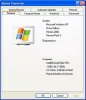
Interesting...well i booted up my old extra dell computer to check out this theory and i found something interesting. It also has 512mb of RAM. It says under properties (523,832 KB)
so this divided by (1,000) would equal 523.832 mb....so what gives???
not only does it appear to have no loss but an actual gain!!!?
first machine in question (win xp OS)
second machine (windows 2000)
so this divided by (1,000) would equal 523.832 mb....so what gives???
not only does it appear to have no loss but an actual gain!!!?
first machine in question (win xp OS)
second machine (windows 2000)

elitehacker
New Member
Actually you are using two systems here. Windows think 1024MB=1GB, not 1000MB=1GB, so 1024KB=1MB therefore you should have divided by 1024 NOT by 100. 523,832/1024 = is 511.55MB so if you round that off the to nearest number, it will be 512MB. Hard drives demonstrates this in a very dramatic way. On the Box it says 80GB, how come in Windows its only 73.2GB? Where has my 6.8GB gone? Its just the way its read. Manufacturers round off to 1000 to make it all simple for the consumer.
Gee? My new 500gb sata drive after partitioning says 465gb!  where did those gigs go?
  In actuality the 512mb dimm sees 524mb until reduced by the system to what the OS reports as 512mb total. 2x524=1,048mb less memory reserved by the system plus what is used up with the OS loaded into ram(random access memory).
Hard drive space is calculated by cylinders, sectors, and other things. When you boot up with an old 98 startup floppy to fdisk a small chuck out of a 250gb ide drive and use the SYS C: command to transfer dos system files onto the new partition(any size will do) and type C: while at the cd rom D:> prompt to change to the hard drive type in either dir or dir/w and press enter. You will then see a figure larger then 250,000,000 bytes. Funny how that works when Windows reports 238gb total!
And 1000K=1mb not 512,xxx mb!
where did those gigs go? In actuality the 512mb dimm sees 524mb until reduced by the system to what the OS reports as 512mb total. 2x524=1,048mb less memory reserved by the system plus what is used up with the OS loaded into ram(random access memory).Hard drive space is calculated by cylinders, sectors, and other things. When you boot up with an old 98 startup floppy to fdisk a small chuck out of a 250gb ide drive and use the SYS C: command to transfer dos system files onto the new partition(any size will do) and type C: while at the cd rom D:> prompt to change to the hard drive type in either dir or dir/w and press enter. You will then see a figure larger then 250,000,000 bytes. Funny how that works when Windows reports 238gb total!
And 1000K=1mb not 512,xxx mb!

No. RAM is counted in binary (ie 1MB = 1024 bytes). OS reserved address space is in the 2.5-4GB range (depending on the mother board).In actuality the 512mb dimm sees 524mb until reduced by the system to what the OS reports as 512mb total. 2x524=1,048mb less memory reserved by the syste
If you look on the post screen you will see the total memory figure exceed the usual amount listed when looking at the 1.024mb amount seen in Windows. The 1,024mb is actually the retailers rounded figure rather then the amount you don't see taken and reserved by the board itself for things like caches and basic hardware processes performed by the ide and other controllers.
Windows then takes some more for it's own background services as well as reserving a certain amount of memory addresses into higher memory. Vista does like a little more then XP there for the latest whatevers. The conversion from bytes into kilobytes and then into megabytes does lose something to end up with the rounded 512mb figure. To really see how this is done you need a math calculator like the one seen at http://familyinternet.about.com/gi/...=http://www.onlineconversion.com/computer.htm
1024 Byte = 0.0009766 Megabyte (MB)
512 Megabyte (MB) = 524,288 Kilobyte (KB)
1024 Megabyte (MB) = 1,048,576 Kilobyte (KB)
2048 Megabyte (MB) = 2,097,152 Kilobyte (KB)
2 Gigabyte (GB) = 2,097,152 Kilobyte (KB)
2 Gigabyte (GB) = 2,048 Megabyte (MB)
2 Gigabyte (GB) = 2,147,483,648 Byte
Windows then takes some more for it's own background services as well as reserving a certain amount of memory addresses into higher memory. Vista does like a little more then XP there for the latest whatevers. The conversion from bytes into kilobytes and then into megabytes does lose something to end up with the rounded 512mb figure. To really see how this is done you need a math calculator like the one seen at http://familyinternet.about.com/gi/...=http://www.onlineconversion.com/computer.htm
1024 Byte = 0.0009766 Megabyte (MB)
512 Megabyte (MB) = 524,288 Kilobyte (KB)
1024 Megabyte (MB) = 1,048,576 Kilobyte (KB)
2048 Megabyte (MB) = 2,097,152 Kilobyte (KB)
2 Gigabyte (GB) = 2,097,152 Kilobyte (KB)
2 Gigabyte (GB) = 2,048 Megabyte (MB)
2 Gigabyte (GB) = 2,147,483,648 Byte
I understand how binary math works. I can do base 2 math in my sleep (it was a long boring easy class I had to take in school). The RAM taken in backround services is allocated RAM, it still shows up in my computer, as seen below. RAM taken for device addressing is taken off the top end of the memory addressing range.
Attachments


b3rt_d4ni3l
New Member
lol... heavyweight jargons utilized... 
probably knocked lion149 unconscious... hahaha...
probably knocked lion149 unconscious... hahaha...