Urgent! My hdd just died

bm23

Active Member
I just turned on my PC and one of my data drives didn't show up. It was working fine the last time I turned my PC off, which was just last night. The drive doesn't show up in the BIOS although it seems to be detected, somewhat. The reason being, the startup time is exceptionally long, about a minute and a half (my OS drive is SSD). In "my computer", I don't see the dead drive but I can an extra optical drive, which I guess is the dead hard drive. The extra optical drive is not showing up anymore though :(
Please advice on what I can do. Thank you.
 
The first sign of a bad drive is when the OS takes a long time to boot up. Remove the data and power cables from the bad drive and see if the system reacts normally.
 
I did that and everything went back to normal. I wouldn't be surprised if the drive is dead because it's about 5 years old now. The thing is, I suspect that the actual disk inside is still okay, all data should probably still be there. I didn't hear any weird noises nor had any electrical problem recently. Is it possible to retrieve the data?
 
You won't be able to retrieve the data if the drive isn't even detected. If the data is that important then you will have to send it off to a professional data recovery center, will costs hundreds of dollars though.
 
Is it at all possible to remove the inner disk and fit it into another case? Im probably just grasping at straws here.
 
It's very tedious and dangerous to attempt to do so when you don't know what you're doing. You're best off sending it somewhere if you really need the data.
 
I went to a 2 data recovery shops today. First shop quoted me $650, the 2nd, "at most $1000". I'm guessing I'll not recover any of that data because at those prices, it's enough to get me a new laptop or a desktop. So, is there any DIY guide to changing the enclosure? I know it's extremely difficult and dangerous but since I'm willing to lose the data anyway, I might as well give it a try.
 
If you want to mess with it the first thing I would do is to look on fleabay for one of the same model # and swap out the control board.
 
If you want to mess with it the first thing I would do is to look on fleabay for one of the same model # and swap out the control board.

Okay, I shall do that. Any specific guide you can link me to? It's a Maxtor SATA drive, perhaps 5 years old. I left the drive at the shop for a diagnostic so I don't have the exact model atm. Will post again tomorrow.
 
It is just the circuit board you see on the bottom of the drive.
You will most likely have to do some soldering.
It should be self evident when you look at it how to replace it.
Just make sure that the donor drive works before you swap the board.
 
There's no soldering involved in swapping the control board. You just unscrew it, pop it off, and screw it down on the other drive.
 
bm23 it is not that simple at all.As soon as you open the HDD,it is destroyed IMMEDIATELY by the dust particles in the air which you cannot feel and see,but HDD platters CAN.

So before even opening the drive AT ALL,you need to put it in a completely dust free area and then open it there,repair it there,close it there and THEN you can take it back to a normal air environment.
Also note that if during the repair process you make any mistake such as stratching the platters or if the actuator arm heads touch each other,you can say goodbye to your data.Actually heads can be replaced if you screw them up...it has nothing to do with the data,but if you stratch the platters,your data is HISTORY and all you will have left of it are platter crumbs which ONCE UPON A TIME were a DATA and it will look like this:
stacks_image_49.jpg


:D:D:D:D:D:D:D:D:D:D

Sad,but true.
Oh...my data...where did you go...oh my crumbs:
crumbs.png


SO YOU NEED A CLEAN ROOM!
END OF STORY LOL!
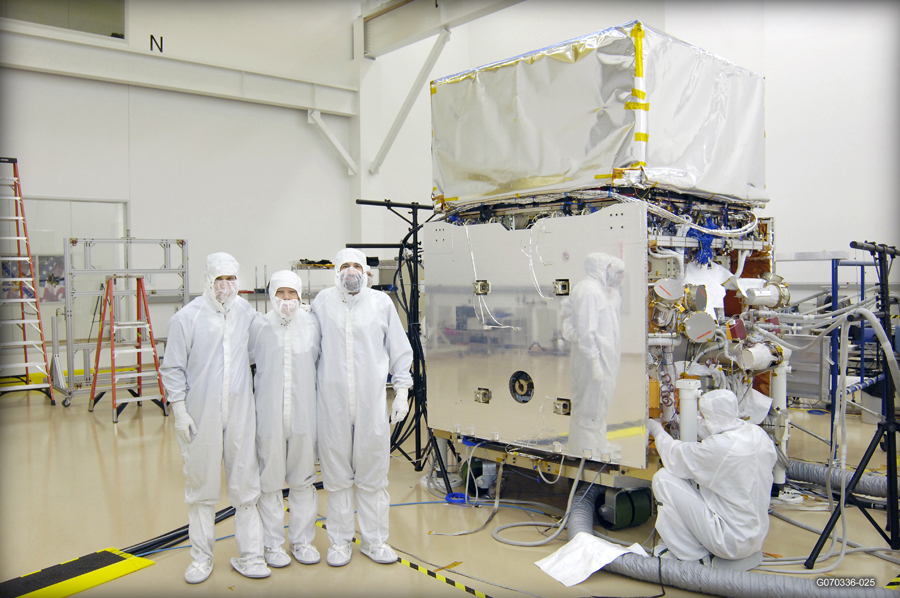
GLASTphoto_full.jpg


I am the first guy from the left by the way.
HAH! Just kidding...

Did I just blow your mind ^^ ?


Cheers!
 
Last edited:
I figured as much so I don't think I'm gonna mess around with the platter, just the control board.
 
Back
Top