
I've recently rebuilt my PC. On installing windows, and being the only user of the PC, when the PC booted up it used to go straight to the desktop without the need to click on my user name.
I've installed various applications now and somewhere along the line its changed something so that now at boot up I get taken to the User login screen; even though I'm the only user. It's really annoying and I cant understand why this has happened.
Is there someway I can avoid this screen since I dont need the security and I'm the only person using the PC? I just want to switch it on and go straight to my desktop like I used to be able to do.
Thanks
I've installed various applications now and somewhere along the line its changed something so that now at boot up I get taken to the User login screen; even though I'm the only user. It's really annoying and I cant understand why this has happened.
Is there someway I can avoid this screen since I dont need the security and I'm the only person using the PC? I just want to switch it on and go straight to my desktop like I used to be able to do.
Thanks


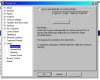
 .
.