
Hello
A month ago, I upgraded my Windows XP to Windows 7. Everything went fine except every program i had was deleted, so I had a clean install.
My program files, documents and settings were placed in the map Windows.old, as you probably know, but all the other maps and files in my root are still there. It is a mess now, but I don't know which file i can delete. I took some screenshots:
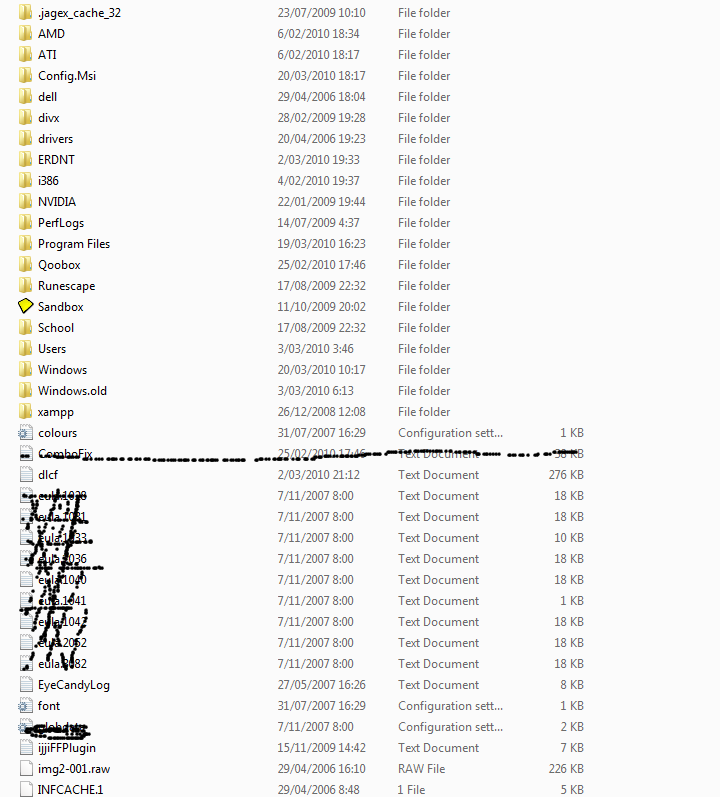
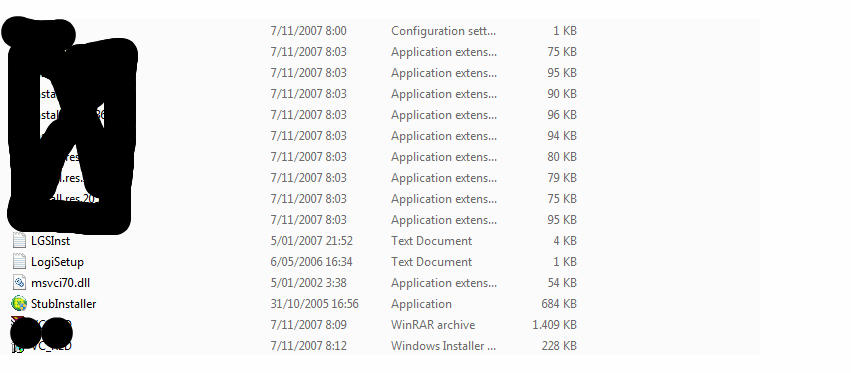
Here is the content of some folders:
PerfLogs\Admin (empty)
Config.Msi (one file: ab0f4c.rbf)
NVIDIA-----Win2KXP\77.30 (a lot of files)--------I think i can delete this because i don't have XP
------------WinXP\181.22\IS (a lot of files)--------I think i can delete this because i don't have XP
\RDNT\Users\S-1-5-21-920236496-1299348952-2366644320-1006 (empty)
divx (2 files: statistics.xml and statistics.pass1.xml)
Thanks
A month ago, I upgraded my Windows XP to Windows 7. Everything went fine except every program i had was deleted, so I had a clean install.
My program files, documents and settings were placed in the map Windows.old, as you probably know, but all the other maps and files in my root are still there. It is a mess now, but I don't know which file i can delete. I took some screenshots:
Here is the content of some folders:
PerfLogs\Admin (empty)
Config.Msi (one file: ab0f4c.rbf)
NVIDIA-----Win2KXP\77.30 (a lot of files)--------I think i can delete this because i don't have XP
------------WinXP\181.22\IS (a lot of files)--------I think i can delete this because i don't have XP
\RDNT\Users\S-1-5-21-920236496-1299348952-2366644320-1006 (empty)
divx (2 files: statistics.xml and statistics.pass1.xml)
Thanks
Last edited:

