Windows 7 64-Bit Help

Mr.Farva

New Member
Ok I downloaded the most recent win 7 from windows. I but it on my USB thumb drive cause I ran out of DVD's. And I just bought a brand new 1tb HDD.

It boots into win 7 but when I got to select the "partition" it says, Cannot create or locate system partition. So from their I have tried to format in win 7 and tried to delete the partitions. And that didn't work, so I reformatted win 7 in vista to NTFS once again. (Takes all night) And again, still no go.


Please help....
 
Are you trying to install it from within Vista? If so, you cannot install a 64bit OS from within a 32bit OS.

You'll need to truly boot from the USB stick. It sounds to me like you've put Win 7 x64 on the USB drive and then just click on it from within Vista.?

Here's how to create a bootable Windows 7 USB stick using Vista.

Once you have the USB formatted to boot, restart your pc, then keep tapping Esc until you reach a Boot Menu.

Hint: You don't have to reformat the drive every time you attempt an install,
once you've done the full format and put nothing on it.


This can only be done from Vista, as Diskpart in XP doesn't
recognize USB drives.


You will need at least a 4GB USB key to fit the entire contents of the Windows 7 DVD.
You need to format this disk using DISKPART. Follow the steps below:


1. Insert the Windows 7 DVD into the optical drive on your computer.
2. Insert the USB drive and make sure you can see it in explorer.
3. Run DISKPART – I’ll use screenshots to explain the rest of the steps.

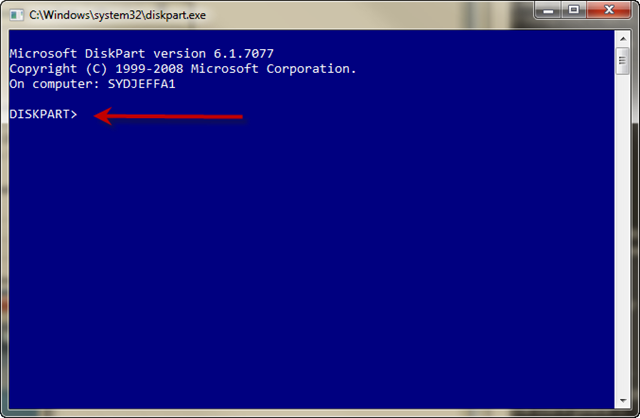
* At a command prompt type DISKPART
diskpart1_thumb.png


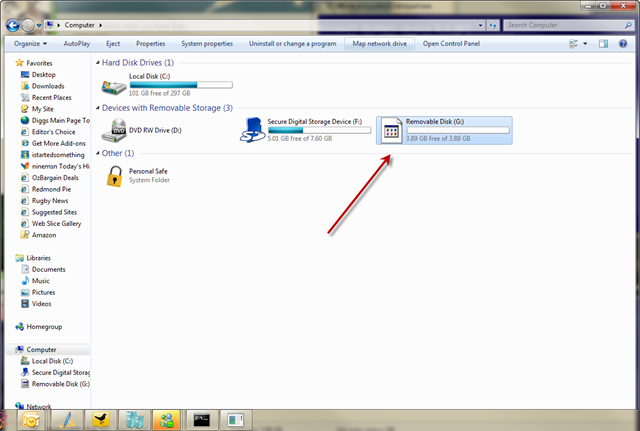
* Now before you do anything else make sure you have inserted the USB drive and you can see it in explorer.
diskpart2_thumb.png


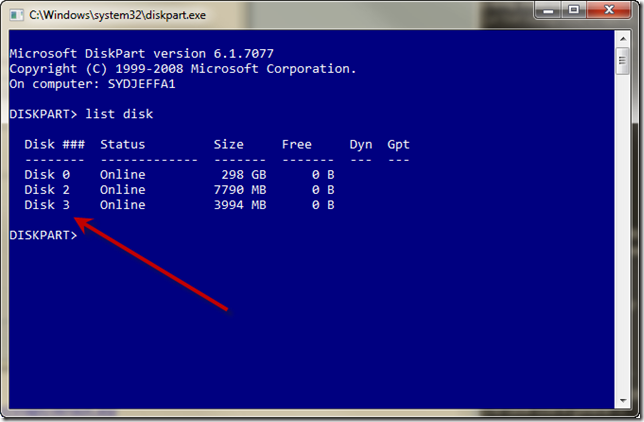
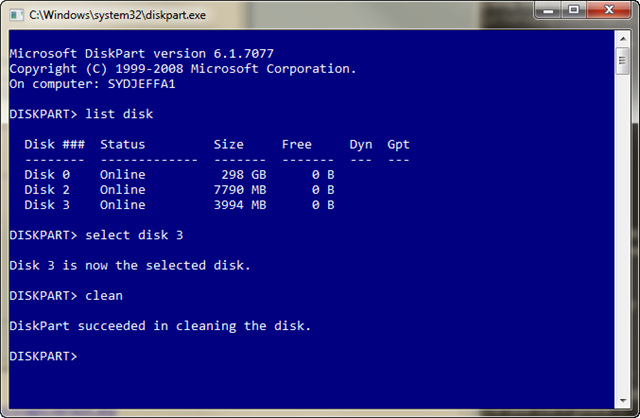
* Type LIST DISK to see a list of available disks
diskpart3_thumb.png


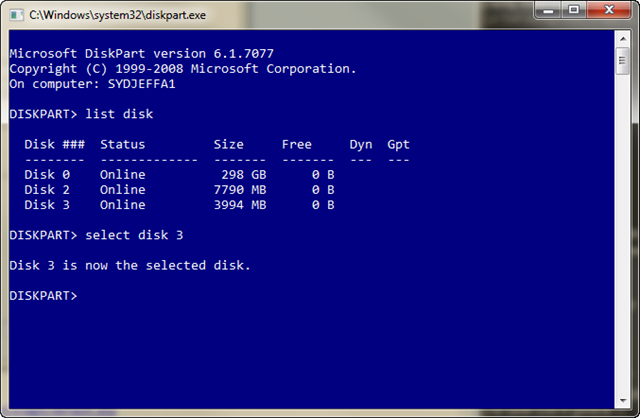
* Type SELECT DISK 3 ( in my case it happens to be disk 3)
diskpart4_thumb.png


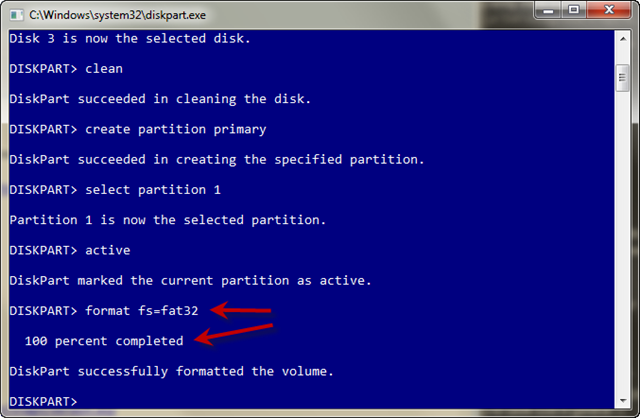
* Type CLEAN which will wipe the disk
diskpart5_thumb.png


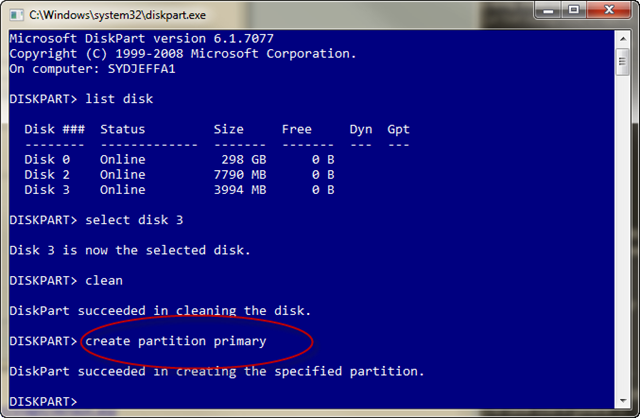
* Type CREATE PARTITION PRIMARY
diskpart6_thumb.png


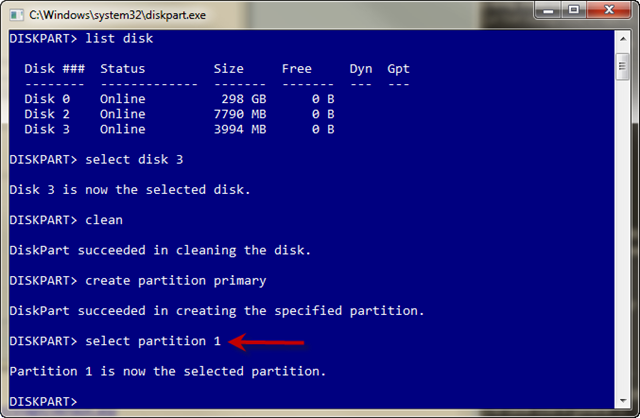
* Type SELECT PARTITION 1
diskpart7_thumb.png


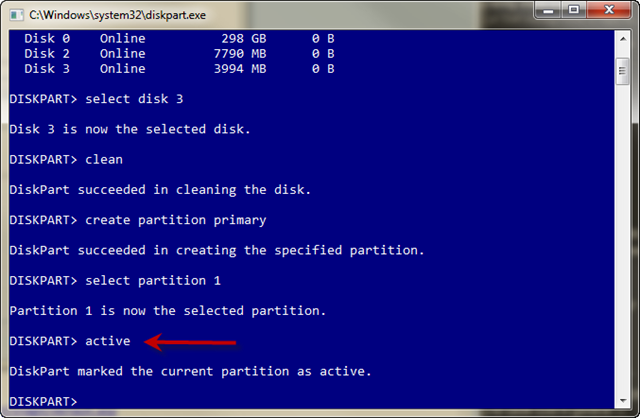
* Type ACTIVE to make this partition the active partition.
diskpart8_thumb.png


* Type FORMAT FS=FAT32 (wait for it to get to 100% complete)
diskpart9_thumb.png


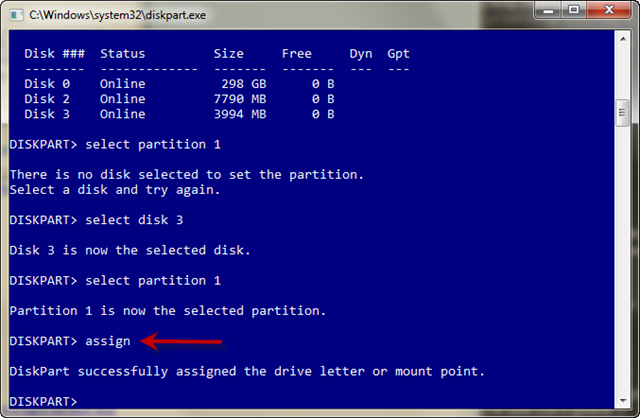
* Type ASSIGN so a drive letter gets assigned in explorer.
diskpart10_thumb_1.png


Now you should have a USB disk ready for the Windows 7 source files.

Load your DVD and copy the entire contents to the root of the USB drive.
Once that is done you will have a bootable USB disk ready for you to build
your machines much much faster with Windows 7.
 
Thats how I formatted my USB yesterday. Then transfered the windows 7 files onto it. Then restarted and booted from the usb.
 
Well just waited to do it on my own stuff. Worked fine for some reason.


I am now having another issue. I cant set my screen to it native resolution. 1920x1080 60hz.

I cant set it on the Catalyst or windows display options.

I have a LG 23" Flatron W2353V and a Sapphire HD4890.
 
Back
Top