

matt3118
New Member
My primary drive is a western digital 250GB SATA drive with Windows XP Professional.
I am trying to reformat my extra, secondary drive which was used as the primary in a 37.5GB Dell computer.
I want it reformatted because it still has all the Windows OS files from when I was a primary.
The C drive is the one I want formatted.
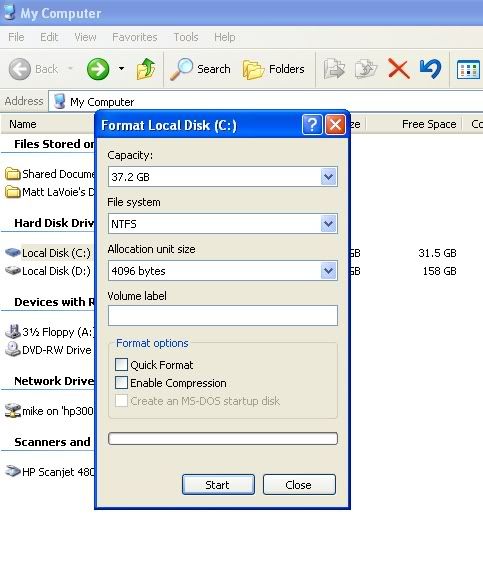
The Volume Label section is the only part that I'm not sure what to fill in with.
I've tried leaving it blank, I've also tried C, C:, (C , and Local Disk (C.
I've tried it with the Quick Format option and without.
No matter what I try, I either get this message at the very beginning, or at the end-
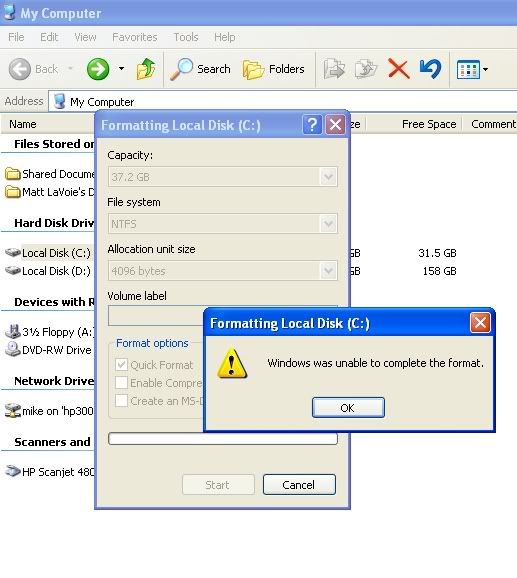
I don't know what to do! I can't find anything on Google or on CompForums.
I am trying to reformat my extra, secondary drive which was used as the primary in a 37.5GB Dell computer.
I want it reformatted because it still has all the Windows OS files from when I was a primary.
The C drive is the one I want formatted.
The Volume Label section is the only part that I'm not sure what to fill in with.
I've tried leaving it blank, I've also tried C, C:, (C
, and Local Disk (C.I've tried it with the Quick Format option and without.
No matter what I try, I either get this message at the very beginning, or at the end-
I don't know what to do! I can't find anything on Google or on CompForums.

