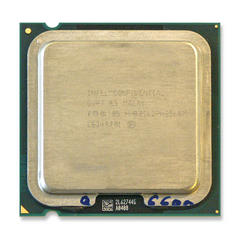
Cpu

music_maker_555

New Member
im taking apart my computer and just asking if the cpu is attached to the motherboard or if it comes off. dont really know much about computers. it has a fan on top with a big block of aluminium with slits in it.
just wondering if you could point me in the right direction. also. how would i take it off if it is detachable. the mothe board is asus A7S8X-MX

thanks in advance
 
See the bracket on the lower left of the heatsink, there is one on both sides. You push down on one side till it comes off the clips that hold it the the motherboard socket, then the other side will come off, then just pull the heatsink off.
vantecVA47245_pspc.jpg


To remove the processor you just lift the metal lever on the socket and the processor will lift out.
socket-a.jpg
 
Be careful when taking it out, as the CPU socket, and CPU itself are both susceptible to static damage....don't take it out unless you need to, as you may well damage it. If you need to...use anti-static bags, ESD mats, and an Earthed wrist-strap if you have one. I woudn't advise removing it out of curiousity what it looks like. It's not all that impressive to look at anyways.
 
thanks alot guys... so how do i find out what processor i have if i dont want to take it out? and what does dual core and quad core etc. does it mean that there are two cpu's or four?
 
A program like SIW (System Information for Windows) tells you the exact model/whatnot of the CPU, though you can find this info on system properties as well, or BIOS. And yes, a dualcore CPU is actually 2 CPUs in one package, and quadcore 4 CPUs in one package.
 
Well the first photo is really a Celeron not a P4 but thats besides the point of it being a single core..
 
Back
Top