4.00GB (2.99GB usable) - How do I get 4GB usable???

Status
Not open for further replies.

imagine9

New Member
Running Windows 7 Ultimate 64-bit on my HP laptop and for my RAM usage on the "Computer Properties" page it says "Installed memory (RAM): 4.00GB (2.99GB usable)"

I've seen other laptops with Windows 7 64-bit and all 4GB of RAM are usable so I know it's possible.

BIOS says I have 4GB of RAM.
CCleaner sees 4GB of RAM

So I know 4GB of RAM are installed.

Check out the images (removed, if anyone needs to see them let me know) of "Computer Properties", "TaskManager" and "MSConfig".

Anyone have ANY ideas? Google search has yielded nothing but a lot of bad/wrong information.

Thanks.
 
Last edited:
How can I tell if my laptop has "integrated graphics"? I thought all laptops had "integrated graphics".

So how would that explain the laptop I've seen that uses all 4GB or RAM?
 
Almost all laptops have integrated, though some do have dedicated cards. The amount of memory that they can borrow, however, varied quite a bit.

Run DXDiag and look at the "display" tab...it should show how much memory your gpu takes next to "total approx. memory"

Do get to it just type "dxdiag" into the search bar...should show up.
 
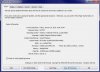
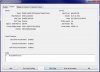
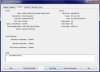
Here are some screenshots, doesn't really clear it up for me. I have 2 display tabs because I have a second monitor hooked up to the laptop.
 

Attachments

  • diag1.jpg
    diag1.jpg
    20.4 KB · Views: 3,421
  • diag2.jpg
    diag2.jpg
    16.9 KB · Views: 3,461
  • diag3.jpg
    diag3.jpg
    17.7 KB · Views: 3,406
6 gb

Running Windows 7 Ultimate 64-bit on my HP laptop and for my RAM usage on the "Computer Properties" page it says "Installed memory (RAM): 4.00GB (2.99GB usable)"

I've seen other laptops with Windows 7 64-bit and all 4GB of RAM are usable so I know it's possible.

BIOS says I have 4GB of RAM.
CCleaner sees 4GB of RAM

So I know 4GB of RAM are installed.

Check out the images (removed, if anyone needs to see them let me know) of "Computer Properties", "TaskManager" and "MSConfig".

Anyone have ANY ideas? Google search has yielded nothing but a lot of bad/wrong information.

Thanks.
Hello--another twist to the ONLY 2.9 GB out of 6 GB useable.
As I said, Win-8-64 (new install) and Ubuntu showed 6 GB installed.
NOW!!..I just installed another Win-7-64 on another partition. Just the bare thing with no programs added.
And...it showed 6 GB. But-when I go back to my Win-7-64 Default working drive with programs installed, it ALSO SHOWS 6 GB. No mention of USEABLE.
Problem solved-but WHY?
 
Hello--another twist to the ONLY 2.9 GB out of 6 GB useable.
As I said, Win-8-64 (new install) and Ubuntu showed 6 GB installed.
NOW!!..I just installed another Win-7-64 on another partition. Just the bare thing with no programs added.
And...it showed 6 GB. But-when I go back to my Win-7-64 Default working drive with programs installed, it ALSO SHOWS 6 GB. No mention of USEABLE.
Problem solved-but WHY?

Please don't bump a thread that is two years old.
 
Status
Not open for further replies.
Back
Top