OC'ing GPU Problems

FATALiiTYz

New Member
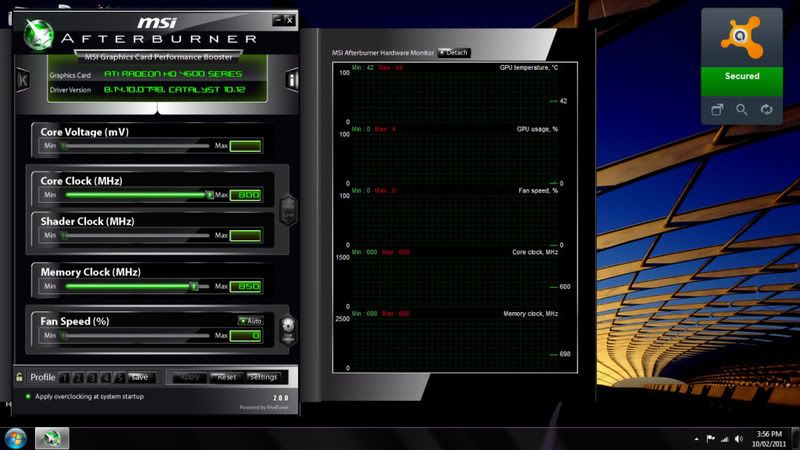
Hey guys, I've just recently got my computer up and running. Anyhow, i though it was a bit awkward that MSI Afterburner only let me overclock my core upto 800mhz when it was at 750mhz stock. I'm running a HIS 4670 IceQ 1gb.

MSIAfterburner.jpg


Thanks
 
try using ati tool

http://www.techpowerup.com/atitool/

Dunno what os your using but certainly with 7 and prob vista you need to turn off driver signing otherwise it wont install.
I have the same card btw but i'm lazy to oc atm but i remeber using my x800pro ati tool didnt seem to have any limits
 
try using ati tool

http://www.techpowerup.com/atitool/

Dunno what os your using but certainly with 7 and prob vista you need to turn off driver signing otherwise it wont install.
I have the same card btw but i'm lazy to oc atm but i remeber using my x800pro ati tool didnt seem to have any limits

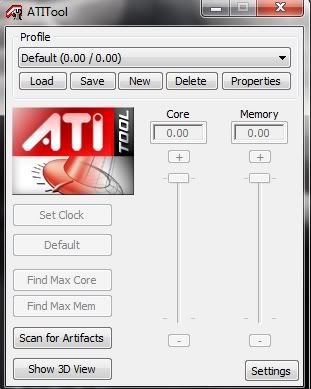
Yup I've already tried that, I think the first time I ran ATi Tool a message came up about the driver not being signed or something. Do you know how to turn of driver signing? BTW I'm running Windows 7 Home Premium 64bit.

ATiTool.jpg


Thanks
 
Yup I've already tried that, I think the first time I ran ATi Tool a message came up about the driver not being signed or something. Do you know how to turn of driver signing? BTW I'm running Windows 7 Home Premium 64bit.

ATiTool.jpg


Thanks
When you go into settings, can you select multiple GPUs? Your GPU might also just not be supported by ATItool. :(
 
When you go into settings, can you select multiple GPUs? Your GPU might also just not be supported by ATItool. :(

nah its to do with the the driver signing, the same thing happens with RivaTuner.

There is a command you can type in but it didnt seem to work, after that i got bored, but the other option i know of, in 7, is to press f8 on startup and on the boot menu under one of the menus/sub menus there is an option that says turn off windows driver signing.

Its prob the same with vista but i'm not sure as i never ran into this prob on vista.

Alternatively try powerstrip http://downloads.guru3d.com/PowerStrip-3.75-download-169.html#download

it lets me go up to 997 mhz and has no mention of the driver signing issue on install

 
Last edited:
nah its to do with the the driver signing, the same thing happens with RivaTuner.

There is a command you can type in but it didnt seem to work, after that i got bored, but the other option i know of, in 7, is to press f8 on startup and on the boot menu under one of the menus/sub menus there is an option that says turn off windows driver signing.

Its prob the same with vista but i'm not sure as i never ran into this prob on vista.

Alternatively try powerstrip http://downloads.guru3d.com/PowerStrip-3.75-download-169.html#download

it lets me go up to 997 mhz and has no mention of the driver signing issue on install

Ok, thanks.
 
Back
Top