Hi everyone, Im new to this board but I had a question and from what I see this seems to be the place to go. I did a search, maybe using incorrect parameters but I didnt find particularly what I was looking for.
My dillemma:
I have an old E-machine, model # t3656.
Its acted funny since my last format.. by funny I mean, if I dont put the windows xp cd key in the disc drive before shutting it down, when starting up, it will give me some error. This I dont care about, ive resigned to leaving the xp cd in, when not playing a game.
However my roommate messed it up and started a windows install. XP Pro.
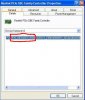
So i have a fresh reinstall with windows xp.. thing is, the T3656 came initially with Vista.. So here I am, looking for the last 2 hours for Drivers, and all I can find are either Vista Drivers, or places SELLING recovery discs or selling "driver detectives". Been to like 100+ sites in the last hour to no avail. Any tips as to how to get these drivers I need?
My dillemma:
I have an old E-machine, model # t3656.
Its acted funny since my last format.. by funny I mean, if I dont put the windows xp cd key in the disc drive before shutting it down, when starting up, it will give me some error. This I dont care about, ive resigned to leaving the xp cd in, when not playing a game.
However my roommate messed it up and started a windows install. XP Pro.
So i have a fresh reinstall with windows xp.. thing is, the T3656 came initially with Vista.. So here I am, looking for the last 2 hours for Drivers, and all I can find are either Vista Drivers, or places SELLING recovery discs or selling "driver detectives". Been to like 100+ sites in the last hour to no avail. Any tips as to how to get these drivers I need?