Grub Screwover

Yeah, this goes back to the whole thing about me saying how ubuntu hides a bulk of the knowledge with there easy to use gui's. Makes using the system a breeze, but when you break something, you have no idea how any of it works. Break your package manager a couple times. Then you'll learn a TON. lol
Yeah, that's what happened to me. Multiple times. I was using the experimental repo's in debian for a while :P
 
well, if you run into any more troubles, just ask.
and dont worry, your not the only one having issues.
Wine is fighting me like no other. But at least i got 11.04 or whatever installed with unity..
 
I personally would use Ubuntu exclusively if it supported Netflix. Thats all that is holding me to windows at the moment.
 
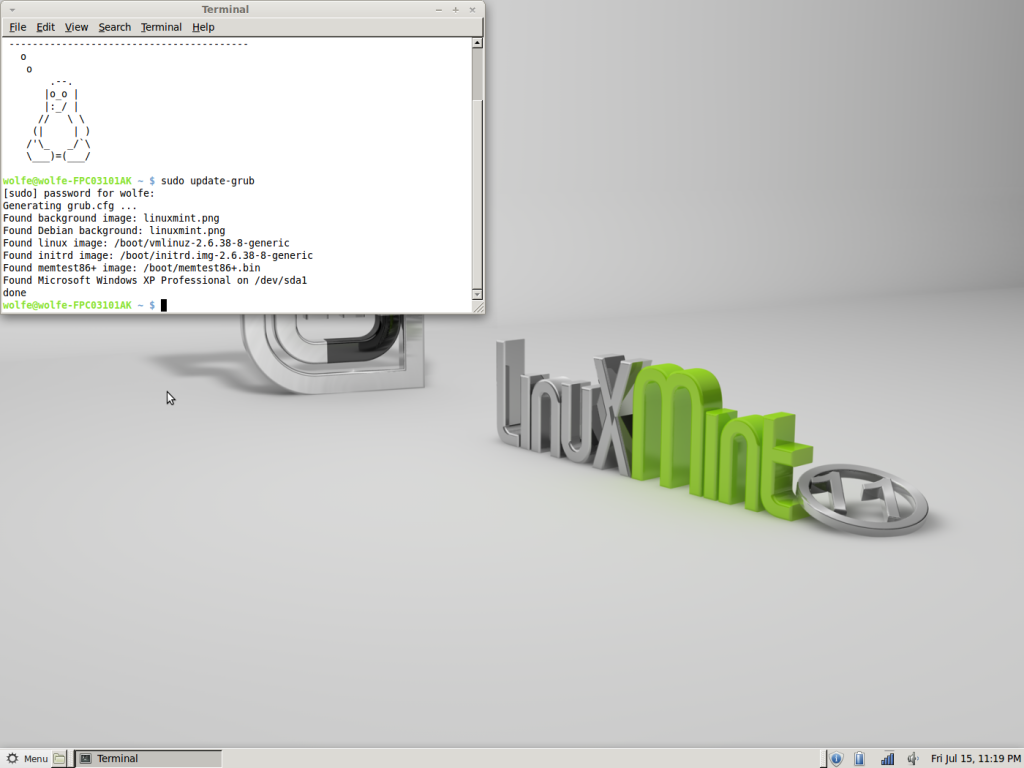
ok. VICTORY, sort-of. I got Mint-11 up and running on an older desktop that we had laying around (worked once I slipped a Rage Pro 128 card in that I had from an old G3 apple.). It has XP, and Ubuntu 9.04 installed Via wubi. I ran
Code:
 sudo update-grub
and got
Screenshot-8.png
. Why isnt Ubuntu showing up with the grub update?
 
I might be wrong on this, but i think you have to run that on the OS that has grub installed to the HDD, not the partition. If you didn't specify that mint have grub loaded to the partition, then you more then likely overwrote grub for ubuntu.
 
it actually shows up under windows XP. I felt like an idiot when I found that. When the Mint loader comes up and I choose XP, it proceeds to the ubuntu loader. Seems redundant though.
 
So your computer loads Grub, it loads the mint grub. Then, if you pick XP as your OS, it loads the Ubuntu Grub?

If that's right, you have a issue with your grub(s).
It should be grub, pick OS, load OS. Period. I think one of them didnt get installed to the right partition.
 
yes, that is what it is doing. I dont know how I would go about fixing it though. Maybe boot to ubuntu and run the grub update?
 
You can try it but i doubt that would work. If you download and burn supergrub disk and use that, it might be able to fix it. The way it should be
Let's assume you want to use Ubuntu's Grubloader as the MBR.
Ubuntu grub-> /dev/sda
Linux mint->/dev/sda# with # being mint's partition number.

So you should have one grub loader installed to your entire HDD that runs everything, and then another installed just to the partition so it can boot itself properly. Ways to accomplish this:
1.Remove mint, make sure the ubuntu grub works fine. If so, re install mint taking care to specify the bootloader install location, it's either in the advanced menu or toggled via a button in the overview of the partiton before you begin formatting. If ubuntu grub isn't fine. fix it using supergrubdisk or reinstall grub with a live disk
2.Re-install both grubs using super-grub disk
3.Re-install both-grubs using live Cd's (note, takes a bit more work then super grub disk, you'll have to do some basic terminal work)

Or you can just leave it since it "works" :P
 
I'm just going to leave it as is. reading those instructions, it seems there is a lot that can go wrong with fixing it the right way. And I dont think I have the patience to set through yet another XP or 2000 install to a 4200 RPM IDE66 drive.
 
Back
Top