
LanguidLegend
New Member
So I am having issues with an external hard drive (or more likely just the internal drive inside the enclosure). So I was given this drive used (and in working order when I received it) and I first formatted the entire drive to one NTFS partition and shortly after to three 200GB FAT32 partitions and one 1.4TB NTFS partition (using ****** Partition Manager).
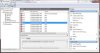
It was at some point during these transitions that it started to become unresponsive &/or unrecognized by my system and so I was unable to view/alter it further using normal methods. I used a bootable partition program (Minitool Partition Wizard) and was able to view, wipe (a several hour process), then reformat the entire drive to NTFS successfully (or so the program claimed). And so here I am now (haha) - I boot into Windows and not only is the drive still unreadable, but I also notice a significant & persisting lag in Windows Explorer whenever I switch the drive on. It does appear in disk management (after a very long load time), but it does not appear formatted, and when I try to format it I get an error telling me to check the system log (attached below).
Is it possible to salvage this drive to make it functional again?? I'd hate to throw it away when I didn't have to..
System
Model: Compaq-Presario NP185AA-ABA CQ5110F
Operating System: Windows 7 (32-bit)
Memory (RAM - DDR2): 4GB
External Drive
Enclosure: Wintec FileMate 3FME3B2TB-R 3.5" SATA to USB 2.0
Interface: USB 2.0
Internal Drive
Manufacturer: Western Digital
Model: WD20EARS
Interface: SATA
Size: 2.0 TB
Links:
System Log.png
Device Manager.png
It was at some point during these transitions that it started to become unresponsive &/or unrecognized by my system and so I was unable to view/alter it further using normal methods. I used a bootable partition program (Minitool Partition Wizard) and was able to view, wipe (a several hour process), then reformat the entire drive to NTFS successfully (or so the program claimed). And so here I am now (haha) - I boot into Windows and not only is the drive still unreadable, but I also notice a significant & persisting lag in Windows Explorer whenever I switch the drive on. It does appear in disk management (after a very long load time), but it does not appear formatted, and when I try to format it I get an error telling me to check the system log (attached below).
Is it possible to salvage this drive to make it functional again?? I'd hate to throw it away when I didn't have to..
System
Model: Compaq-Presario NP185AA-ABA CQ5110F
Operating System: Windows 7 (32-bit)
Memory (RAM - DDR2): 4GB
External Drive
Enclosure: Wintec FileMate 3FME3B2TB-R 3.5" SATA to USB 2.0
Interface: USB 2.0
Internal Drive
Manufacturer: Western Digital
Model: WD20EARS
Interface: SATA
Size: 2.0 TB
Links:
System Log.png
Device Manager.png
Attachments
Last edited:


