My desktop computer operation system window xp cannot access internet after I format it. When I right click My computer and Hardware, Device manager, the ethernet controller show a yellow question mark...Normally I can use internet after I format it. So I download Realtek Gbe & FE Ethernet PCI NIC Driver and install but it shows "please shutdown and plug realtek pci card" So what I need to do to solve this problem. Sorry for my poor English...

You are using an out of date browser. It may not display this or other websites correctly.
You should upgrade or use an alternative browser.
You should upgrade or use an alternative browser.
Can someone help me to solve this problem, window xp cannot access internet
- Thread starter Jackson02
- Start date

Is that the correct driver for your ethernet connection on your motherboard? It sounds like you're not installing the correct ethernet driver.
How to ensure that my driver install is correct or not? and when I use some software to check my motherboard model, it's doesn't show any brand of my motherboard... Can somebody teach me to solve this problem T.TIs that the correct driver for your ethernet connection on your motherboard? It sounds like you're not installing the correct ethernet driver.
How to ensure that my driver install is correct or not? and when I use some software to check my motherboard model, it's doesn't show any brand of my motherboard... Can somebody teach me to solve this problem T.T
Is it custom or pre-built? If it's custom, what motherboard do you have?
http://h10025.www1.hp.com/ewfrf/wc/document?docname=c00910113&lc=en&dlc=en&cc=us#N244Is it custom or pre-built? If it's custom, what motherboard do you have?
This is my motherboard look like...

claptonman
New Member
Uninstall anything from Realtek relating to LAN and install this driver:
http://h20000.www2.hp.com/bizsuppor...cc=us&swItem=ir-45553-1&jumpid=reg_R1002_USEN
http://h20000.www2.hp.com/bizsuppor...cc=us&swItem=ir-45553-1&jumpid=reg_R1002_USEN
actually my desktop computer is not a HP brand, but it's motherboard is look like that....So you have an HP system. What is the model of HP you have?
Anyway I will try to install it...If I install the driver and it shows "please shutdown and plug pci card" so what I need to do?Uninstall anything from Realtek relating to LAN and install this driver:
http://h20000.www2.hp.com/bizsuppor...cc=us&swItem=ir-45553-1&jumpid=reg_R1002_USEN
claptonman
New Member
Umm... that's odd. Restart/shutdown and see what happens.
It still the same yellow question mark =.=Umm... that's odd. Restart/shutdown and see what happens.

Ok do this then.
Go into device manager and right click on the network adapter that has the yellow question mark next to it and click on properties, then click on the details tab, and then give me the 4 digit vendor and device ID numbers. They look like this.
Go into device manager and right click on the network adapter that has the yellow question mark next to it and click on properties, then click on the details tab, and then give me the 4 digit vendor and device ID numbers. They look like this.
Attachments
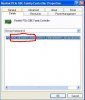
I'm uploading the pictureOk do this then.
Go into device manager and right click on the network adapter that has the yellow question mark next to it and click on properties, then click on the details tab, and then give me the 4 digit vendor and device ID numbers. They look like this.
http://img845.imageshack.us/img845/9596/84109862.png
www.realtek.com.tw/Downloads/downlo...d=7&Level=5&Conn=4&DownTypeID=3&GetDown=false
Pick this line.
WinXP and WinServer 2003 Driver 5.794 2012/5/22 706k HK1 US1 US3 UK1 CN US2
Pick one of the servers to download from.
Pick this line.
WinXP and WinServer 2003 Driver 5.794 2012/5/22 706k HK1 US1 US3 UK1 CN US2
Pick one of the servers to download from.
Did I post wring picture? Is that the code? Urgent please><Ok do this then.
Go into device manager and right click on the network adapter that has the yellow question mark next to it and click on properties, then click on the details tab, and then give me the 4 digit vendor and device ID numbers. They look like this.
I would like to give you a big thank non matter it's working to my computer or not...thank you very very very muchwww.realtek.com.tw/Downloads/downlo...d=7&Level=5&Conn=4&DownTypeID=3&GetDown=false
Pick this line.
WinXP and WinServer 2003 Driver 5.794 2012/5/22 706k HK1 US1 US3 UK1 CN US2
Pick one of the servers to download from.
I love you very much, it is really working to my computer...I had visit a lot of forum but they can't solve my problem...Now I'm too excited and very thank you to you..You are so pro, I need to learn a lot of things from you guys in this forumwww.realtek.com.tw/Downloads/downlo...d=7&Level=5&Conn=4&DownTypeID=3&GetDown=false
Pick this line.
WinXP and WinServer 2003 Driver 5.794 2012/5/22 706k HK1 US1 US3 UK1 CN US2
Pick one of the servers to download from.


wolfeking
banned
johnb is kind of a god in terms of helping people...
'Nuff said.
*no offense to people*
Hail John, father of god! lolz.