
You are using an out of date browser. It may not display this or other websites correctly.
You should upgrade or use an alternative browser.
You should upgrade or use an alternative browser.
Please help me build this thing :)
- Thread starter alexjb
- Start date


http://www.youtube.com/results?sear...0.104.821.10j1.11.0...0.0...1ac.1.4iNxO6livYc watch some of those before you do anything

_Controlling
New Member
You really shouldn't have bought all the parts for a computer if you didn't have a clue what to do.
Tutorials online will help a lot, that's where I learned most about building computers.
Also, remember to read the manual, your computer isn't the same as the persons in the video.
Tutorials online will help a lot, that's where I learned most about building computers.
Also, remember to read the manual, your computer isn't the same as the persons in the video.
Did you ground yourself before you unboxed those parts? Did you make sure to install the standoffs between the board and the case? Because if you didn't, your board will short when you start up the PC and it won't work unless you take it out and put the standoffs in.
Next I'd say you should get the PSU in, fan facing down. Route the cables through the holes in the case but don't connect them up to anything.
Then put your CPU in, it will only go in one way - don't force it! The cooler should go on after the CPU and if you're using the stock cooler it should just click into the board.
RAM will only go in one way too. You want to put the RAM in matching bays - ie, if you put one stick in one of the blue bays, you want to put the other stick in the other blue bay - and if you put one stick in the black bay, you want the other in the other black bay.
Then I'd put your HDDs and SSDs in. Simple. Then do the DVD drive.
Put your graphics card in, connect everything up. Install Windows.
Next I'd say you should get the PSU in, fan facing down. Route the cables through the holes in the case but don't connect them up to anything.
Then put your CPU in, it will only go in one way - don't force it! The cooler should go on after the CPU and if you're using the stock cooler it should just click into the board.
RAM will only go in one way too. You want to put the RAM in matching bays - ie, if you put one stick in one of the blue bays, you want to put the other stick in the other blue bay - and if you put one stick in the black bay, you want the other in the other black bay.
Then I'd put your HDDs and SSDs in. Simple. Then do the DVD drive.
Put your graphics card in, connect everything up. Install Windows.
Did you ground yourself before you unboxed those parts? Did you make sure to install the standoffs between the board and the case? Because if you didn't, your board will short when you start up the PC and it won't work unless you take it out and put the standoffs in.
Next I'd say you should get the PSU in, fan facing down. Route the cables through the holes in the case but don't connect them up to anything.
Then put your CPU in, it will only go in one way - don't force it! The cooler should go on after the CPU and if you're using the stock cooler it should just click into the board.
RAM will only go in one way too. You want to put the RAM in matching bays - ie, if you put one stick in one of the blue bays, you want to put the other stick in the other blue bay - and if you put one stick in the black bay, you want the other in the other black bay.
Then I'd put your HDDs and SSDs in. Simple. Then do the DVD drive.
Put your graphics card in, connect everything up. Install Windows.
Thanks, I put a anti static wrist band on and clipped it on the hard drive holder parts that are metal and have been touching my metal radiator every couple of minutes just to be on the safe side, I put in these golden screws they are called M/B stands and then used the M/B Scews to put the motherboard in, I hope it's all okay

Thanks I'll try the next steps you said above
All seems to me then Alex.
thank you
really cannot afford to break anything, I hope it's all good thanks for your help what do I do with the cables with this PSU? Is it in the correct position too? (have not screwed the PSU yet just gently placed it in ) Thanks


You need to untie them all and then route them behind the motherboard tray holes all nicely, so they end up looking something like this:
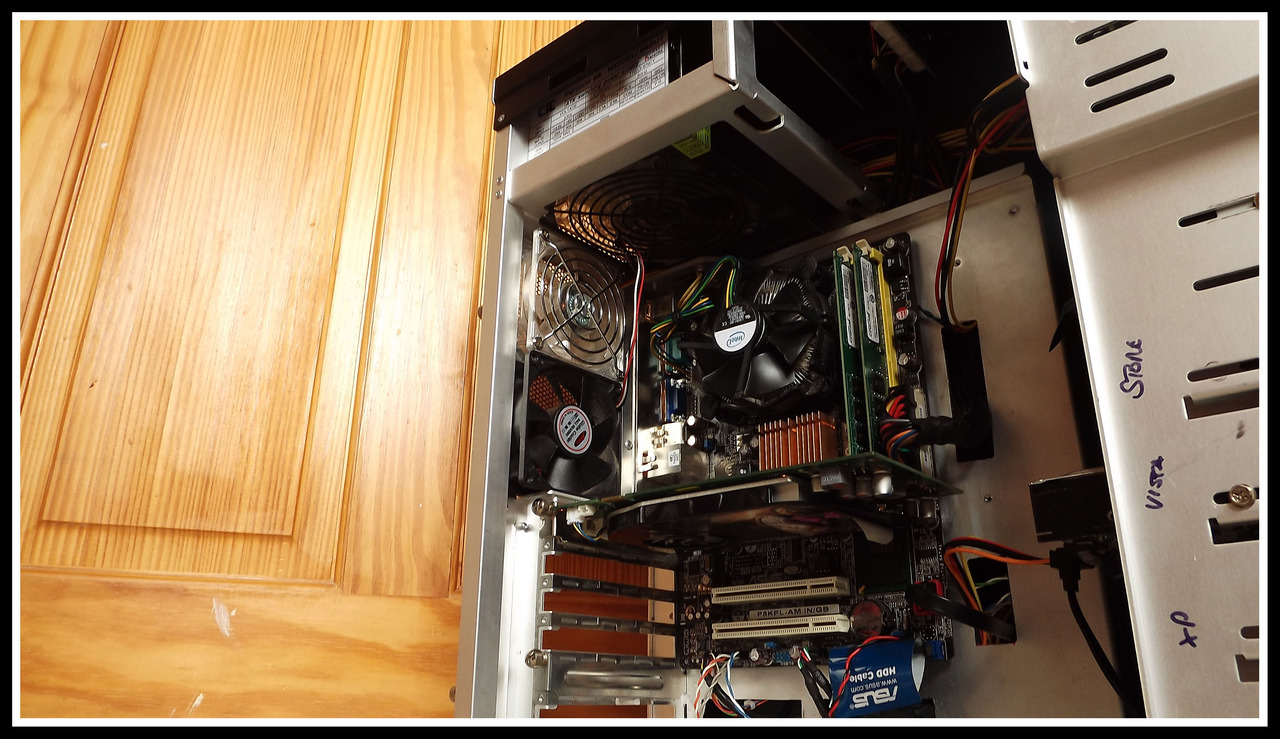
That is one of my PCs. As you can see, the cables come out of the PSU, behind the motherboard tray, and then out through holes located near to where the cables need to plug into.
That is one of my PCs. As you can see, the cables come out of the PSU, behind the motherboard tray, and then out through holes located near to where the cables need to plug into.

You need to untie them all and then route them behind the motherboard tray holes all nicely, so they end up looking something like this:
That is one of my PCs. As you can see, the cables come out of the PSU, behind the motherboard tray, and then out through holes located near to where the cables need to plug into.
Nice pc!
thank you I'll give this a go 


As you have ventilation in the bottom of the case, point the fan facing down, like in the first photo.
thank you!
where do I screw it in please? the PSU came with 4 screws, and the Motherboard came with 4 for the PSU - Do I need all 8?No you only need 4, they screw into the back of the case.

They go into your PSU via the back of the case.
thank you
i did it correctly
Haha thanks I don't really have much time to fiddle with it and get the cable management right because I've always got my head in somebody else's machine or I'm helping people on here. 
Reminds of a guy I used to know who used to restore classic Minis for people. His Mini was covered in stickers where he had bumped and scraped the bodywork because he never had the time to replace the parts as he was always working on other people's cars.
Reminds of a guy I used to know who used to restore classic Minis for people. His Mini was covered in stickers where he had bumped and scraped the bodywork because he never had the time to replace the parts as he was always working on other people's cars.