Help! computer building problem.

AT49ers

New Member
So my Cousin and i built our first computer. We made an external build that seemed to work just fine, but when we created the internal build the computer seemed to stop working. when you turn it on the PSU fan spins for about second then stops. None of the fans in the case turn on but it is still making a post beep. originally during the external build there would be a splash screen on the monitor but now it just says no signal. Can anybody help?

MoBo: asus sabertooth z77

CPU: i5 3570k

GPU: asus 670

PSU: Corsair HX850

Case Thermaltake MK1
 
Did you put the brass standoffs between the board and the case?

Sounds like your board is shorting out on the case because you have no standoffs.
 
Try reseating your graphics card perhaps and make sure all the power cables are plugged in correctly. Unplug them all and plug them back in again just to be sure.
 
the mobo is lite up with green leds that according to the manual means that it is in standby mode. what does that mean and how do i get out of it.
 
just check all leads, could be a wrong lead connecting to somewhere it shouldn't be, or the brass stands if they arent on it can earth the mboard making it not work..
 
Try reseating RAM and video card? Make sure all cables are plugged in firmly to everything. Did you forget to plug in the power cable to the GPU?
 
Pull it back out and test on the bench again to make sure it is still working.

Make sure all the motherboard mounts are in the right place and none are shorting with the board..

If it works ok outside of the case then start putting back together with as least amount of parts as possible. ie PSU/MB/CPU/Memory/Video Card, if that works then start connecting devices one by one until it fails.
 
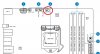
OK guys i got everything up and running perfectly now except for two things: it says that i have a cpu fan error and that it is spinning at around 450-480 rmp, and also the CD-rom is not in the boot drive priority of the EFI BIOS so i cannot load up windows 7. how do i solve these problems :confused: sorry for all the questions :o
 
What are the CPU temps? If the fan is spinning it should be okay as long it's not too slow. That speed sounds okay. I had a friend that had a CPU fan error and he had to get a new CPU cooler.

As for setting the CD Rom as the boot drive, you can normally just change the boot order in the boot menu. Set the CD drive to first and it should start up from that first.
 
On the CPU fan issue, make sure you plugged the fan into the cpu fan connector and not one of the others.
 

Attachments

  • CPU Fan.jpg
    CPU Fan.jpg
    56.5 KB · Views: 28
What are the CPU temps? If the fan is spinning it should be okay as long it's not too slow. That speed sounds okay. I had a friend that had a CPU fan error and he had to get a new CPU cooler.

As for setting the CD Rom as the boot drive, you can normally just change the boot order in the boot menu. Set the CD drive to first and it should start up from that first.


the temps are about 70 to 80 degrees Fahrenheit and the CD ROM is just not showing up in the boot menu, thats why i can't put it first in boot order
 
Make sure your disc drive has all of it's plugs in and fully seated. Also make sure you didn't forget to plug in the SATA cable from the disc drive to the motherboard in. As for CPU fan those temps are okay to boot. Some BIOS will allow you to ignore the CPU Fan and boot without it. See if it has that. Still probably want to look in to getting a replacement CPU cooler though if this one is dead.
 
Back
Top