I want to upgrade my graphics card

Nihil

New Member
Right now my PC doesn't even have a graphics card just some integrated crap. It sucks playing counter-strike with under 30 fps and unstable frames.

I wanted to get the GTX 760 4GB but it doesn't look like my power supply can handle it. Mine says 5v/20amps. The minimum says 500watts/30amps on the 12v rail for it.
It also looks like there's not enough room for even a 660.

How hard is it to replace a power supply and would I need more stuff?

Here's the card I wanted.
http://www.newegg.com/Product/Product.aspx?Item=N82E16814130949

Here's the power supply I would buy
http://www.newegg.com/Product/Product.aspx?Item=N82E16817152019

Here's my backup choice for a card
The only info I could find on the power need for this one was "up to 225W2 additional 6 pin PCIe power required"

http://www.newegg.com/Product/Product.aspx?Item=N82E16814121656

 
I know the other specs suck and it'll bottleneck but I just want to be able to play CS and some other FPS games with better frame rates. Once I save enough money I'm going to go ahead and build a new computer and take the card from my old one(if I get one).

The PC I got now was a pre-built from Best Buy in 2010. I didn't know much about computers back then so I got ripped off basically.

OS Name Microsoft Windows 7 Home Premium
Version 6.1.7601 Service Pack 1 Build 7601
Other OS Description Not Available
OS Manufacturer Microsoft Corporation
System Manufacturer Gateway
System Model DX4831
System Type x64-based PC
Processor Intel(R) Core(TM) i3 CPU 530 @ 2.93GHz, 2933 Mhz, 2 Core(s), 4 Logical Processor(s)
BIOS Version/Date American Megatrends Inc. P01-A0, 11/17/2009
SMBIOS Version 2.6
Locale United States
Hardware Abstraction Layer Version = "6.1.7601.17514"
Time Zone Eastern Daylight Time
Installed Physical Memory (RAM) 6.00 GB
Total Physical Memory 5.74 GB
Available Physical Memory 4.02 GB
Total Virtual Memory 11.5 GB
Available Virtual Memory 9.61 GB
Page File Space 5.74 GB
 
a $20 power supply? i wouldnt bother and i kind of doubt that is going to run a GTX 760 4 gb. i have the same card, and yes its i a nice card. the power supply you selected only has 18A on a single 12V rail, the vidoe card calls for at least 30A so i dont think it will work and if it did it would have some issues; lagging performs or durability problems. that is a thirsty video card, it needs and likes power. that $20 power supply is not much better then what came in that computer; for an extra $40-50 you can buy a decent 600W OCZ or corsair power supply that will last years, and several upgrade cycles. i also cannot tell if that motherboard has a PCI-E graphics card slot and if it does that factory "gateway" cooling soultion is going to in the way. you also have to make sure that card will phyiscally fit in that case, that video card has a LARGE footprint. i have an older antec lanboy case, and while it was a great enclosure when i bought it, it's an older model case, there is barely enough room to fit this video card in my case. i probably have an inch to spare.

4GB of ram is probably also a bottleneck and while its acceptable its not the best for gaming. i prefer at least 8 GB. if all you want to DO is play CS you dont really need that high end of a graphics card.

when you want to really upgrade your going to have to start out over and build a new system with a good case and powersupply.
 
So your gonna buy a $230 video card but only a $20 power supply? I don't think so. You will need at least a corsair cx500 or cx600 unit to run that card. And the problem you may have is that it won't fit in your OEM case without removing the HDD drive cage. Check the length of the card and see if you got that much room in the case, doubt you have.
 
You still have an i3 and 6GB RAM, which is something. It's the oldest possible i3, but still, not bad compared to what the picture looks like. Looks oooold.
I would buy a new power supply, a good one. It looks like a normal mATX motherboard to me, so I would also buy a new case. Perhaps the Fractal Design Core 1000 or the little bit better Coolermaster Silencio 352. This would also help with the airflow substantially, meaning much lower temps.

Corsair CX500M: $37 (after 24% discount and a $20 MIB!)
Fractal Design Core 1000: $36
I actually couldn't find anywhere to buy the Silencio 352, except in Denmark (Couldn't find it on Newegg and Google only brought up reviews and danish retailers). It's about $10 more expensive than the Core 1000.
You can see many pictures of it here, on the danish e-tailers website. It's nice.

Then maybe get a 2GB version of the GTX 760 instead, unless you're sure you'll need the full 4GB.

And while you're at it, see if you can afford a new CPU cooler. It's not needed, but the one you have looks very dusty and looks like it needs to be replaced.
Coolermaster 80mm: $15
Coolermaster Hyper TX3: $20
They are silent since you won't be overclocking (wouldn't recommend that) and they'll be cooler for sure.
 
Last edited:
OK thanks for all the posts. I didn't realize there was there are big differences in power supplies. I didn't understand what I was reading I guess.

From all the stuff I need to do I think I'll just keep saving money up till I can just build a full PC.

In the meantime are there any low end graphics cards that I could put in my system right now?
I just want a stable frame rate on CS for now. I don't mind playing on low res/settings. Something to tie me over for a few months.

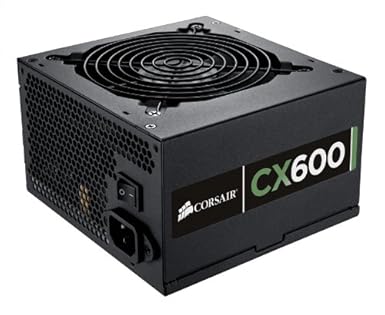
Edit: Ok it looks like I need a new power supply even with the low end cards I'm looking at. I'm going go ahead and get the 600 watt corsair since it's the same price.

Edit2: Here's what I got. I really didn't have much money for other stuff left. I'll make an update when the stuff gets here. It's supposed to be Wednesday.
The graphics card was cheap and has a low profile. Specs looked decent for the price.
juid.png
 
Last edited:
look at it this way, $20 spent on a junk supply and an ADDITIONAL $60 or $80 spent when you find that the $20 is in fact a $20 supply, which is about the low quality that your machine came with. regardless of upgrade path you choose i would NEVER opt for a $20 supply, it just isnt something you want to buy. spend a LITTLE more you also get modular cable management, a cool feature were you only use the power cables you need creating less clutter in your case.

i do know one thing, manufactured off the shelf computer are made of junk, i would never buy one of those. they dont even fit me needs brand new off the shelf. building your own PC is always a much better deal with higher quality components, even for basic productivity. a computer that is put together from components purchased and selected individually will make a much more serviceable machine, even built from basic components. i build my friend a computer for basic work, i think it came under $400. for that price he got a 2TB hard drive, a basic AMD gigabyte branded board (still a quality board), 4 GB of ram, a nice antec bottom power supply mounted case, an optical drive, and a quality corsair 500W power supply.


in short NEVER buy a $20 power supply. they are a "bargain bin" power supply in every way, not a good thing. brands to look for as good OCZ, corsair, and antec (i think antec is still decent, i had a couple older antec units and they lasted forever with one of them still in service in my wife's computer, probably a 8-10 year old unit still running great)
 
look at it this way, $20 spent on a junk supply and an ADDITIONAL $60 or $80 spent when you find that the $20 is in fact a $20 supply, which is about the low quality that your machine came with. regardless of upgrade path you choose i would NEVER opt for a $20 supply, it just isnt something you want to buy. spend a LITTLE more you also get modular cable management, a cool feature were you only use the power cables you need creating less clutter in your case.

i do know one thing, manufactured off the shelf computer are made of junk, i would never buy one of those. they dont even fit me needs brand new off the shelf. building your own PC is always a much better deal with higher quality components, even for basic productivity. a computer that is put together from components purchased and selected individually will make a much more serviceable machine, even built from basic components. i build my friend a computer for basic work, i think it came under $400. for that price he got a 2TB hard drive, a basic AMD gigabyte branded board (still a quality board), 4 GB of ram, a nice antec bottom power supply mounted case, an optical drive, and a quality corsair 500W power supply.


in short NEVER buy a $20 power supply. they are a "bargain bin" power supply in every way, not a good thing. brands to look for as good OCZ, corsair, and antec (i think antec is still decent, i had a couple older antec units and they lasted forever with one of them still in service in my wife's computer, probably a 8-10 year old unit still running great)

Can you post the specs for the machine you built your friend? My mom wants to get a new computer and it sounds like just the thing I could build for her.
 
Can you post the specs for the machine you built your friend? My mom wants to get a new computer and it sounds like just the thing I could build for her.

Should really make a new post.
But if you're in the sub-$400 market, you should probably look at an APU.
 
OK thanks for all the posts. I didn't realize there was there are big differences in power supplies. I didn't understand what I was reading I guess.

From all the stuff I need to do I think I'll just keep saving money up till I can just build a full PC.

In the meantime are there any low end graphics cards that I could put in my system right now?
I just want a stable frame rate on CS for now. I don't mind playing on low res/settings. Something to tie me over for a few months.

Edit: Ok it looks like I need a new power supply even with the low end cards I'm looking at. I'm going go ahead and get the 600 watt corsair since it's the same price.

Edit2: Here's what I got. I really didn't have much money for other stuff left. I'll make an update when the stuff gets here. It's supposed to be Wednesday.
The graphics card was cheap and has a low profile. Specs looked decent for the price.
juid.png


Do you need low profile video card?
I google your machine, it doesn't look like you need low-profile card.
 
Do you need low profile video card?
I google your machine, it doesn't look like you need low-profile card.

I don't know I was assuming that the first slot under the fan is where the card plugs in.
It looks like there wouldn't be enough room if I got a big card. I don't even know if this card will fit. Maybe they aren't as tall as I'm thinking they are?
 
I don't know I was assuming that the first slot under the fan is where the card plugs in.
It looks like there wouldn't be enough room if I got a big card. I don't even know if this card will fit. Maybe they aren't as tall as I'm thinking they are?

low profile do with height. not length.
So, normal card should do.

However, please double check if your case long enough to accommodate higher end card. GTX 760 your link initially is 11" long.

PSU- I would suggest you go for Corsair CX500M/ 600M such that there are not many cable hanging around which block air flow.

And if you adding a video card, I suggest you add a case fan (and dust fulter if possible) at the back to increase air flow. It looks like 92mm/ 80mm


Edit- If your mom need a PC, have you though of negotiate with her and selling your existing to her with $250 - $300, and you starting with brand new?
 
Last edited:
low profile do with height. not length.
So, normal card should do.

However, please double check if your case long enough to accommodate higher end card. GTX 760 your link initially is 11" long.

PSU- I would suggest you go for Corsair CX500M/ 600M such that there are not many cable hanging around which block air flow.

And if you adding a video card, I suggest you add a case fan (and dust fulter if possible) at the back to increase air flow. It looks like 92mm/ 80mm


Edit- If your mom need a PC, have you though of negotiate with her and selling your existing to her with $250 - $300, and you starting with brand new?

Thanks for the post.

I already ordered all that stuff. It would of cost too much for me to get a power supply and all the other stuff I would of needed for the 760.
I just bought a power supply and a low end card along with some other stuff I need for now.
Later on when I save some money I'll will build a new whole new PC.
I'm not the guy whose mom needs a PC though.

I ordered a DVI-D Dual Link cable because I don't think the one I got now will plug into the card. I'm still using old style vga plug right now. My monitor has a spot for DVI so I'm set there.
14-125-444-Z01

51YFU0kvQJL._SX385_.jpg
 
Got the power supply in but not the card. It feels like it won't fit all the way down on the slot. I can still see a lot of the gold on the pins. I guess there isn't enough room for it to go all the way down.
I have USB ports on the top of my PC I don't know where I'd start with transferring stuff to another case.
 
i also cannot tell if that motherboard has a PCI-E graphics card slot and if it does that factory "gateway" cooling soultion is going to in the way. you also have to make sure that card will phyiscally fit in that case, that video card has a LARGE footprint.

If you look at the photo the OP posted, the motherboard is labeled P55M01, which is an older Foxconn H57 based motherboard. Two minutes of reseach brought about this information.

Expansion Slots

2 * PCI Express x1 (2.0)
1 * PCI Express x4 (2.0)
1 * PCI Express x16 (2.0)


Along with a lot more. Here is the link to where I found the information.

http://www.findlaptopdriver.com/foxconn-p55m01a1-specs/

Hopefully I can post that, it's not another forum. I also won't preach about the power supply as many already have and I think you (OP) have understood the importance of a good power supply.

@ad356,
I also have to mention this, with my Lian Li, Lancool, PC-K62 case, I honestly have to tilt my video card at an angle, slide it into the 5.25 inch drive bay cage, before I can get it near it's final resting place in the x16 slot. I have about 12MM's or 1.5 inch between the back of the video card and the 5.25 inch drive bay enclosure. Now if the two six pin power plugs were on the back end of the card and not the top side, it wouldn't fit at all.
 
Last edited:
That card will fit length ways but im concerned about clearance between cooler and card, I hate those coolers.
You also need to remove the second blanking plate below your card or it wont go in
 
Last edited:
That card will fit length ways but im concerned about clearance between cooler and card, I hate those coolers.
You also need to remove the second blanking plate below your card or it wont go in

I got it yesterday and it won't plug all the way down into the slot.

I did remove the 2 PCI slot covers. It fit in there fine just wouldn't go all the way down into the slot.
 
Last edited:
Back
Top