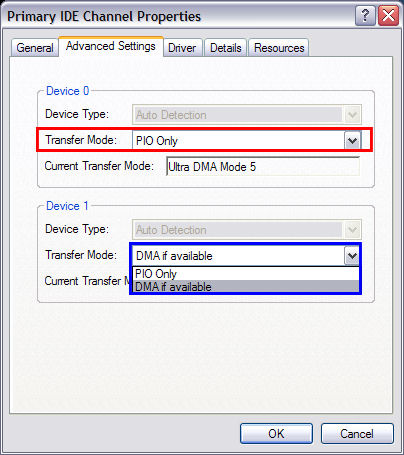
Hi..
I've seen this problem pop up alot on windows 8 after searching for solutions, but cant seem to find the right one..
So, I bought a laptop for because of studies mostly, but one I could use all around. So I bought a HP that wasnt too shabby to play games etc. For some stupid reason I opted for win8... again.. stupid..
Right away the computer seemed slow sometimes for no apparent reason, and I just downloaded the usual stuff: antivirus, malwarebytes and then spotify etc. cant possibly have gotten anything bad yet.
BUT, I noticed the task manager that the disk always was at 100% and I couldnt figure out why, because there was nothing there to use it.. So I checked resources that were being used, and somehow the different processes stack up, like 30-40 or more of svchost.exe, system, and sometimes chrome and programs like matlab.exe, and it all seemed random.
Is there something terribly wrong with windows 8 that gives it wrong signals about processes and starts multiple of them because it thinks nothing is running or something?? Im sorry it got long, im frustrated about it.. Anyone know about a fix? The reading is around 8k ms constantly sometimes.
I can add specs and pictures, but the specs should really not be the problem.
I've seen this problem pop up alot on windows 8 after searching for solutions, but cant seem to find the right one..
So, I bought a laptop for because of studies mostly, but one I could use all around. So I bought a HP that wasnt too shabby to play games etc. For some stupid reason I opted for win8... again.. stupid..
Right away the computer seemed slow sometimes for no apparent reason, and I just downloaded the usual stuff: antivirus, malwarebytes and then spotify etc. cant possibly have gotten anything bad yet.
BUT, I noticed the task manager that the disk always was at 100% and I couldnt figure out why, because there was nothing there to use it.. So I checked resources that were being used, and somehow the different processes stack up, like 30-40 or more of svchost.exe, system, and sometimes chrome and programs like matlab.exe, and it all seemed random.
Is there something terribly wrong with windows 8 that gives it wrong signals about processes and starts multiple of them because it thinks nothing is running or something?? Im sorry it got long, im frustrated about it.. Anyone know about a fix? The reading is around 8k ms constantly sometimes.
I can add specs and pictures, but the specs should really not be the problem.