Recycle bin problem

adam3112

New Member
There is this like... invisible file in my recycle bin and every time i try to empty it i get the following message....
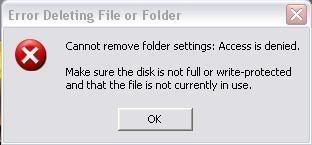
Recyclebinerror.jpg


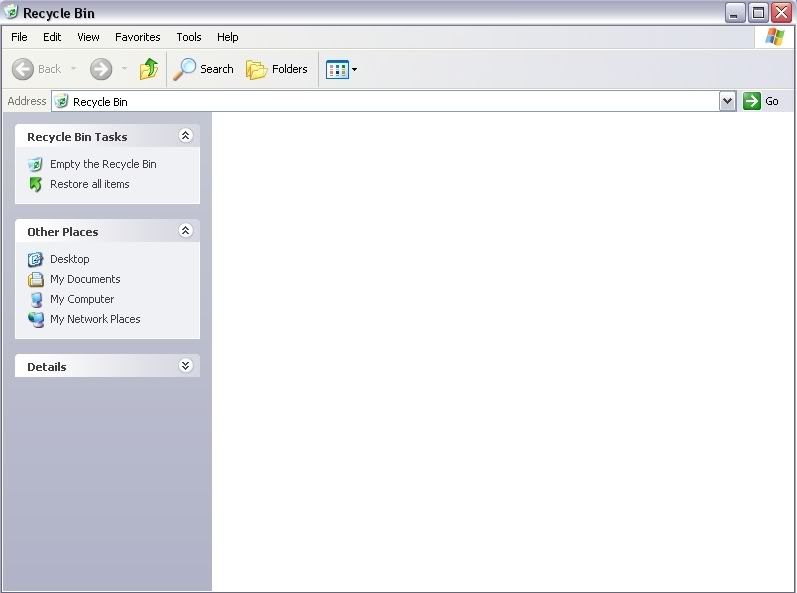
When i open up my recycle bin to see if there are any files inside it (unless of course i have deleted another file) you can't actually see any files inside it as shown below.
Emptyrecyclebin.jpg


When i delete files normally and click empty recycle bin, it still deletes the other files but that same error mesage comes up supposably there is still that file in the recycle bin the computer is unable to remove.

This is a picture of what my recycle bin looks like on my desktop with this invisible file inside it.
RecycleBinfull.jpg


What is the problem here?
 
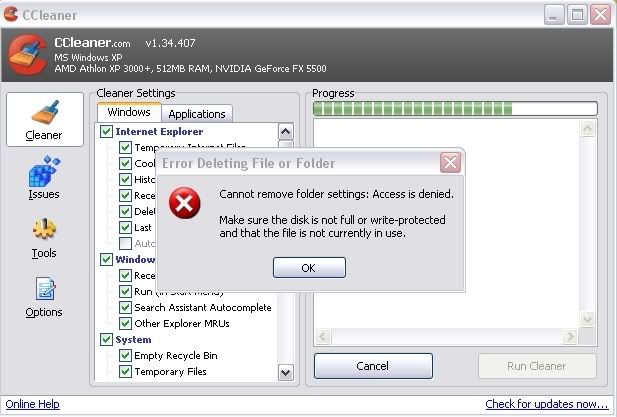
CCleaner didn't do the trick, the error message came up in the cleaning process and after the cleaning process, i was still unable to delete the invisible file in the recycle bin. :confused: Screenshot of it below... anymore suggestions?
ccleanerrecyclebinerror.jpg
 
Explore Recycle Bin
go to Tools>Fold Options>View
is Show hidden files checked?

at least this is where I'd start
 
Explore Recycle Bin
go to Tools>Fold Options>View
is Show hidden files checked?

at least this is where I'd start
Show hidden files and folders was not checked, but when i did check it, it still didn't make any difference. Also my Hard drive is NTFS?
 
Try this:

Go to start>run.

Type in "cmd" without quotes.

When it starts up, type cd.. twice or so until you are shown just C: and not any other folders or what not.

Next, type in these lines:
attrib c:\recycler -h -s <Press ENTER
then,
del c:\recycler <Press ENTER

Then go back and see if you can empty it.
 
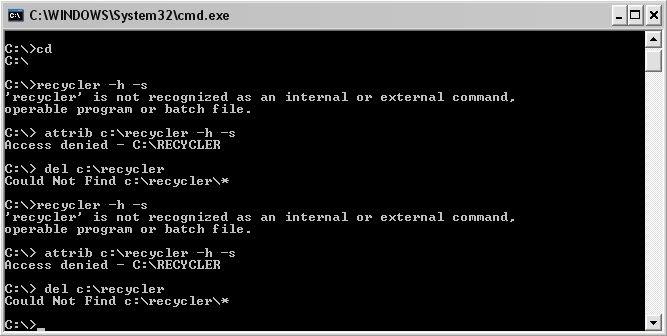
this is basically what i typed in....

command.jpg


It says stuff like access is denied or location not found and after those steps i tried emptying the recycle bin but i just got the same message :confused:
 
back up your files, reformat your drive, install a fresh copy of windows and install all the latest updates also. After that you should be good to go, until time passes again, and attackers come up with new ways to exploit flaws in and disintegrate windows xp again, then repeat. alwayz works for me! :-)
 
this is basically what i typed in....


It says stuff like access is denied or location not found and after those steps i tried emptying the recycle bin but i just got the same message :confused:
Are you purposely leaving spaces between the commands? Don't leave any spaces. Also, do you have administrative rights on the computer? Or are you on a limited profile in XP?
 
Are you purposely leaving spaces between the commands? Don't leave any spaces. Also, do you have administrative rights on the computer? Or are you on a limited profile in XP?

Unfortunately i'am not an administrator of the computer because i was accused of putting viruses on the computer when i was an administrator, infact the entire computer crashed which made us lose all of our files etc so iam no longer trusted. I have scanned the computer for viruses/spyware to see if it has anything to do with this problem but there is no results... i even updated the norton. I assume being an admin has something to do with using the command box? so iam out of luck with that. Is there any other ways that iam able to remove this file, and by the way other users on the computer do not have the same problem, its just me.
 
Unfortunately i'am not an administrator of the computer because i was accused of putting viruses on the computer when i was an administrator, infact the entire computer crashed which made us lose all of our files etc so iam no longer trusted. I have scanned the computer for viruses/spyware to see if it has anything to do with this problem but there is no results... i even updated the norton. I assume being an admin has something to do with using the command box? so iam out of luck with that. Is there any other ways that iam able to remove this file, and by the way other users on the computer do not have the same problem, its just me.
If your not admin or don't have administrative rights on the pc, you really can't modify or change anything major or system files or anything so you will have to have administrative rights.
 
If your not admin or don't have administrative rights on the pc, you really can't modify or change anything major or system files or anything so you will have to have administrative rights.

Never mind, i have a computer of my own now so i don't really care about the problem, however it was just handy to know just incase it happens on my new computer. Thanks anyway!:D
 
it wont help but the other day i had the same problem after using cc cleaner to shred recicle bin but after a reboot i could empty the recicle bin of the invisable file
 
Back
Top