Spyware remova help..

lady_pinkytoe

New Member
That should read Spyware "removal" help..


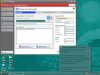
I don't know what happened, but suddenly "your computer is infected!" keeps appearing on my screen every minute or so.. I tried downloading some spyware removal program, but I don't know if it's any good or really how to use it.. anyone have any ideas how I can successfully get rid of this spyware and this constant and annoying pop up? Thanks for any and all help :)
 

Attachments

  • send_binary.jpg
    send_binary.jpg
    49 KB · Views: 71
Last edited:
Please download SmitfraudFix (by S!Ri)
Extract the content (a folder named SmitfraudFix) to your Desktop.

Open the SmitfraudFix folder and double-click smitfraudfix.cmd
Select option #1 - Search by typing 1 and press "Enter"; a text file will appear, which lists infected files (if present).
Please copy/paste the content of that report into your next reply.

Note : process.exe is detected by some antivirus programs (AntiVir, Dr.Web, Kaspersky) as a "RiskTool"; it is not a virus, but a program used to stop system processes. Antivirus programs cannot distinguish between "good" and "malicious" use of such programs, therefore they may alert the user.
http://www.beyondlogic.org/consulting/proc...processutil.htm
 
Open the SmitfraudFix folder and double-click smitfraudfix.cmd
Select option #1 - Search by typing 1 and press "Enter"; a text file will appear, which lists infected files (if present).
Please copy/paste the content of that report into your next reply.
I found the folder but I can't get it to the desktop.. when I click on it it does nothing :(

Appreciate your quick reply btw :)
 
Didn't it download to the desktop?

Edit: I linked to a zip file, right-click and select "extract".
 
Last edited:
I'll hafta continue this tomorrow.. I am very tired.. I will be here tomorrow evening 8pm EST, United States time.. if you are gonna be here please post in the thread and we'll continue then.. thank you SO much and good evening..
 
It looks like your antivirus stopped the full download, delete the smitfraudfix you have, disable your antivirus, and download smitfraudfix again. Then follow the instructions to post the results. (and turn your antivirus back on)
 
It looks like your antivirus stopped the full download, delete the smitfraudfix you have, disable your antivirus, and download smitfraudfix again. Then follow the instructions to post the results. (and turn your antivirus back on)
hi.. I did what you said but I got the same result as above :(
 
Strange. Ok, try this.

You may want to print out or make a copy of these instructions before starting, because you will not be able to connect to the internet during most of this fix.

Download smitRem.exe and save the file to your desktop.
Double click on the file to extract it to it's own folder on the desktop.

Next, please reboot your computer in Safe Mode by doing the following:
  1. Restart your computer
  2. After hearing your computer beep once during startup, but before the Windows icon appears, press F8.
  3. Instead of Windows loading as normal, a menu should appear
  4. Select the first option, to run Windows in Safe Mode.

Open the smitRem folder, then double click the RunThis.bat file to start the tool. Follow the prompts on screen. Your desktop and icons will disappear and then reappear again --- this is normal.
Wait for the tool to complete and Disk Cleanup to finish --- this may take a while; please be patient.

Restart your computer in normal mode.
Please post a new HijackThis log as well as the log from the smitRem tool, which will be located at C:\smitfiles.txt.
 
Back
Top