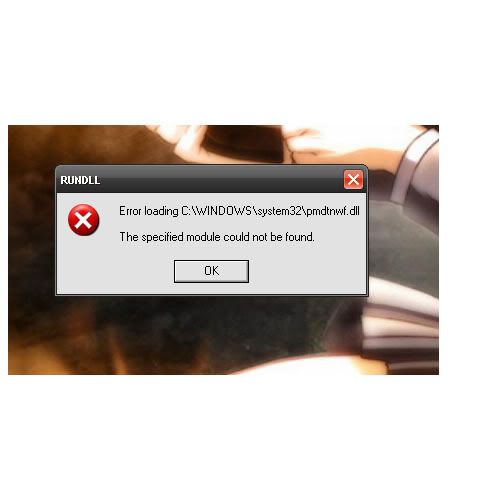
RUNDLL error

PBHiroshima

New Member
I keep getting this annoying pop-up every time I turn on my computer. It says:

Error loading C:\WINDOWS\system32\pmdtnwf.dll
The specified module could not be found.

What does this mean and how do I get rid of it?
 
I keep getting this annoying pop-up every time I turn on my computer. It says:

Error loading C:\WINDOWS\system32\pmdtnwf.dll
The specified module could not be found.

What does this mean and how do I get rid of it?
Double check, and make sure you spelled "pmdtnwf.dll" correctly. I couldn't find any info on this file.
 
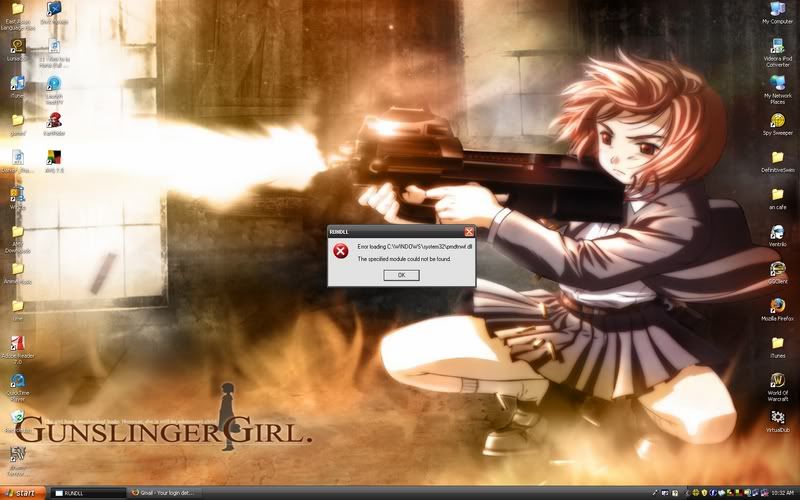
here is a screenshot of my desktop with the error:

BURL.jpg
 
here is a screenshot of my desktop with the error:

BURL.jpg

Cool desktop. It does look like (hard to tell) the file was spelled correctly. It's probably a system file, not a file used by a third party application. You could try using the "Repair" option with your XP installation disk. Using this option will not change any personal settings. It simply deletes and reinstalls important system files.
 
Untitled-1copy.jpg


theres a closer up image

I will try the "repair" option and see how that goes thanks!

Thanks. I tried searching the file using Google. No results. Do you know how to use the "Repair" option. If needed, I can walk you through the steps. This process may be the only way to remove the error.

How long have you been receiving this error?
 
for a very long time...and now I have been having a ton of problems with my computer (i.e. downloads randomly stop and videos don't buffer and so forth) so
I am trying to get rid of any unusual warnings.
 
for a very long time...and now I have been having a ton of problems with my computer (i.e. downloads randomly stop and videos don't buffer and so forth) so
I am trying to get rid of any unusual warnings.

O.K. Repairing the computer using the XP CD might help. Backup your computer before attempting the repair. You know how to use the repair option, right?
 
I think I know (watched friend do it) but for the sake of safety you should tell me :D

Insert the CD and restart your computer. You will see the following message..."Press any key to boot from CD." Do as the message says. Windows will begin loading files. At the "Welcome to Setup" screen, press "Enter." Do not press "R." Accept the license agreement when prompted. Now, Windows will find the installation you need to repair. On the next screen, you should see only one installation - "Windows XP Professional (or Home)." Press "R" to repair. That's it! The process may take awhile.

If that doesn't work...then I don't know. Good luck! :)
 
Insert the CD and restart your computer. You will see the following message..."Press any key to boot from CD." Do as the message says. Windows will begin loading files. At the "Welcome to Setup" screen, press "Enter." Do not press "R." Accept the license agreement when prompted. Now, Windows will find the installation you need to repair. On the next screen, you should see only one installation - "Windows XP Professional (or Home)." Press "R" to repair. That's it! The process may take awhile.

If that doesn't work...then I don't know. Good luck! :)

that option never came up...i put the CD in and it just started my computer up normally

NM :D i forgot i need to make it in BIOS to boot CDs first
 
Last edited:
no, where yours says I:\WINDOWS "Microsoft Windows XP Professional" mine says

Unpartitioned Space 0MB
D: Partition1 (Local Disk) [MIFS] 157068 MB
Unpartitioned Space 1 MB

and it continues with other "cryptic" messages lol : /
 
no, where yours says I:\WINDOWS "Microsoft Windows XP Professional" mine says

Unpartitioned Space 0MB
D: Partition1 (Local Disk) [MIFS] 157068 MB
Unpartitioned Space 1 MB

and it continues with other "cryptic" messages lol : /

Hmm...very carefully, try the steps again. It should work. You should see the screen I provided above. ;) BTW, DON'T do anything on the screen you're seeing. That's the installation screen.
 
Yea I was definitely NOT going to do anything on that screen. So, I tried again and same thing happened..will it not work if I have already done a repair before?
 
Back
Top