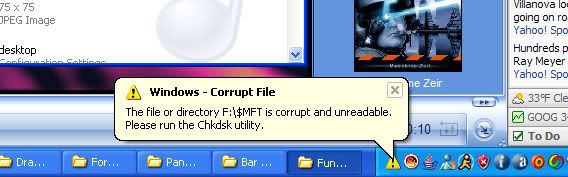
Rehcamretsnef
New Member
i have the whole thing nearly full... i have 6 gigs left.
but thats not the problem.
I had it for about a year, worked perfectly, but recently... when i send a large folder, or large number of files, the first few seconds will go smoothly. After a second or two, the green completion bar will stop moving. My computer will start to hang. The usual stuff, when i move my mouse, itll appear a couple inches away, windows take forever to load. Then the files will quickly start to transfer again. Then itll hang... Until all the files are done. That was becoming a problem in itself.
But #2? wow, this is strange. I have music, small movie clips, and lots of pictures on this drive. I was looking thru my massive personal photo folders, and realized, holy crap, some dont show up in preview. Ill have 35 nice thumbnails, and then occaisonally one or 2 or 3 will just be the standard windows image icon. when i click it, it has no preview, and when i drag it into photoshop, it still didnt load. Photoshop told me that the JPEG code was wrong, so i downloaded a program to check it out.
I downloaded WinHex so i could see the Hex data of the files themselves. When i drag a normal picture into winhex, i see the usual image header, with camera metadata, and such.
when i drag one of those error'd files? i get code like this (cut and pasted from the beginning of the string):
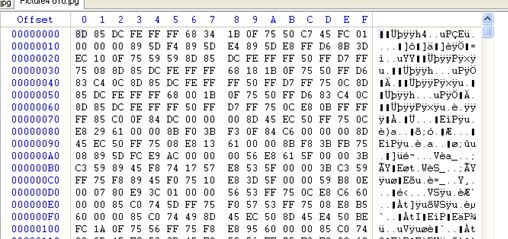
for those who dont know, that is not what image Hex data looks like. or even starts out. Ive opened a few of the weird files, and none of them had the correct headers. From what it looks like to me, all the files are somethin like a RAM dump, and just random text/data (sometimes, even error messages from windows).
Any clue what can cause this? my data is obviously gone, maybe i can find it on my backup drive. But how can i stop this from happening again? and why is it slowing down/hanging?
Im on the edge of buyin another 300 or 400 gig drive, so if thats all you guys can think of, throw it out there.
specs:
Winxp Home + SP2
AMD Athlon 64 3500+
2x512 Geil pc3200
MSI Neo2 Platinum 939 mobo
WDC 200 Gig
Maxtor 300 Gig sata
saweeeeet 32 inch LCD
but thats not the problem.
I had it for about a year, worked perfectly, but recently... when i send a large folder, or large number of files, the first few seconds will go smoothly. After a second or two, the green completion bar will stop moving. My computer will start to hang. The usual stuff, when i move my mouse, itll appear a couple inches away, windows take forever to load. Then the files will quickly start to transfer again. Then itll hang... Until all the files are done. That was becoming a problem in itself.
But #2? wow, this is strange. I have music, small movie clips, and lots of pictures on this drive. I was looking thru my massive personal photo folders, and realized, holy crap, some dont show up in preview. Ill have 35 nice thumbnails, and then occaisonally one or 2 or 3 will just be the standard windows image icon. when i click it, it has no preview, and when i drag it into photoshop, it still didnt load. Photoshop told me that the JPEG code was wrong, so i downloaded a program to check it out.
I downloaded WinHex so i could see the Hex data of the files themselves. When i drag a normal picture into winhex, i see the usual image header, with camera metadata, and such.
when i drag one of those error'd files? i get code like this (cut and pasted from the beginning of the string):
for those who dont know, that is not what image Hex data looks like. or even starts out. Ive opened a few of the weird files, and none of them had the correct headers. From what it looks like to me, all the files are somethin like a RAM dump, and just random text/data (sometimes, even error messages from windows).
Any clue what can cause this? my data is obviously gone, maybe i can find it on my backup drive. But how can i stop this from happening again? and why is it slowing down/hanging?
Im on the edge of buyin another 300 or 400 gig drive, so if thats all you guys can think of, throw it out there.
specs:
Winxp Home + SP2
AMD Athlon 64 3500+
2x512 Geil pc3200
MSI Neo2 Platinum 939 mobo
WDC 200 Gig
Maxtor 300 Gig sata
saweeeeet 32 inch LCD