antivirus turned off

Occasionally, I get a message from my security center that my antivirus is turned off, but when I check it, it's turned on. I also get told to click on a button for an antispyware app. What's causing this? I use Windows 10

 
It may be that some programs are not fully compatible with Windows Security Center. However, its definitely a good idea to scan your system for malware just in case, some malware are known to screwup windows security center. And to be honest, I really don't trust Webroot much. I would definitely follow the guide here just to make sure you are clean.

http://www.computerforum.com/threads/please-read-before-requesting-malware-removal-help.224967/

You can post the logs back in this thread for me to verify.
 
How can you not trust the antivirus that's rated #1 by pc magazine?
My personal opinion and the fact that I have worked on computers for almost 20 years. The fact that my most of my business is malware related and that no antivirus program is 100 percent full proof in catching today's malware. I have removed malware on systems that have had Webroot, Nortons, Mcafee, every antivirus program you can think of. So being rated #1 by pcmag means nothing to me.
I had the free trial of the pay version of malwarebytes for a month & it never found anything
Just because you had it for a month doesn't mean you were infected at that time. The free trial is only for 14 days anyway.
 
Anti-virus programs are just a good felling thing. I use one myself (Bitdefender Free), but don't depend on it. I use Sandboxie and NoScript which will prevent stuff from getting on yor machine. Unless of course you install something that's BS. You should scan it at Virus Total. Or you can lock your computer down with Voodoo Shield.
 
I'm still getting the notifications that Windows Defender & Webroot are turned off. Windows Defender is, but Webroot is not. I got another free trial of Malwarebytes premium and ran a full scan. Nothing was found
 
If webroot is saying its on and functioning correctly then don't worry about. You can change security settings so that you can monitor it manually.
 
on a side note,if webroot is an antivirus program and is running with windows defender,another antivirus program,you are asking for problems.there can only be one.
 
Anti-virus programs are just a good felling thing. I use one myself (Bitdefender Free), but don't depend on it. I use Sandboxie and NoScript which will prevent stuff from getting on yor machine. Unless of course you install something that's BS. You should scan it at Virus Total. Or you can lock your computer down with Voodoo Shield.

I just don't download dodgy applications, or visit dodgy websites.

I have not had a single infection on any of my machines in the past five years or so. :3

To be honest, I find avast! is good enough for what I need. If I have to run anything I don't trust, I use an isolated VM for it.

on a side note,if webroot is an antivirus program and is running with windows defender,another antivirus program,you are asking for problems.there can only be one.

I have never found an issue with running two different AV's together, but I know it can cause issues.

Windows 10 has defender running by default anyway.
 
Ofc not, but to be honest, how many people actually realise that Windows defender is running anyway..?
As long as you don't visit iffy websites, or download iffy programs, you don't even need antivirus. Just a bit of savvy.

It is the same as having a mobile phone insured against accidental damage. Yeah, you can take the insurance out, but if you are careful with the phone, and don't mistreat it, then there is a 99% chance you wont even need to pay for a repair anyway. Not 100%, obviously, but close to it.

Tbh I don't have any AV running on my systems at the moment, as I have not got round to setting it up, but I am visiting Office 365 outlook, Computer Forum and my Universities Intranet system, so I don't really have a need.

Common sense lacks a lot these days, and that is why a lot of people get infections from one place or another.
 
Ofc not, but to be honest, how many people actually realise that Windows defender is running anyway..?
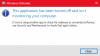
It's usually disabled if you have another AV running. I've got Trend installed on my systems and if I try to open up Defender...

windefender.PNG

I didn't turn it off manually. Either Windows or Trend did it.
 
It's usually disabled if you have another AV running. I've got Trend installed on my systems and if I try to open up Defender...

View attachment 7083

I didn't turn it off manually. Either Windows or Trend did it.

Probably Trend.

upload_2016-4-17_15-42-19.png

M$ might have a "thing" (getting technical here) that AV software like avast! and Trend can implement in their software before compilation to allow Windows to "see" it.

I dunno. I just tend to use my savvy and I am fine. Unless you are visiting shady (illegal) torrenting websites, or trying to download something like pornography or software like "YouTube ultra free downloading tool" or "Speed up your computer AND get monies.exe", then you should generally be fine.

That is why the "horrible" UAC feature was implemented in Vista. It forces an application to register for an administrative runtime token if it wants to change any major settings or access stuff that might be private or critical to how the computer works. It prevents stuff running and altering things so easily when you don't want them to.

If I find a process in task manager, or a file/folder I don't recognise on the system, I will immediately google it/run a virus scan. I never get infected.
 
Back
Top