black (choice) screen when I start my computer

yb23

New Member
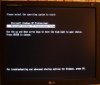
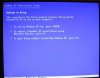
when I start my computer, black screen appear and ask me to choose one of 2 options (picture attached):
first option operate and start new installation of xp (I havn't any disc in my CD drive)as display in attachment pictures.
and second option is, to enter to the real xp that installed already.
how can I aviod the screen?
 

Attachments

  • 1.JPG
    1.JPG
    15.2 KB · Views: 75
  • 2.JPG
    2.JPG
    15.8 KB · Views: 77
  • 3.JPG
    3.JPG
    10.6 KB · Views: 68
Click Start, Click Run, type in msconfig and Enter.

Click the BOOT.INI tab. You should see the two boot options listed.

Left Click on the one that you know is the one that triggers the Setup.

Remove it, Click Apply, Ok, Restart.
 
Click Start, Click Run, type in msconfig and Enter.

Click the BOOT.INI tab. You should see the two boot options listed.

Left Click on the one that you know is the one that triggers the Setup.

Remove it, Click Apply, Ok, Restart.

u cant edit boot.ini by running msconfig. If u want to edit it, go to Control Panel -> Performance and Maintenance -> System -> Advanced -> Startup and Recovery (choose Setting) -> Edit.

It will display a text file with something like this:
[boot loader]
timeout=30
default=multi(0)disk(0)rdisk(0)partition(3)\WINDOWS
[operating systems]
multi(0)disk(0)rdisk(0)partition(3)\WINDOWS="Microsoft Windows XP Professional" /noexecute=optin /fastdetect

I assume yb23's boot.ini look like this:
[boot loader]
timeout=30
default=multi(0)disk(0)rdisk(0)partition(1)\WINDOWS
[operating systems]
multi(0)disk(0)rdisk(0)partition(1)\WINDOWS="Microsoft Windows XP Professional" /fastdetect
multi(0)disk(0)rdisk(0)partition(2)\WINDOWS="Microsoft Windows XP Professional Setup" /fastdetect

where partition(1) and partition(2) is the partition of ur hard disk which contain Windows XP and Windows XP Setup respectively. Partition(1) is C: drive and Partition(2) is D: drive and so on.

If u dont want to display the Setup one, delete the line "multi(0)disk(0)rdisk(0)partition(2)\WINDOWS="Microsoft Windows XP Professional Setup" /fastdetect".

However, if u r not sure, dont do it. Leave it to someone who knows although Im pretty sure I showed u enough to edit the file urself.

 
and u cant Edit or Remove anything in msconfig

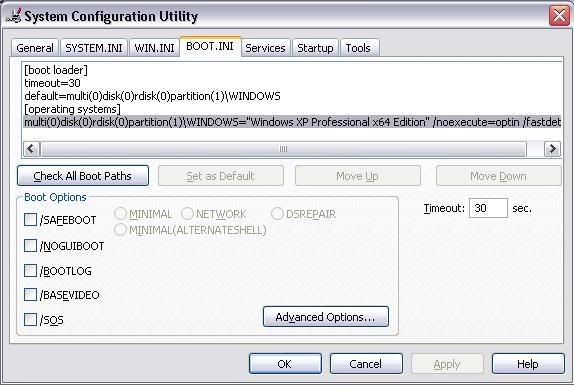
You can "Check All Boot Paths" and if there's one that's invalid, it will ask you if you want to remove it.

untitled-12.jpg
 
You can "Check All Boot Paths" and if there's one that's invalid, it will ask you if you want to remove it.

untitled-12.jpg

The thing is that Setup option is a valid one. Otherwise, when u click on it, it will do nothing. Anyway, we are digressing.

yb23, I would suggest you just leave it like that in case you want to reinstall Windows XP.
 
Last edited:
The thing is that Setup option is a valid one. Otherwise, when u click on it, it will do nothing. Anyway, we are digressing.

yb23, I would suggest you just leave it like that in case you want to reinstall Windows XP.

Well obviously mine screen shot was an example, and the OP's will look different.

It was just a suggestion and should be taken as such. I made no guarantee that it would work, but it has worked for me in the past.
 
Back
Top