
IknowLITTLE
New Member
So, this all started with me waking my computer up one night with my keyboard, it reacted weird, my keyboard stopped responding so i shut off the computer.
Its a blur now but i remember finally getting it to boot correctly, i'm thinking it was after the latest nvidia update, this was last Friday June first. But i personally doubt that this is a problem with the graphics drivers because today in safe mode i tried a fresh install of the drivers to no avail.
Anyway, that Sunday i was watching Netflix and my screen had went to sleep during my full screen playing, it happened before that night so i quickly hit space to wake it up and after doing this i got an annoying repetition of the noise that was going on in the show i was watching and then a reboot.
This is where the problem became more predominant. Monday i didn't do much with the tower and Tuesday i turned it on and it worked great. today, it began looping again, i restored as far as i could, before the graphics update to no avail. i then went into safe mode and ran all my anti virus and found nothing. after looking for suspicious files for a bit (also ran ccleaner) and then finally shutdown the computer and then rebooted. this time instead of a loop i got a black screen and my mouse icon, not flashing, but in full movement. after that i just held the power button and shutdown. i then messed around in safe mode some more and couldn't think of anything to do but this. i can get the hijack this report but i don't think its relevant. but again im not the expert. the computer in question is my personal computer, the one in the description. ALMOST FORGOT, somewhere in there, i think on Tuesday, i was watching full screen youtube and got the annoying repititon of noise again and then a black screen, then the error message that windows had recovered from a nvidia driver crashing. thats the only think making me think this might be a driver issue. but on the other hand it could also be a virus.
In conclusion i appriciate any help, or time given here.
-Will
Its a blur now but i remember finally getting it to boot correctly, i'm thinking it was after the latest nvidia update, this was last Friday June first. But i personally doubt that this is a problem with the graphics drivers because today in safe mode i tried a fresh install of the drivers to no avail.
Anyway, that Sunday i was watching Netflix and my screen had went to sleep during my full screen playing, it happened before that night so i quickly hit space to wake it up and after doing this i got an annoying repetition of the noise that was going on in the show i was watching and then a reboot.
This is where the problem became more predominant. Monday i didn't do much with the tower and Tuesday i turned it on and it worked great. today, it began looping again, i restored as far as i could, before the graphics update to no avail. i then went into safe mode and ran all my anti virus and found nothing. after looking for suspicious files for a bit (also ran ccleaner) and then finally shutdown the computer and then rebooted. this time instead of a loop i got a black screen and my mouse icon, not flashing, but in full movement. after that i just held the power button and shutdown. i then messed around in safe mode some more and couldn't think of anything to do but this. i can get the hijack this report but i don't think its relevant. but again im not the expert. the computer in question is my personal computer, the one in the description. ALMOST FORGOT, somewhere in there, i think on Tuesday, i was watching full screen youtube and got the annoying repititon of noise again and then a black screen, then the error message that windows had recovered from a nvidia driver crashing. thats the only think making me think this might be a driver issue. but on the other hand it could also be a virus.
In conclusion i appriciate any help, or time given here.
-Will

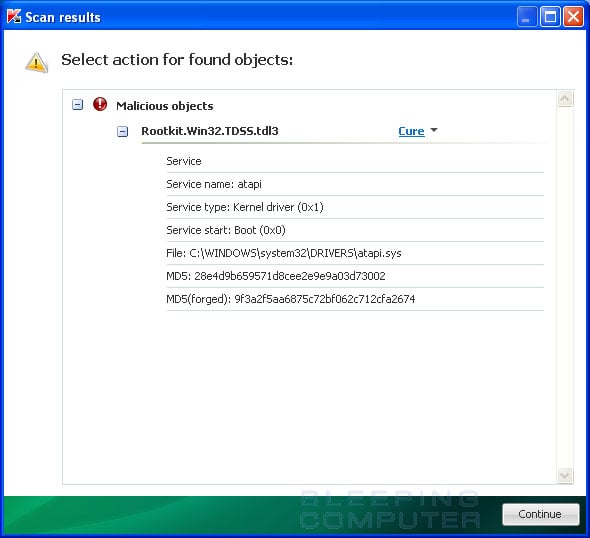
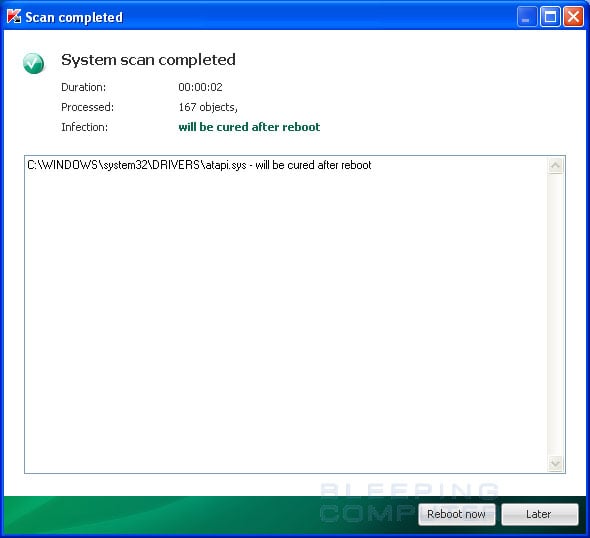
 it found 2 things so far. i assumed since it was almost done that it wasnt going to find anything but the loading bar isnt accurate. ill post the log when its finished