
Connecting computer to tv

demigod892

New Member
Hello, I have an Nvidia Geforce 7600GT video card with an s-video out which I'm trying to connect to my tv. My TV does not have an s-video in so i bought an s-video to composite cable (yellow RCA). My TV also has a "video mode". I also have vista ultimate which i got recently and its been a real pain trying to figure out how to get a picture on the TV. The screen just flickers when it goes from the welcome screen to the desktop. I used the Nvidia control panel (new interface) and I've read that there is a clone feature but i cant seem to figure it out. I tried the "force tv recognition" but the screen just flickers.

Help would be appreciated
Thanks
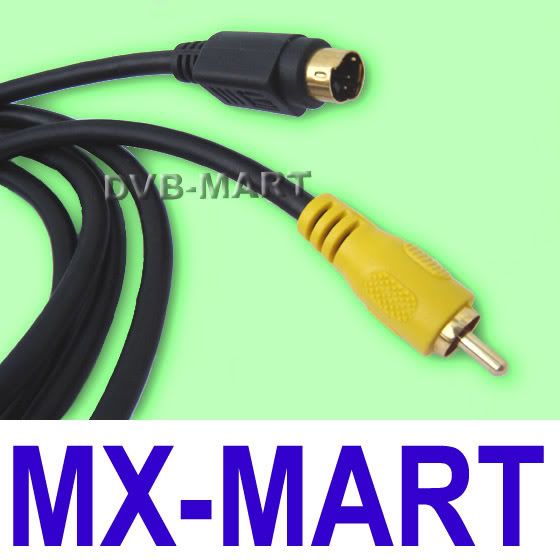
opc.jpg


that is the cable
 
Last edited:
So you don't have any converter that came with your card? That technically should work but I too had some issues using other converters that didn't come with my card...
 
yea i do, it has an s-video out, and a green, red, and blue rca connectors on one side. My tv does not have the green, red, and blue rca connectors. That is the reason i bought the s-video to rca. I've tried connecting the cable i bought with the connector my card brought and still nothing...just some flickering. Ive pretty much tried everything havent i?
 
I'm not sure if that's actually S-video on the video card.
Because my x1950 has that, and it doesn't look like S-video.
It's a composite video, with connectors that lead to it.
Or something.

But anyway.
I didn't want to make a new thread on this.
But red is not transferring to my TV.
Red is just appearing as black.
Everything else is fine.
I redid all of the connections, and everything is fine.
anyone have suggestions? :|
 
yea i do, it has an s-video out, and a green, red, and blue rca connectors on one side. My tv does not have the green, red, and blue rca connectors. That is the reason i bought the s-video to rca. I've tried connecting the cable i bought with the connector my card brought and still nothing...just some flickering. Ive pretty much tried everything havent i?

Read the connectors. I forget which but one of my doubles as a standard RCA/Composite connection.
 
Back
Top